

Download – https://cghow.gumroad.com/l/ganth
Patreon- https://www.patreon.com/Ashif
NFT – https://opensea.io/CGHOW
Twitter – https://twitter.com/cghow_
👉👉 If you Liked it – http://bit.ly/2UZmiZ4
Channel Ashif – http://bit.ly/3aYaniw
Support me on – paypal.me/9953280644
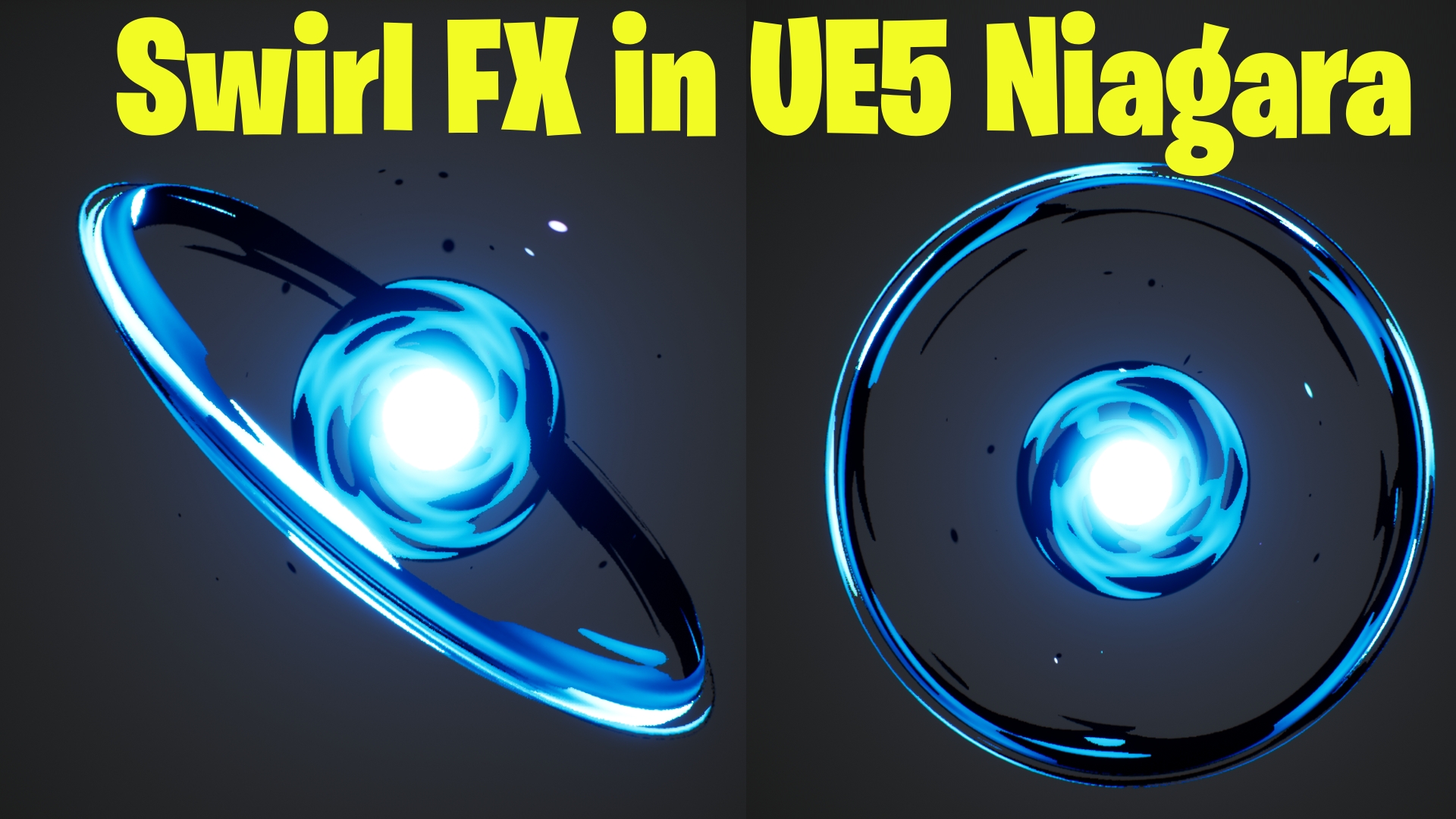
Swirl FX in UE5 Niagara Tutorial | Download Files
#cghow #UE5 #UE4Niagara #gamefx #ue5niagara #ue4vfx #niagara #unrealengineniagara #realtimevfx
●Visit – https://cghow.com/
Unreal Engine Marketplace – https://bit.ly/3aojvAa
Artstation Store – https://www.artstation.com/ashif/store
Gumroad – https://cghow.gumroad.com/
Creating a Glowing Ring Effect with Niagara in Unreal Engine
Hi guys, I’m Ashif Ali, and you’re watching CGHOW! In this tutorial, we’ll go through the process of creating a glowing ring effect using Niagara in Unreal Engine. If you haven’t subscribed yet, please subscribe to my YouTube channel, like, share, and comment below if you enjoy the video! Let’s dive right in!
Tutorial Breakdown:
- Starting the Map and Material Setup:
- Create a new map and basic material for your VFX.
- Use a Torus mesh for the ring and set it up in the Niagara system.
- Particle System Configuration:
- Create a Niagara system and configure a mesh particle with a Taurus shape.
- Set the particle size, orientation, and spawn behavior.
- Creating the Material:
- Preview the mesh in the material editor and apply a gradient mask.
- Use power and burn nodes for opacity and masking.
- Adjust the inner and outer shading for a glowing effect.
- Adding Variation and Dynamic Parameters:
- Use dynamic parameters to control the darkness and brightness of the effect.
- Add noise for variation and adjust the particle color.
- Fine-Tuning the Material:
- Connect the opacity mask and tweak the opacity and lighting settings.
- Use noise for additional variation on the outer ring.
- Creating Glow and Additional Elements:
- Add a sphere to create the inner glow.
- Use jitter and spring for movement effects and add a ring around the glow.
- Final Details and Adjustments:
- Add twisting, panning, and radial effects to the texture for dynamic motion.
- Adjust the overall scale, size, and rotation of the particles for fine-tuning.
- Add spark particles for extra impact around the effect.
Key Points:
- Material Setup: Use gradient masks, burn nodes, and power adjustments for a smooth transition from dark to light.
- Niagara Configuration: Utilize dynamic parameters for real-time color adjustments and noise for particle variation.
- Particle Size & Speed: Fine-tune particle size, speed, and spawn rates for realism and flow.
- Glow Effect: Combine spheres with jitter and spring for an animated inner glow.
- Additional Spark Particles: Add spark particles around the ring for added detail and realism.
Trendy Tags:
- #UnrealEngine5
- #NiagaraVFX
- #VFXTutorial
- #GamingVFX
- #UnrealEngine
- #ParticleEffects
- #NiagaraFX
Additional Notes:
- You can modify the colors, shapes, and movement to fit your game’s theme or style.
- Experiment with different mesh shapes and material settings to create unique effects.
- Adjust the dynamic parameters in real-time to see how they influence the final look.
Thanks for watching, keep learning, and don’t forget to subscribe for more Unreal Engine VFX tutorials!
Leave a Reply