

Support me on – https://www.patreon.com/Ashif
Support me on – paypal.me/9953280644
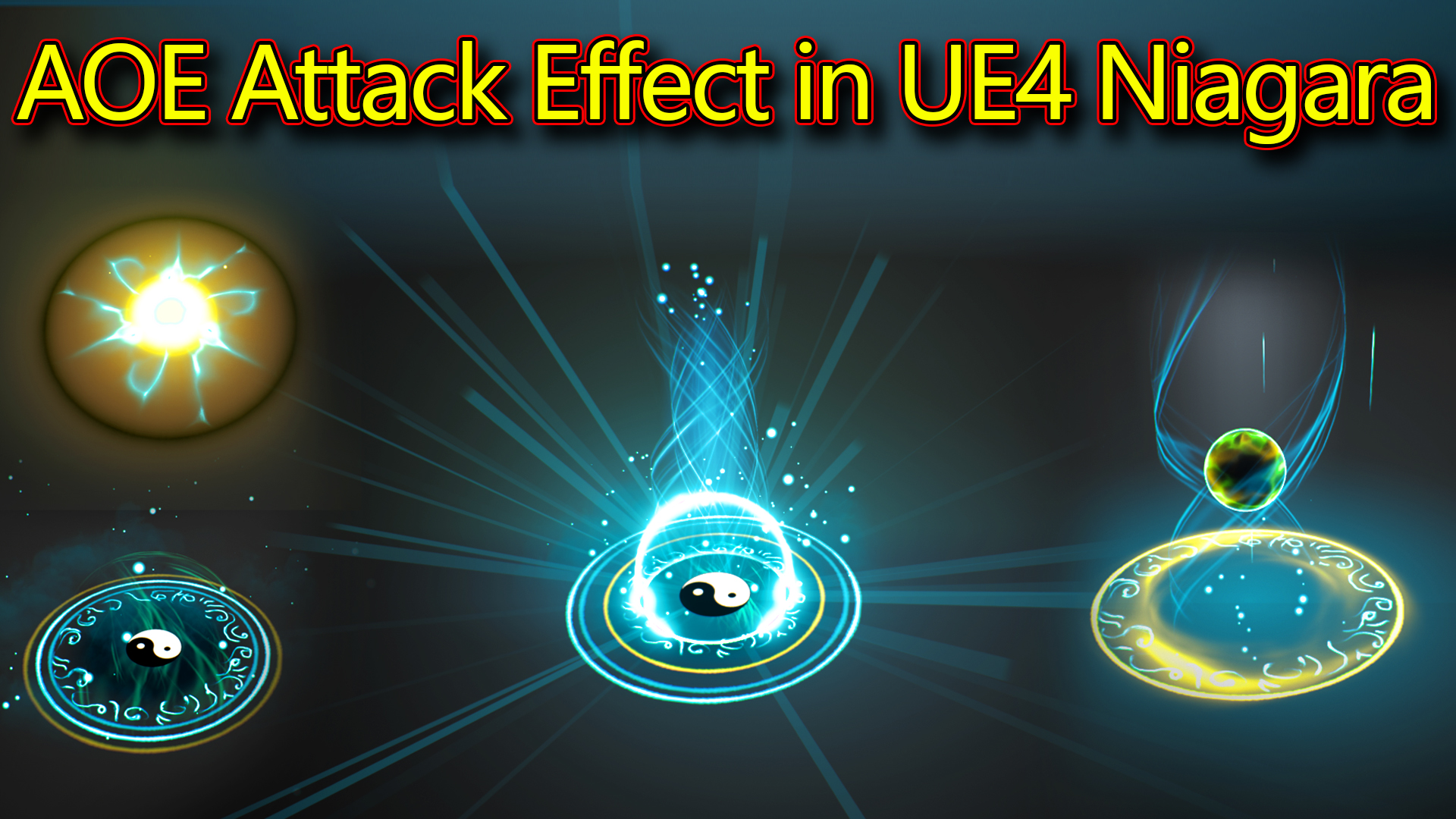
Hi guys today i have created this AOE attack effect in unreal engine niagara.
#cghow #RealtimeVFX #UE4Niagara #gamefx #ue4vfx #ue4fx #niagara #unrealengineniagara #unrealenginevfxtutorials
●Upload Your Tutorials/Work – https://cghow.com/
Purchase Effect Package From Unreal engine Marketplace –
Unreal Engine Niagara Effects in Marketplace – https://youtu.be/DF4Lb_btEus
Niagara Effects Pack in Marketplace – https://youtu.be/g6_k8T7FqHA
Unreal Engine Advanced Magical Effects in Marketplace – https://youtu.be/0Dn3GLIzhMo
Smoke in UE4 Niagara Pack01 in Unreal Engine Marketplace – https://youtu.be/38BPA_9yqJ8
UE4 Niagara Fire Pack 01 in Marketplace – https://youtu.be/PW5FL-zZoP4
UE4 Niagara Fire Pack 02 in Marketplace – https://youtu.be/fdLXPlUEzxM
UE4 Niagara Explosions Pack 02 in Marketplace – https://youtu.be/dj-XX9he4aE
Unreal Engine Niagara Effects Pack 03 in Marketplace – https://youtu.be/0kKon43I-Og
Slow Motion Explosion in UE4 Niagara Pack 04 in Marketplace – https://youtu.be/lUK1eW5zRP0
Unreal Engine Niagara Effects pack 04 in Marketplace – https://youtu.be/MihWYB31Gi4
Slow Motion Explosion in UE4 Niagara Pack 04 in Marketplace – https://youtu.be/lUK1eW5zRP0
UE4.25 Niagara Effects Pack 05 in Marketplace – https://youtu.be/sn1HIENVTDI
UE4.25 Niagara Effects Pack 06 in Marketplace – https://youtu.be/pvH_xGQ5jvs
Explosions Package in Unreal Engine Niagara Particle System – https://youtu.be/1mbqWscjUJ4
●Follow FB Page – https://www.facebook.com/cghow0/
●Join FB Group – https://www.facebook.com/groups/cghow/
●Android App – http://bit.ly/2XUnhoR
Playlists-
●Unreal Engine Niagara Tutorials – http://bit.ly/2SmPEuT
●Unreal engine VFX Tutorials -http://bit.ly/2JNXyJZ
●Unity VFX Tutorials – http://bit.ly/2XNGlKz


Video Title: How to Create a Stunning Particle Effect in Unreal Engine
Video Description: In this video, I’m showing you how I created a complex and visually stunning effect in Unreal Engine! We’ll walk through the entire process, from designing particle systems to materials and emitters.
Key Points Covered:
- Particle System Overview: The effect starts with a black ring that emerges from the ground, followed by various glowing particles and textures.
- Material Creation: Learn how I created custom materials using noise textures, gradient ramps, and sine waves to give each particle a dynamic look.
- Emitter Details: Watch as I break down the different emitters used for each part of the effect, including glow particles, energy bursts, and motion trails.
- Color and Movement: Explore how I manipulated color, size, and life values of particles to achieve a seamless and dramatic effect.
Modules Used:
- Sprite Renderer: To create ring and glow effects.
- Mass Renderer: For disc-shaped energy effects.
- Radial Ramp: To define particle color gradients.
- Custom Alignment: For accurate control over particle positioning.
I also used several advanced techniques like random axis alignment, custom material blending, and panning effects to bring this particle effect to life.
Steps to Create the Effect:
- Black Ring Emitter: Aligning the particles on the Z-axis with a fading alpha curve.
- Glow Emitters: Using radial ramps and random scaling for dynamic glow effects.
- Energy Burst: Creating a cyan energy disk with animated noise for texture movement.
- Spiral Trails: Implementing rotating and scaling spiral meshes with noise-driven animation.
- Logo & Dots: Using radial ramp material for the logo and attracting dots in the center.
- Final Effects: The final touch includes aura beams, energy flashes, and a vibrant sphere that moves up and down.
Important Notes:
- Don’t forget to like and subscribe for more Unreal Engine VFX tutorials!
- If you have any questions or suggestions, feel free to leave them in the comments below.
Tags: #UnrealEngine #VFX #Niagara #ParticleSystems #GameDev #VisualEffects #CGHOW #Tutorial
Leave a Reply