

Download – https://www.patreon.com/posts/62230365
Ref – https://bit.ly/3sqvSBj
NFT – https://opensea.io/CGHOW
👉👉 If you Liked it – http://bit.ly/2UZmiZ4
Channel Ashif – http://bit.ly/3aYaniw
Support me on – https://www.patreon.com/Ashif
Support me on – paypal.me/9953280644
AOE Burst FX in UE4 Niagara Tutorial | Download Files
#cghow #UE5 #UE4Niagara #gamefx #ue5niagara #ue4vfx #niagara #unrealengineniagara #realtimevfx
●Upload Your Tutorials/Work – https://cghow.com/
Purchase Effect Package From Unreal engine Marketplace –
Unreal Engine Niagara Effects in Marketplace – https://youtu.be/DF4Lb_btEus
Niagara Effects Pack in Marketplace – https://youtu.be/g6_k8T7FqHA
Unreal Engine Advanced Magical Effects in Marketplace – https://youtu.be/0Dn3GLIzhMo
Smoke in UE4 Niagara Pack01 in Unreal Engine Marketplace – https://youtu.be/38BPA_9yqJ8
UE4 Niagara Fire Pack 01 in Marketplace – https://youtu.be/PW5FL-zZoP4
UE4 Niagara Fire Pack 02 in Marketplace – https://youtu.be/fdLXPlUEzxM
UE4 Niagara Explosions Pack 02 in Marketplace – https://youtu.be/dj-XX9he4aE
Unreal Engine Niagara Effects Pack 03 in Marketplace – https://youtu.be/0kKon43I-Og
Slow Motion Explosion in UE4 Niagara Pack 04 in Marketplace – https://youtu.be/lUK1eW5zRP0
Unreal Engine Niagara Effects pack 04 in Marketplace – https://youtu.be/MihWYB31Gi4
Slow Motion Explosion in UE4 Niagara Pack 04 in Marketplace – https://youtu.be/lUK1eW5zRP0
UE4.25 Niagara Effects Pack 05 in Marketplace – https://youtu.be/sn1HIENVTDI
UE4.25 Niagara Effects Pack 06 in Marketplace – https://youtu.be/pvH_xGQ5jvs
Explosions Package in Unreal Engine Niagara Particle System – https://youtu.be/1mbqWscjUJ4
●Follow FB Page – https://www.facebook.com/cghow0/
●Join FB Group – https://www.facebook.com/groups/cghow/
●Android App – http://bit.ly/2XUnhoR
Playlists-
●Unreal Engine Niagara Tutorials – http://bit.ly/2SmPEuT
●Unreal engine VFX Tutorials -http://bit.ly/2JNXyJZ
●Unity VFX Tutorials – http://bit.ly/2XNGlKz
Video Title: Static Effect Creation in Unreal Engine Niagara VFX | Step-by-Step Tutorial
Introduction:
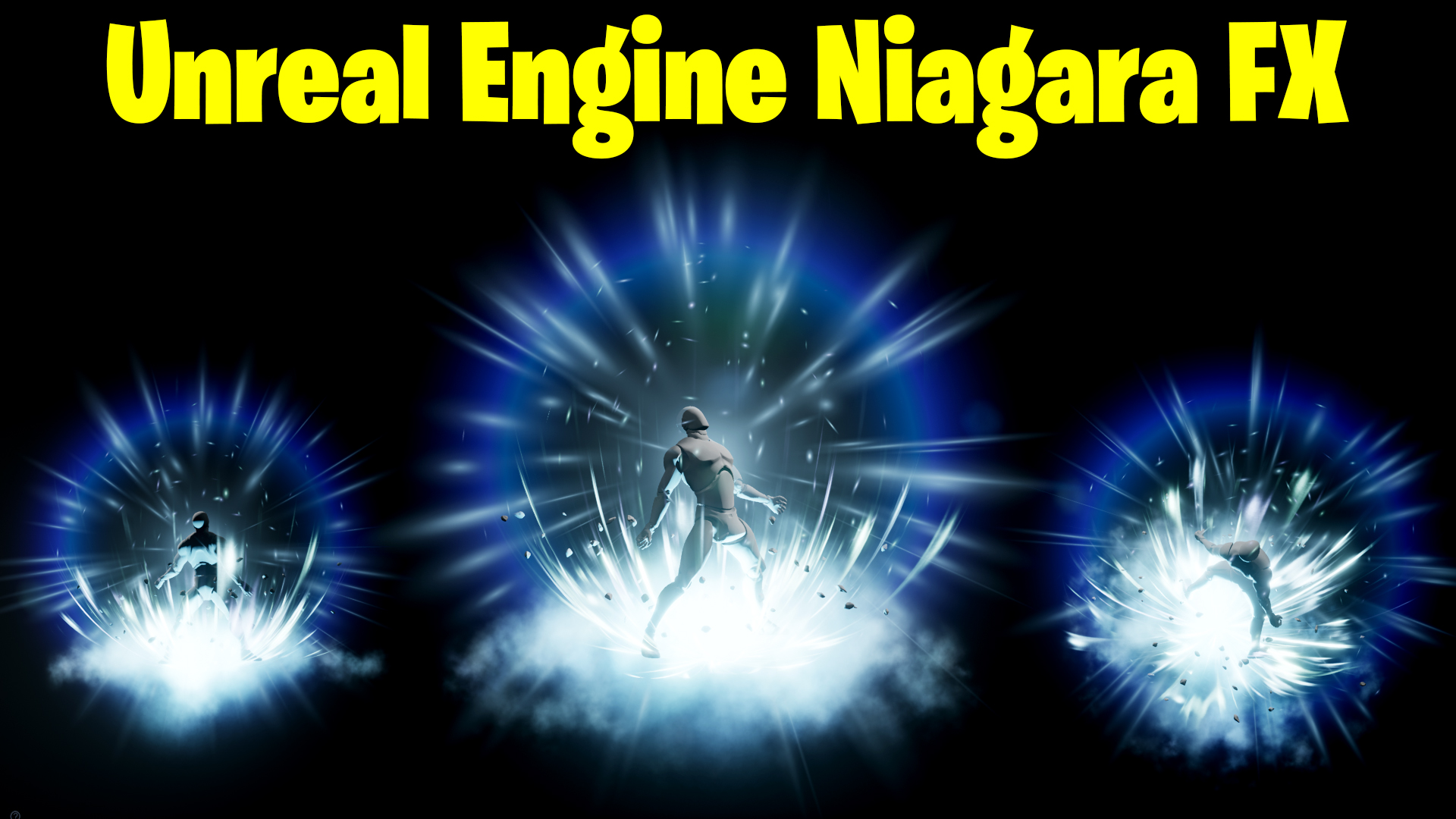
Hi guys, I’m Asif Ali, and you’re watching CGHOW! In today’s video, I’ll walk you through creating a static effect similar to an image I found on Pinterest (link in description). This effect won’t have any animations; it will be entirely static. We’ll be building everything from scratch, and I’ll show you the entire process. Let’s get started!
Tutorial Breakdown:
- Setting Up the Environment:
- Creating a new folder for the shield effect and referencing the static image for design.
- Using a character pose from Mixamo to match the reference image.
- Lighting Setup:
- Adding a basic light setup with an exponent fog to create a dramatic environment.
- Material Creation:
- Building a ring material with dynamic parameters for density and power to give the static effect.
- Adjusting the particle color and adding a custom multiply to the material.
- Adding and Modifying Animation:
- Importing a low-speed animation to simulate breathing-like movements for the character pose.
- Particle Effect Creation:
- Creating two rings using a planar radial for visual impact and tweaking their color to cyan and blue.
- Adding streak lines and creating a soft radial effect for a glowing core.
- Torus and Mesh Adjustments:
- Using torus particles for creating streaks and adjusting their size, alignment, and rotation.
- Creating Additional Effects (Dust, Spikes, Debris):
- Adding spherical particles for spikes and debris using random rotation and size adjustments.
- Using a blur texture for random distortions and applying the smoke and dust effects.
- Final Adjustments:
- Aligning all elements and adjusting particle behavior for the final look.
- Saving and previewing the complete static effect in Unreal Engine.
Key Takeaways:
- Ring Material Setup: Creating radial and ring materials to achieve glowing effects.
- Particle Alignment: Aligning particles to camera angles for realistic effects.
- Custom Animation Speed: Using low-speed animation to create a subtle movement.
- Smoke and Dust Effects: Techniques for adding atmospheric effects using random positioning and fading.
Tags:
#UnrealEngine #NiagaraVFX #StaticEffect #ParticleSystem #UnrealTutorial #VFXArt #CGHOW #UnrealEngineTutorial #VisualEffects #GameArt #GamingVFX
Call to Action:
If you haven’t subscribed to my YouTube channel yet, please do so! And if you found this tutorial helpful, don’t forget to like, share, and leave a comment below. Thanks for watching, and let’s create amazing VFX together!
Leave a Reply