

Download – https://cghow.gumroad.com/l/xcird
Patreon- https://www.patreon.com/Ashif
NFT – https://opensea.io/CGHOW
Twitter – https://twitter.com/cghow_
👉👉 If you Liked it – http://bit.ly/2UZmiZ4
Channel Ashif – http://bit.ly/3aYaniw
Support me on – paypal.me/9953280644
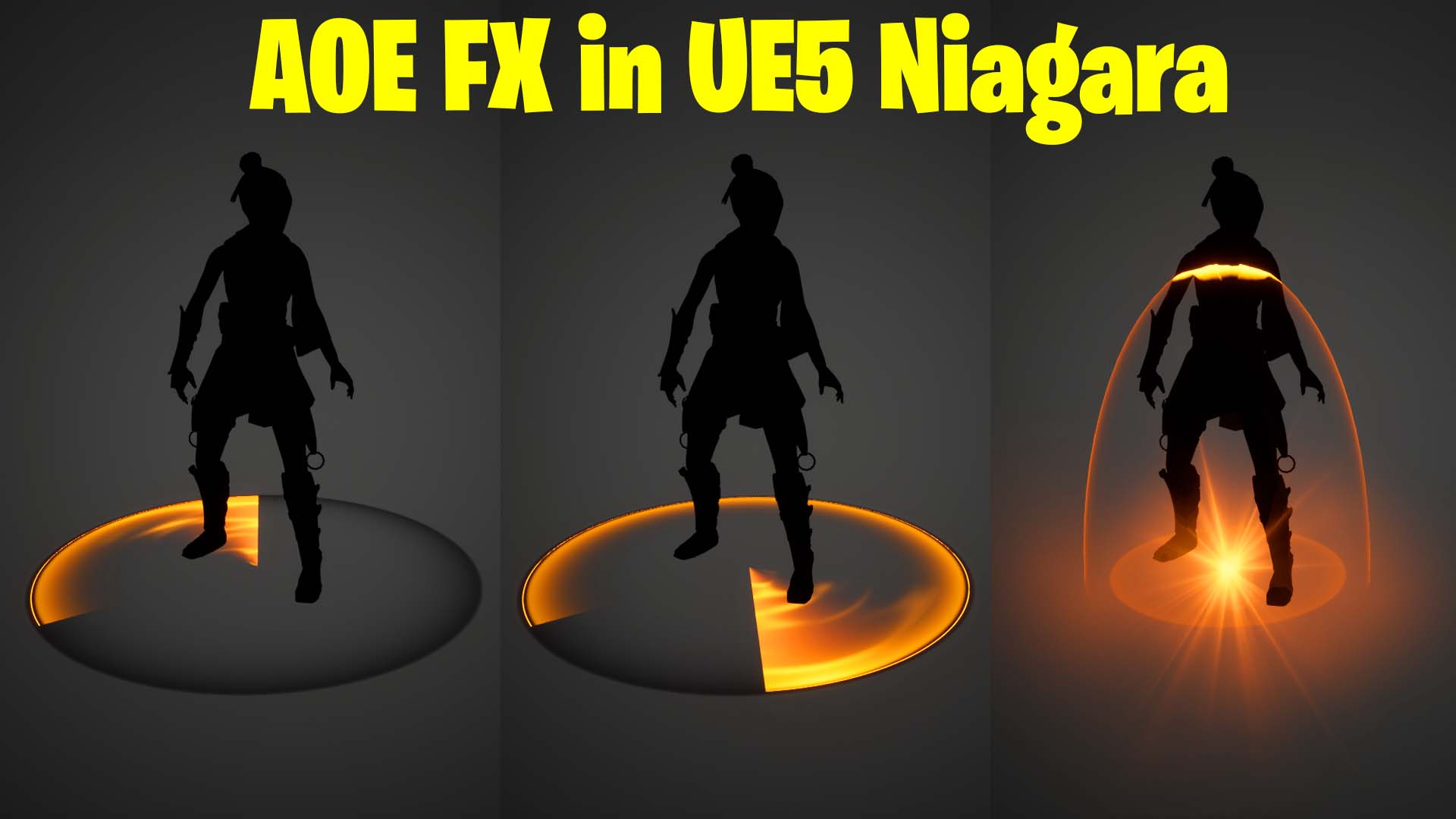
AOE FX in UE5 Niagara Tutorial | Download Files
#cghow #UE5 #UE4Niagara #gamefx #ue5niagara #ue4vfx #niagara #unrealengineniagara #realtimevfx
●Visit – https://cghow.com/
Unreal Engine Marketplace – https://bit.ly/3aojvAa
Artstation Store – https://www.artstation.com/ashif/store
Gumroad – https://cghow.gumroad.com/
Description:
In this tutorial, learn how to create a visually stunning Tom Shield Area of Effect (AOE) effect using Unreal Engine 5 Niagara. Ashif Ali guides you through the process of crafting dynamic rings, glowing elements, and a dome effect that interact with the character and environment, resulting in a highly polished VFX.
Key Points:
- Setting Up the Map:
Use an existing map or duplicate one to create a clean setup for the effect. Adjust lighting, animations, and initial setups for a better environment. - Creating Materials:
- Design a ring material with dynamic parameters for radius, density, and other attributes.
- Apply radial masking techniques to control wipe-out and rotation effects dynamically.
- Use noise textures and vector-to-radial conversions for added complexity.
- Niagara Particle System Configuration:
- Add dynamic parameters for precise control over particle behavior.
- Configure size, lifetime, and alignment properties to align the ring effect perfectly.
- Introduce secondary rings and layers for depth and detail.
- Introducing Dome and Flash Effects:
- Use a hemisphere mesh for the dome effect, cutting it with textures for a polished look.
- Incorporate a flash effect using dynamic material instances to add bursts of energy.
- Scaling and Timing:
- Adjust particle scaling and lifetimes to synchronize the fade-in and fade-out effects.
- Use curves for smooth transitions in scaling and opacity changes.
- Interactive Depth Effects:
- Add depth-based material interactions to create an outline when the dome intersects with characters.
Tags:
Unreal Engine 5, Niagara VFX, AOE Effect, Game VFX, Dynamic Materials, Particle Systems, Tom Shield Effect
Additional Notes:
- Experiment with dynamic parameters for unique variations of the effect.
- This setup is versatile and can be adapted for different shield or impact effects in games.
- For better performance, optimize the number of particles and textures based on your project’s requirements.
If you found this tutorial helpful, subscribe to Ashif Ali’s CGHOW YouTube channel for more incredible Unreal Engine 5 Niagara VFX tutorials!
Leave a Reply