


Download – https://cghow.gumroad.com/l/EWDKE
Download – https://www.artstation.com/a/10213990
👉👉 If you Liked it – http://bit.ly/2UZmiZ4
Channel Ashif – http://bit.ly/3aYaniw
Support me on – https://www.patreon.com/Ashif
Support me on – paypal.me/9953280644
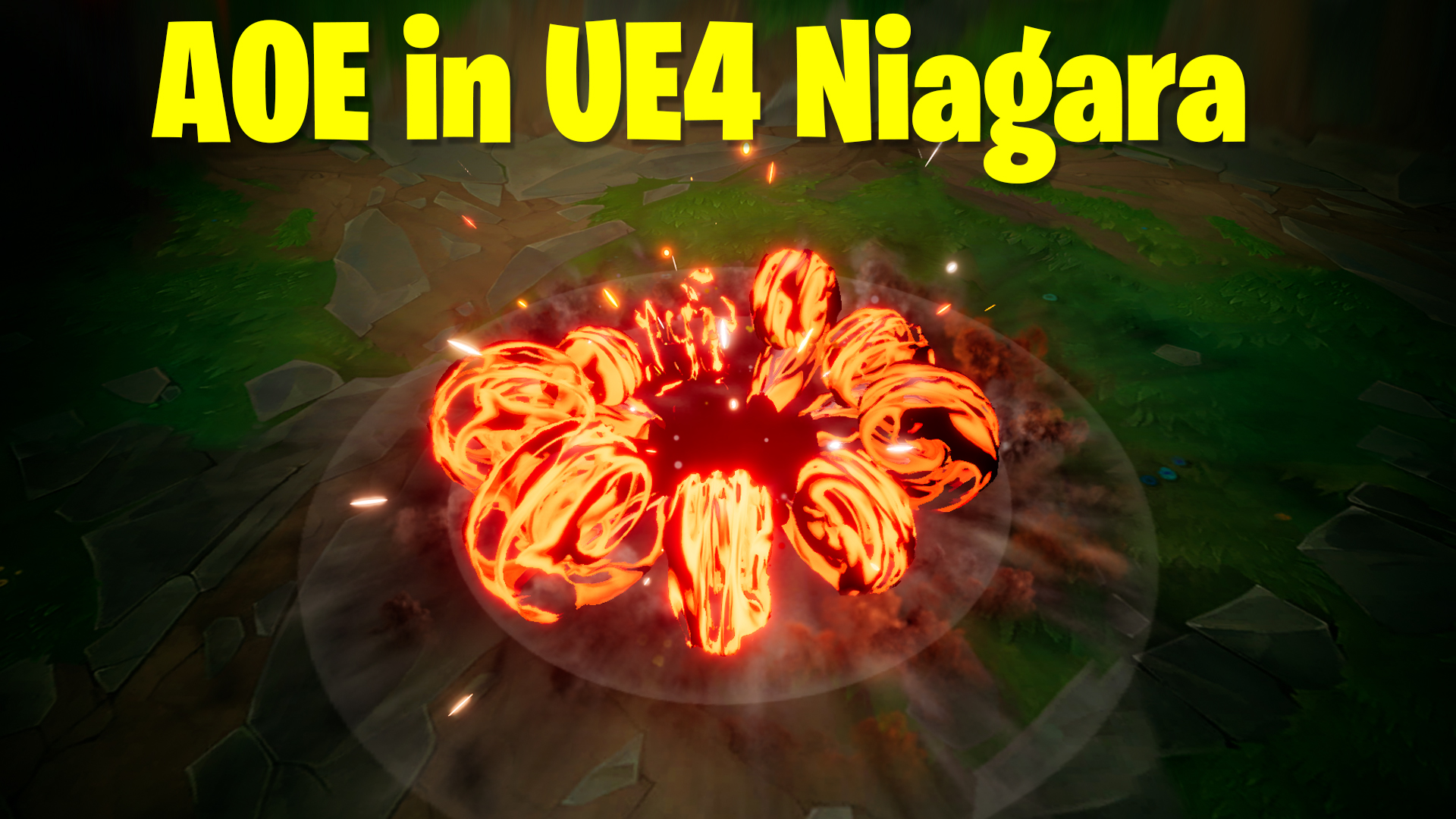
AOE Impact in UE4 Niagara Tutorial | Download Files
#cghow #UE5 #UE4Niagara #gamefx #ue5niagara #ue4vfx #niagara #unrealengineniagara #realtimevfx
●Upload Your Tutorials/Work – https://cghow.com/
Purchase Effect Package From Unreal engine Marketplace –
Unreal Engine Niagara Effects in Marketplace – https://youtu.be/DF4Lb_btEus
Niagara Effects Pack in Marketplace – https://youtu.be/g6_k8T7FqHA
Unreal Engine Advanced Magical Effects in Marketplace – https://youtu.be/0Dn3GLIzhMo
Smoke in UE4 Niagara Pack01 in Unreal Engine Marketplace – https://youtu.be/38BPA_9yqJ8
UE4 Niagara Fire Pack 01 in Marketplace – https://youtu.be/PW5FL-zZoP4
UE4 Niagara Fire Pack 02 in Marketplace – https://youtu.be/fdLXPlUEzxM
UE4 Niagara Explosions Pack 02 in Marketplace – https://youtu.be/dj-XX9he4aE
Unreal Engine Niagara Effects Pack 03 in Marketplace – https://youtu.be/0kKon43I-Og
Slow Motion Explosion in UE4 Niagara Pack 04 in Marketplace – https://youtu.be/lUK1eW5zRP0
Unreal Engine Niagara Effects pack 04 in Marketplace – https://youtu.be/MihWYB31Gi4
Slow Motion Explosion in UE4 Niagara Pack 04 in Marketplace – https://youtu.be/lUK1eW5zRP0
UE4.25 Niagara Effects Pack 05 in Marketplace – https://youtu.be/sn1HIENVTDI
UE4.25 Niagara Effects Pack 06 in Marketplace – https://youtu.be/pvH_xGQ5jvs
Explosions Package in Unreal Engine Niagara Particle System – https://youtu.be/1mbqWscjUJ4
●Follow FB Page – https://www.facebook.com/cghow0/
●Join FB Group – https://www.facebook.com/groups/cghow/
●Android App – http://bit.ly/2XUnhoR
Playlists-
●Unreal Engine Niagara Tutorials – http://bit.ly/2SmPEuT
●Unreal engine VFX Tutorials -http://bit.ly/2JNXyJZ
●Unity VFX Tutorials – http://bit.ly/2XNGlKz
Description:
In this tutorial, Asif Ali from CGHOW demonstrates how to create an impactful AOE (Area of Effect) impact effect in Unreal Engine 4.27 using Niagara VFX. This effect draws inspiration from a previous tutorial on “Toxic Effects,” with changes to the timing, color, and added post-processing elements for a more visually stunning result. Asif walks you through the creation of multiple emitters, including scaling rings, decals, side spirals, smoke, sparks, and shockwaves. The tutorial also explores material creation, custom alignment, noise, and vertex normal manipulation to add realism. Additionally, the post-processing setup using Unreal Engine’s sequencer is covered to make the effect even more powerful and immersive.
Key Notes:
- Emitter Setup: The effect begins with a scaling ring emitter that changes color and then shrinks. Additional emitters are delayed by one second for staggered impact.
- Material Creation: The basic material uses multiple noise textures with different tiling and rotations, combining them to create a pulsating effect. The green and red channels are used to create the emissive and opacity mask outputs.
- Custom Alignment: Custom alignment is applied to ensure particles face the Z-axis using the “Align Sprite to Mesh” module, keeping the effect uniform and symmetrical.
- Scaling and Color Transition: The particles start white and smoothly transition to yellow while scaling down after reaching their peak size.
- Decal Effect: A duplicate emitter is used to create a decal effect, which erodes and fades away after scaling up quickly. Custom alignment is applied to maintain the look.
- Side Spiral Element: A dynamic spiral mesh is created using a torus mesh, with vertex normal manipulation and noise applied to distort and animate the mesh.
- Smoke and Sparks: Two different emitters are used—one for smoke and another for sparks—both with random size, velocity, and life span. Noise and drag are used to animate the movement of the particles.
- Shockwave: A shockwave effect is created by duplicating the original ring emitter and adjusting the material to simulate the shockwave spreading out.
- Post-Processing with Sequencer: The sequencer is used to animate exposure and chromatic effects, making the impact more intense and visually engaging.
- Animation of Properties: Exposure compensation and chromatic adjustments are animated in the sequencer to create a dramatic effect of the environment lighting up at key moments.
Trendy Tags:
- #UnrealEngineVFX
- #NiagaraVFX
- #GamingVFX
- #UE4Niagara
- #VFXTutorial
- #GameEffects
- #ImpactEffect
- #NiagaraTutorial
- #VisualEffects
- #CGHOW
Additional Notes:
- Project File Download: The project file for this tutorial will be available for download, allowing you to explore and modify the effect in your own projects.
- Post-Processing Tips: Post-processing is crucial for enhancing the overall feel of the effect. Experiment with exposure and chromatic adjustments to create different mood settings and intensities.
- VFX Optimization: As with all complex VFX, optimization is important. Monitor particle count, emitter complexity, and material performance to ensure smooth gameplay performance.
Leave a Reply