

Support me on – https://www.patreon.com/Ashif
Support me on – paypal.me/9953280644
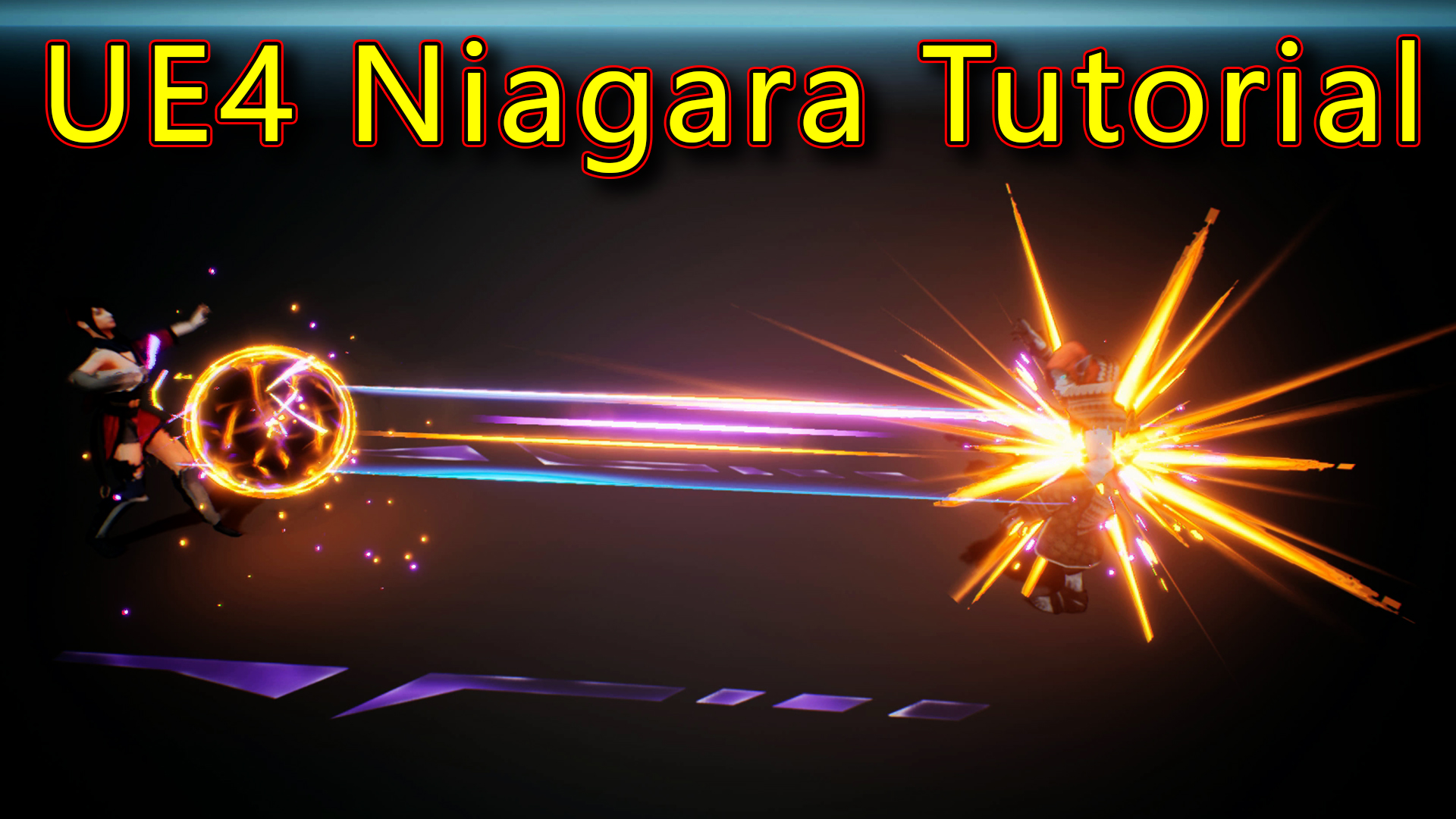
Hi, guys today I have created this attack effect in unreal engine Niagara. for this effect, I used lots of emitters and I will show you each and every value I change to create this effect and all materials and textures.
#cghow #RealtimeVFX #UE4Niagara #gamefx #ue4vfx #ue4fx #niagara #unrealengineniagara #unrealenginevfxtutorials
●Upload Your Tutorials/Work – https://cghow.com/
Purchase Effect Package From Unreal engine Marketplace –
Unreal Engine Niagara Effects in Marketplace – https://youtu.be/DF4Lb_btEus
Niagara Effects Pack in Marketplace – https://youtu.be/g6_k8T7FqHA
Unreal Engine Advanced Magical Effects in Marketplace – https://youtu.be/0Dn3GLIzhMo
Smoke in UE4 Niagara Pack01 in Unreal Engine Marketplace – https://youtu.be/38BPA_9yqJ8
UE4 Niagara Fire Pack 01 in Marketplace – https://youtu.be/PW5FL-zZoP4
UE4 Niagara Fire Pack 02 in Marketplace – https://youtu.be/fdLXPlUEzxM
UE4 Niagara Explosions Pack 02 in Marketplace – https://youtu.be/dj-XX9he4aE
Unreal Engine Niagara Effects Pack 03 in Marketplace – https://youtu.be/0kKon43I-Og
Slow Motion Explosion in UE4 Niagara Pack 04 in Marketplace – https://youtu.be/lUK1eW5zRP0
Unreal Engine Niagara Effects pack 04 in Marketplace – https://youtu.be/MihWYB31Gi4
Slow Motion Explosion in UE4 Niagara Pack 04 in Marketplace – https://youtu.be/lUK1eW5zRP0
UE4.25 Niagara Effects Pack 05 in Marketplace – https://youtu.be/sn1HIENVTDI
UE4.25 Niagara Effects Pack 06 in Marketplace – https://youtu.be/pvH_xGQ5jvs
Explosions Package in Unreal Engine Niagara Particle System – https://youtu.be/1mbqWscjUJ4
●Follow FB Page – https://www.facebook.com/cghow0/
●Join FB Group – https://www.facebook.com/groups/cghow/
●Android App – http://bit.ly/2XUnhoR
Playlists-
●Unreal Engine Niagara Tutorials – http://bit.ly/2SmPEuT
●Unreal engine VFX Tutorials -http://bit.ly/2JNXyJZ
●Unity VFX Tutorials – http://bit.ly/2XNGlKz


Title: Creating a Stunning Attack Effect in Unreal Engine with Niagara | CGHOW Tutorial
Intro:
“Hello everyone, I’m Asif Ali, and you’re watching a CGHOW video. Today, I’m going to show you how I created this amazing attack effect in Unreal Engine using Niagara. Let’s dive in and see how it’s done!”
[Background Music]
“Before we begin, don’t forget to subscribe to my channel and click the bell icon so you never miss a new video notification!”
Part 1: Overview of the Effect
“In this effect, we have a character using an energy ball to attack, causing a monster to die. The effect is composed of several emitters, and I will break down each one step by step. First, let me show you the base animation.”
- “The character’s idle animation is connected to the particle system, which loops to display the effect as the character attacks.”
Part 2: The First Emitter – Side Shape (Ground Lines)
“Let’s start with the first emitter. Here, we have the side shape effect, which appears as lines on the ground, wiping from one point to another.”
- “The material uses two channels: red for the shape and green for the glow.”
- “We’re multiplying the red channel with noise and using a panning effect to animate the texture, while the green channel creates the glow effect.”
- “The dynamic parameter allows us to fade the effect in and out, which is controlled through a curve.”
Part 3: Dots Emitter
“Next, we have the dots effect, where particles are attracted to the center of the impact.”
- “These dots have random colors—blue and orange—and their spawn rate is controlled by a curve, reducing over time.”
- “We also apply random scaling to the particles, giving them a dynamic feel.”
Part 4: Flash Emitter
“Now, let’s look at the flash effect. It’s a slow flash that occurs when the energy ball is launched.”
- “The material for this is simple, with the spawn rate controlled by a curve to stop at a specific point.”
- “The flash particles scale up and fade out as they disappear.”
Part 5: Sphere Emitters
“For the next part, we have the sphere emitters that create the energy ball effect.”
- “The first sphere is red with a panning texture and a fresnel effect for edge glow.”
- “I’ve duplicated this emitter with different colors—purple and black—while adjusting the size and rotation.”
- “The sphere particles have random rotations and positions, creating a nice organic movement.”
Part 6: Lightning Effects
“Now, let’s focus on the lightning effect at the center of the energy ball.”
- “The lightning uses a ribbon material with beam effects, and it connects the ball to the character’s hands.”
- “I’ve set up the beam’s start and end locations to emit from the character’s hands and center of the energy ball.”
Part 7: Shooting Streaks and Sparks
“The shooting streaks are created with a simple gradient material and velocity alignment to make them appear like they’re shooting in a particular direction.”
- “We also have sparks that burst out randomly, with some falling and colliding with the ground.”
- “The sparks have gravity and randomized velocities, making the particles look like they’re interacting with the environment.”
Part 8: Final Touches
“Finally, we wrap up with the additional elements like glow effects, black parts after the shot, and scaling meshes.”
- “The black part is a simple radial ramp with black color to signify the end of the attack.”
- “The red sphere is hotter with more values applied to it, and we scale it on the z-axis for added effect.”
Part 9: Hand Lightning
“The lightning for the character’s hands is essentially the same as the sphere lightning, but now it’s connected to the character’s hands and animated in sync with the attack.”
Conclusion:
“And that’s it for today’s tutorial! I hope you found this breakdown helpful. If you have any questions, leave them in the comments below. And don’t forget to subscribe to my YouTube channel for more tutorials.”
“Thanks for watching, keep learning, and see you in the next video!”
Notes:
- Consistency in the tutorial flow: Start with an overview, then break it down into steps for each emitter and material used. Finish with a recap and a call to action.
- Add some humor or excitement in between sections to keep viewers engaged.
- Encourage interaction: Remind viewers to comment and subscribe at the beginning and end.
- Make technical details digestible: Keep technical explanations simple and visual, especially for complex material setups or particle systems.
Leave a Reply