

Download – https://bit.ly/4eA9I6M
Whatsapp – https://bit.ly/3LYvxjK
Patreon- https://www.patreon.com/Ashif
NFT – https://opensea.io/CGHOW
Twitter – https://twitter.com/cghow_
👉👉 If you Liked it – http://bit.ly/2UZmiZ4
Channel Ashif – http://bit.ly/3aYaniw
Support me on – paypal.me/9953280644
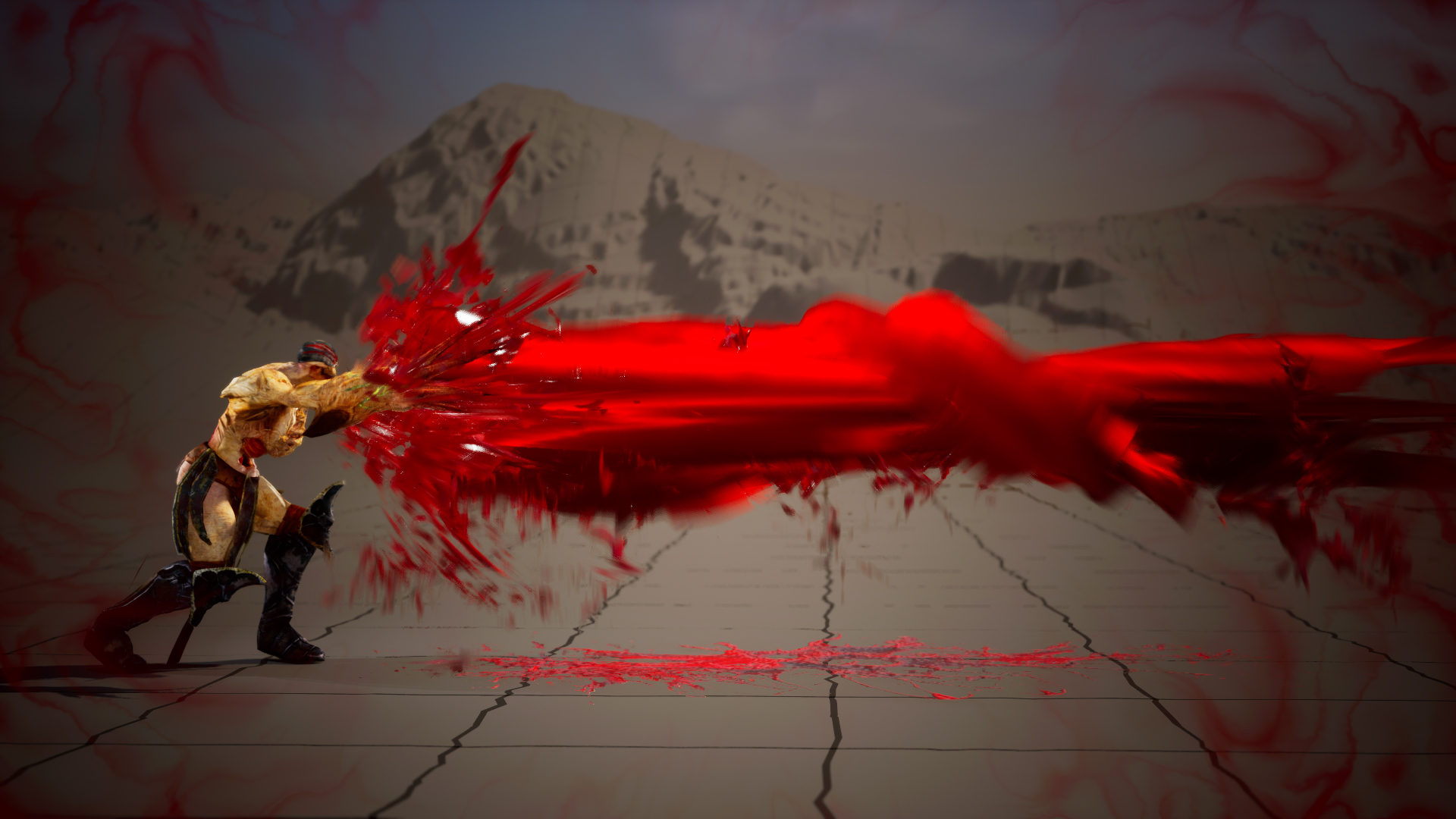
Blood Beam in Unreal Engine 5.4 Niagara | Download Files
#cghow #UE5 #UE4Niagara #gamefx #ue5niagara #ue4vfx #niagara #unrealengineniagara #realtimevfx
●Visit – https://cghow.com/
Unreal Engine Marketplace – https://bit.ly/3aojvAa
Artstation Store – https://www.artstation.com/ashif/store
Gumroad – https://cghow.gumroad.com/
Creating a Blood Beam Effect in Unreal Engine | Detailed Breakdown for YouTube & Patreon”
Description:
Hey guys, how are you today? This blood beam effect was created about 3 months ago for my Patreon, and I’ve uploaded the video trailer here. The files are available for download through my Patreon link. One of my YouTube members asked for a tutorial, so I’m here to break it down for you in detail, explaining exactly how I made this effect. Let’s go through it!
Key Points:
- Scene Setup: I used Sequencer for the camera and screen effects, along with a character model and animation downloaded from Mixamo.
- Screen Effect: For screen effects in sequencer, I use post-process effects, but if you want gameplay screen effects, I have other tutorials on my channel, such as screen slice or damage effects.
- First Emitter (Blood Beam): The first emitter consists of a slender particle with a panning noise material. The material uses red color to simulate blood, combined with some noise texture and a radial effect to distort it.
- Second Emitter (Blood Splashes): This emitter creates blood splashes falling from the character. The mesh uses a simple static splash with noise textures and a red color, combined with a sphere location and random velocities.
- Third Emitter (Muzzle Flash): The third emitter represents the muzzle flash of the weapon. It uses a mesh that scales and emits particles in a cone shape, mimicking the muzzle effect from the character’s weapon.
- Fourth Emitter (Falling Splashes): These are blood splashes falling from the beam’s length, aligned with the beam’s position and using similar settings to the second emitter.
- Fifth Emitter (Blood Stains): This emitter creates blood splatters on a flat surface. It uses a sprite material and employs noise to dissolve the particles, creating a realistic blood stain effect.
- Sixth Emitter (Spiral Beam): This emitter generates a spiral beam with the same material as the main blood beam but with a rotating pattern. The particle size is animated to give the beam a dynamic look.
Additional Notes:
- The blood effect was created using several Niagara emitters, each with different behaviors to simulate the blood effects at various stages (splashing, beam, muzzle, etc.).
- The material setup for the blood beam is simple, with a focus on noise textures and red coloring to achieve the desired blood-like appearance.
- If you’re looking for a close-up effect, you can enhance the details of the blood splashes with more complex textures and materials, though for long shots, simple red colors work perfectly.
- I’ve also included tutorials on other related effects, like screen effects or damage effects, on my channel, so be sure to check them out if you want to expand your knowledge on these topics.
Leave a Reply