

Support me on – https://www.patreon.com/Ashif
Support me on – paypal.me/9953280644
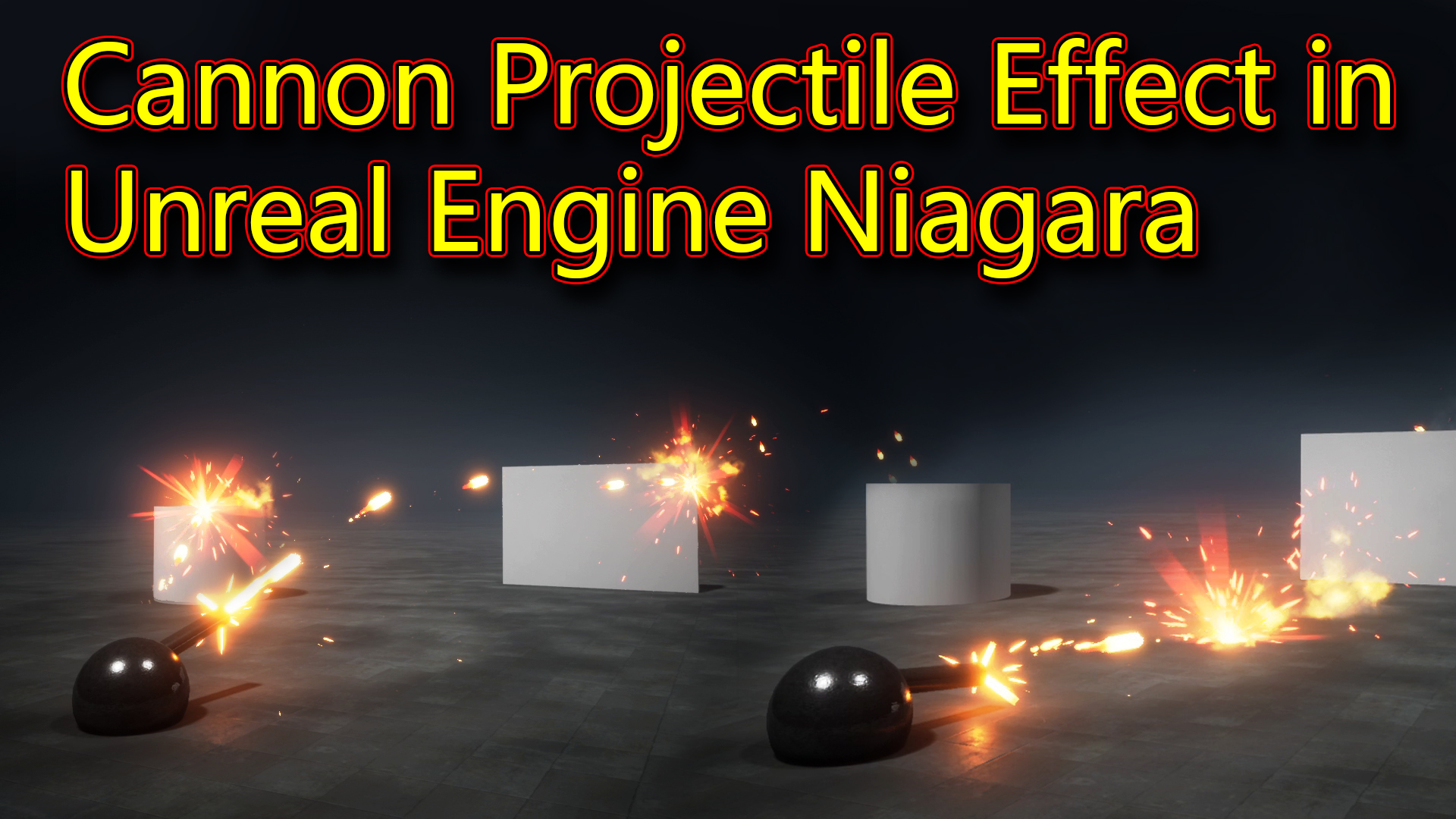
Hi guys today i have created this simple cannon projectile effect in unreal engine Niagara.
#cghow #RealtimeVFX #UE4Niagara #gamefx #ue4vfx #ue4fx #niagara #unrealengineniagara #unrealenginevfxtutorials
●Upload Your Tutorials/Work – https://cghow.com/
Purchase Effect Package From Unreal engine Marketplace –
Unreal Engine Niagara Effects in Marketplace – https://youtu.be/DF4Lb_btEus
Niagara Effects Pack in Marketplace – https://youtu.be/g6_k8T7FqHA
Unreal Engine Advanced Magical Effects in Marketplace – https://youtu.be/0Dn3GLIzhMo
Smoke in UE4 Niagara Pack01 in Unreal Engine Marketplace – https://youtu.be/38BPA_9yqJ8
UE4 Niagara Fire Pack 01 in Marketplace – https://youtu.be/PW5FL-zZoP4
UE4 Niagara Fire Pack 02 in Marketplace – https://youtu.be/fdLXPlUEzxM
UE4 Niagara Explosions Pack 02 in Marketplace – https://youtu.be/dj-XX9he4aE
Unreal Engine Niagara Effects Pack 03 in Marketplace – https://youtu.be/0kKon43I-Og
Slow Motion Explosion in UE4 Niagara Pack 04 in Marketplace – https://youtu.be/lUK1eW5zRP0
Unreal Engine Niagara Effects pack 04 in Marketplace – https://youtu.be/MihWYB31Gi4
Slow Motion Explosion in UE4 Niagara Pack 04 in Marketplace – https://youtu.be/lUK1eW5zRP0
UE4.25 Niagara Effects Pack 05 in Marketplace – https://youtu.be/sn1HIENVTDI
UE4.25 Niagara Effects Pack 06 in Marketplace – https://youtu.be/pvH_xGQ5jvs
Explosions Package in Unreal Engine Niagara Particle System – https://youtu.be/1mbqWscjUJ4
●Follow FB Page – https://www.facebook.com/cghow0/
●Join FB Group – https://www.facebook.com/groups/cghow/
●Android App – http://bit.ly/2XUnhoR
Playlists-
●Unreal Engine Niagara Tutorials – http://bit.ly/2SmPEuT
●Unreal engine VFX Tutorials -http://bit.ly/2JNXyJZ
●Unity VFX Tutorials – http://bit.ly/2XNGlKz


Creating a Basic Cannon Projectile Effect in Unreal Engine Niagara
In this tutorial, we’ll go through the steps of creating a basic cannon projectile effect in Unreal Engine Niagara, covering essential elements like creating a cannon blueprint, setting up the projectile system, and adding realistic effects like flash, smoke, and collision responses.
Video Description
In this CGHOW tutorial, learn how to create a simple but dynamic cannon projectile effect in Unreal Engine using Niagara. This guide covers every detail from setting up the blueprint for a cannon to implementing visual effects like projectile bursts, smoke trails, and dynamic lighting. Ideal for beginners in Unreal Engine Niagara, this tutorial provides clear steps and techniques you can apply to other VFX projects.
Tutorial Breakdown
- Cannon Blueprint Setup:
- Created a new class blueprint named
BP_Cannonand used a sphere and cylinder as the cannon body. - Adjusted the dimensions and rotations to ensure the cylinder rotates with the sphere.
- Created a metallic material for the cannon, adding normal maps and setting metallic and specular properties.
- Created a new class blueprint named
- Shooting Mechanism:
- Set up a rotation mechanism using the mouse to control cannon direction.
- Created a tick event to update the rotation continuously.
- Added a shooting mechanic triggered by the left mouse button, allowing controlled single shots for each click.
- Projectile Creation:
- Added a particle system for the cannon projectile (
FX_Cannon), setting its velocity along the x-axis. - Linked this particle system to spawn only when the left mouse button is clicked.
- Added a particle system for the cannon projectile (
- Projectile Materials and Collisions:
- Designed a projectile material to simulate heating, using dynamic parameters to control the cooling effect.
- Added collision properties to the projectile, with a kill-on-impact effect.
- Adding Visual Effects:
- Created a flash effect using a burst of particles for added realism when shooting.
- Added smoke and glow effects on collision and projectile trails, using gradient transitions and random rotations for variation.
- Smoke Trail and Final Adjustments:
- Added a 4×4 sub-UV texture for the smoke trail, set with random frames for a varied look.
- Used a drag module to control smoke velocity, with custom color fading to simulate realistic smoke dissipation.
- Fine-tuned the parameters for velocity, size, and color to match the desired aesthetic.
Key Points:
- Blueprint Setup: Essential setup for a functional cannon that rotates and shoots.
- Niagara System Integration: Demonstrates using spawn rate control, collision events, and dynamic lighting.
- Material Effects: Highlights adjusting emissive properties and cooling effect for a projectile material.
- Customization: Encourages experimenting with particle effects, lighting, and material textures to create unique variations.
Additional Notes:
- You can replace particle textures and materials to customize your cannon effects.
- Use event handlers to add specific responses on collision, like additional particles or sound effects.
Tags:
#UnrealEngine #Niagara #CannonEffect #Projectile #VFX #CGHOW #GameDev #Tutorial
Leave a Reply