

Download – https://cghow.gumroad.com/l/bdqpu
Download – https://artstn.co/m/BnmyD
Ref – https://bit.ly/3IxBDEU
NFT – https://opensea.io/CGHOW
Twitter – https://twitter.com/cghow_
👉👉 If you Liked it – http://bit.ly/2UZmiZ4
Channel Ashif – http://bit.ly/3aYaniw
Support me on – https://www.patreon.com/Ashif
Support me on – paypal.me/9953280644
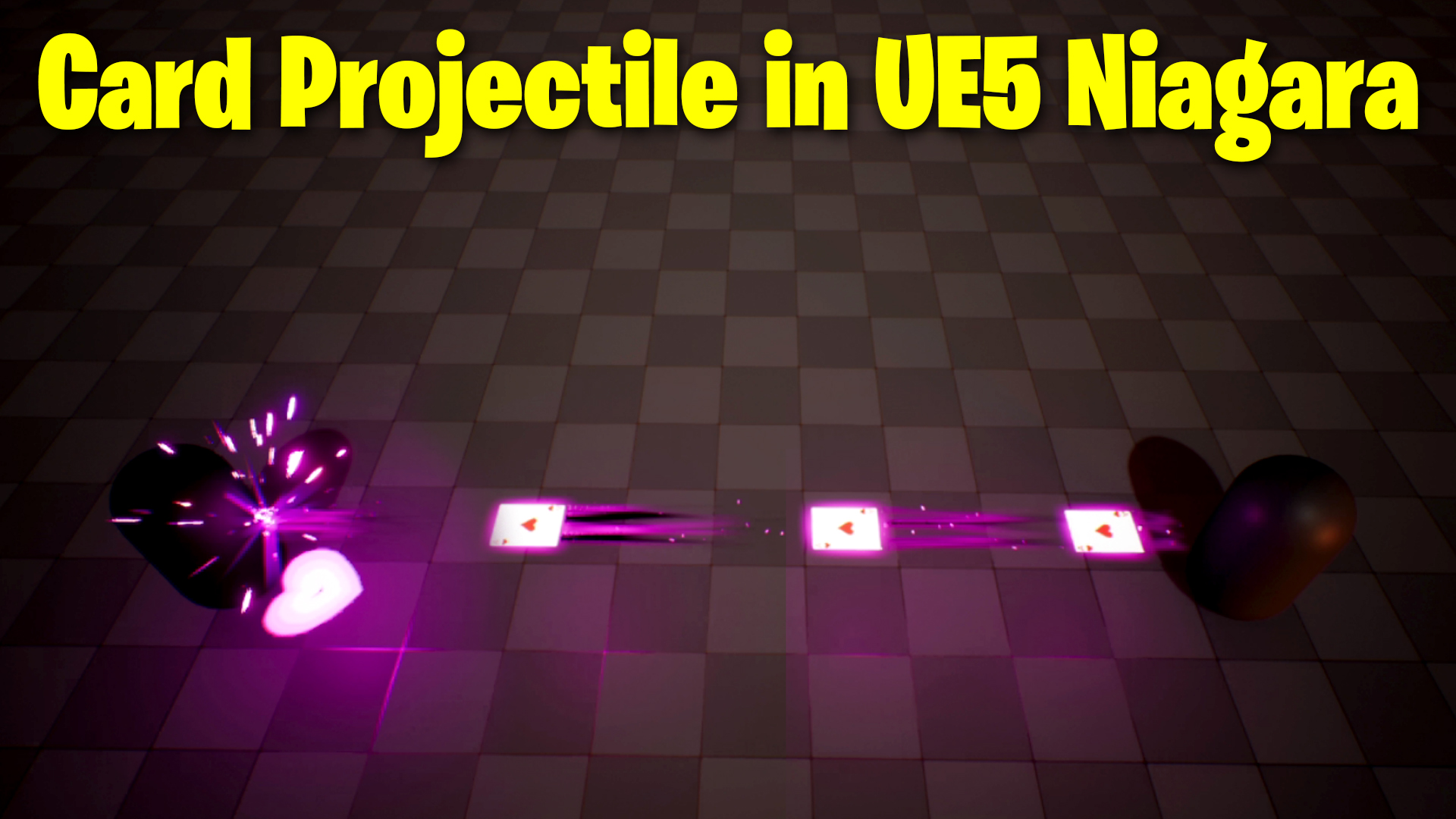
Card Projectile in UE5 Niagara Tutorial | Download Files
Chapters:
0:00 – Intro
1:20 – Level
2:50 – Card Material
3:28 – Card Emitter
8:16 – Card Glow Material
9:28 – Card Glow Emitter
11:40 – Trail Material
13:24 – Trail Emitters
20:12 – Sparks Emitter
23:42 – Hit Sparks Emitter
26:24 – Hit Flash Emitter
29:19 – Heat Texture in Photoshop
31:50 – Heart Material
32:23 – Heart Emitter
38:40 – Blueprint
#cghow #UE5 #UE4Niagara #gamefx #ue5niagara #ue4vfx #niagara #unrealengineniagara #realtimevfx
●Upload Your Tutorials/Work – https://cghow.com/
Purchase Effect Package From Unreal engine Marketplace –
Unreal Engine Niagara Effects in Marketplace – https://youtu.be/DF4Lb_btEus
Niagara Effects Pack in Marketplace – https://youtu.be/g6_k8T7FqHA
Unreal Engine Advanced Magical Effects in Marketplace – https://youtu.be/0Dn3GLIzhMo
Smoke in UE4 Niagara Pack01 in Unreal Engine Marketplace – https://youtu.be/38BPA_9yqJ8
UE4 Niagara Fire Pack 01 in Marketplace – https://youtu.be/PW5FL-zZoP4
UE4 Niagara Fire Pack 02 in Marketplace – https://youtu.be/fdLXPlUEzxM
UE4 Niagara Explosions Pack 02 in Marketplace – https://youtu.be/dj-XX9he4aE
Unreal Engine Niagara Effects Pack 03 in Marketplace – https://youtu.be/0kKon43I-Og
Slow Motion Explosion in UE4 Niagara Pack 04 in Marketplace – https://youtu.be/lUK1eW5zRP0
Unreal Engine Niagara Effects pack 04 in Marketplace – https://youtu.be/MihWYB31Gi4
Slow Motion Explosion in UE4 Niagara Pack 04 in Marketplace – https://youtu.be/lUK1eW5zRP0
UE4.25 Niagara Effects Pack 05 in Marketplace – https://youtu.be/sn1HIENVTDI
UE4.25 Niagara Effects Pack 06 in Marketplace – https://youtu.be/pvH_xGQ5jvs
Explosions Package in Unreal Engine Niagara Particle System – https://youtu.be/1mbqWscjUJ4
●Follow FB Page – https://www.facebook.com/cghow0/
●Join FB Group – https://www.facebook.com/groups/cghow/
●Android App – http://bit.ly/2XUnhoR
Playlists-
●Unreal Engine Niagara Tutorials – http://bit.ly/2SmPEuT
●Unreal engine VFX Tutorials -http://bit.ly/2JNXyJZ
●Unity VFX Tutorials – http://bit.ly/2XNGlKz
Video Title:
“Card Projectile Effect in UE5 Niagara – Step-by-Step Tutorial”
Video Description:
Hi guys, I’m Asif Ali, and you’re watching CGHOW. In today’s video, I will walk you through creating a card projectile effect in Unreal Engine 5 using Niagara. You can shoot the card projectile with your left mouse button, hitting the player’s capsule and causing an impact effect. We’ll build this from scratch, step by step. If you have any queries, comment below. If you haven’t subscribed yet, make sure to hit the subscribe button, like, share, and comment. Let’s dive in!
Key Points:
- Creating the Level:
- Setup a new level with two players (capsules) and a floor material.
- Apply two different materials: one darker, one lighter.
- Creating Card Texture:
- Use a card texture with alpha masking and a custom material for opacity.
- Create a card emitter in Niagara and set the velocity, lifetime, and size.
- Configuring the Emitter:
- Customize the emitter to control particle alignment, velocity, and lifespan (set to infinite).
- Adjust the particle’s rotation and size to match the desired visual effect.
- Collision Handling:
- Add collision to the card so it dies upon hitting an enemy.
- Use kill particle action to terminate the projectile after collision.
- Adding Glow and Light Effects:
- Create a glowing effect using texture coordinates and sine wave manipulation.
- Add light to enhance the visual impact with a pink hue and adjust intensity for proper glow.
- Trail Effect:
- Set up a ribbon trail for the projectile with customized materials and textures.
- Align the ribbon with the card’s direction and adjust lifespan and speed.
- Sparks and Flash Effects on Collision:
- Add spark effects that trigger on collision with randomized velocities.
- Customize the flash particle effect to simulate a visual “impact” when the card hits the target.
- Heart Effect (Optional):
- Create a heart effect that appears at the hit point, simulating a more stylized visual response to the impact.
Trendy Tags:
#UnrealEngine5 #NiagaraVFX #CardProjectileEffect #VFXTutorial #UnrealVFX #GameEffects #CardEffects #Niagara #ParticleSystem #UE5Tutorial
Additional Notes:
- The tutorial goes into great detail about particle behavior, collision handling, and material creation in Unreal Engine 5 using Niagara.
- It’s great for intermediate users familiar with Niagara, but beginners can also follow along to learn how to build a simple projectile system and visual effects.
- Don’t forget to subscribe for more VFX tutorials!
Leave a Reply