

Download – https://cghow.gumroad.com/l/gvdno
Download – https://artstn.co/m/Dn0rJ
Ref – https://bit.ly/3xYiZkr
NFT – https://opensea.io/CGHOW
Twitter – https://twitter.com/cghow_
👉👉 If you Liked it – http://bit.ly/2UZmiZ4
Channel Ashif – http://bit.ly/3aYaniw
Support me on – https://www.patreon.com/Ashif
Support me on – paypal.me/9953280644
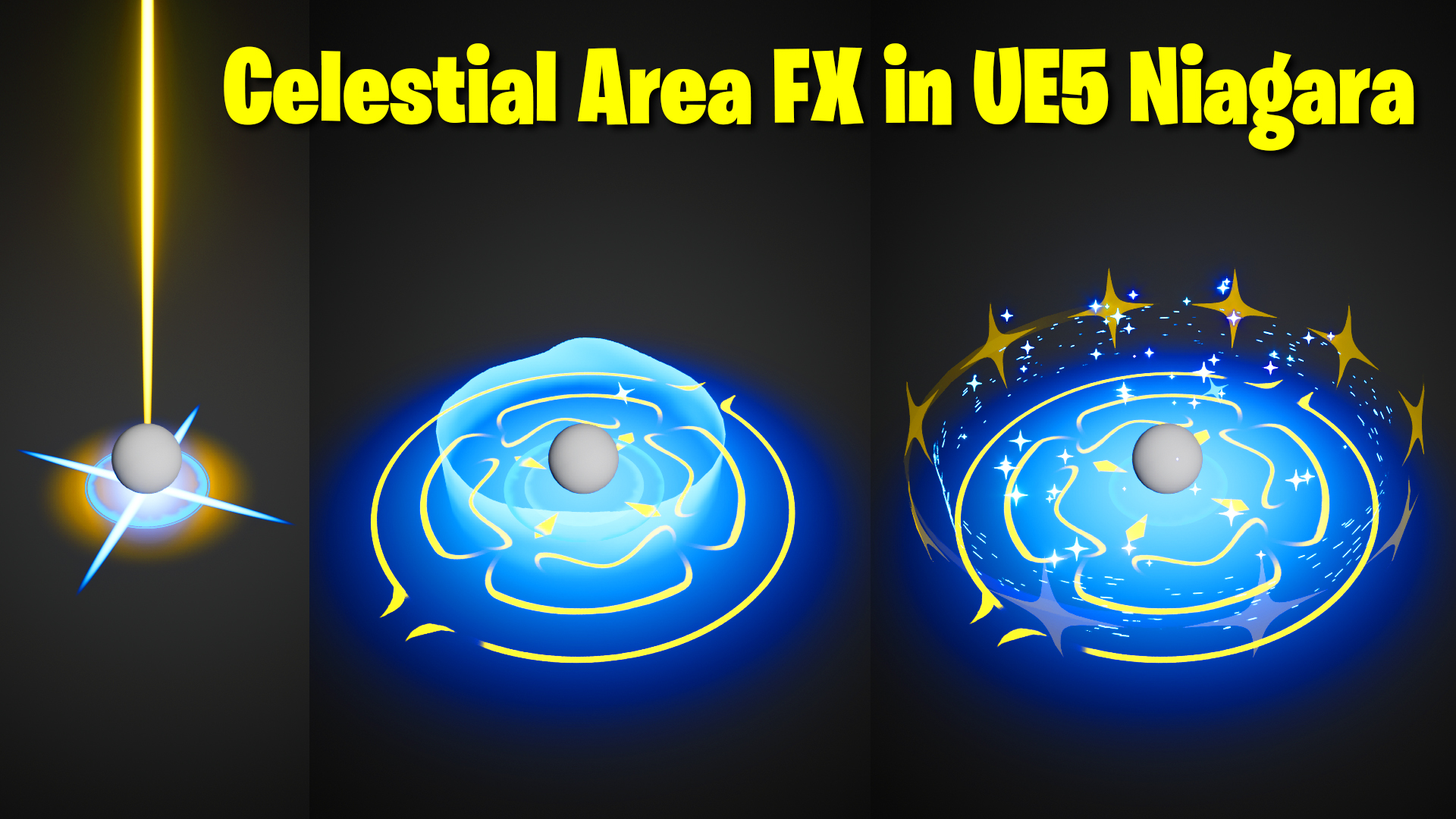
Celestial Area FX in UE5 Niagara Tutorial | Download Files
Chapters:
0:00 – Intro
1:48 – Create Level
2:13 – Sphere Emitter
4:23 – Glow Material
6:17 – Yellow Glow Emitter
8:14 – Ring Material
10:05 – Rings Emitter
15:33 – Shooting Beam Emitters
22:32 – Blue Cross Emitter
27:00 – Cylinder Material
30:38 – Cylinder Emitter
35:42 – Tiny Stars on Cylinder Material
37:47 – Tiny Stars on Cylinder Emitter
41:29 – Star-Ring Material
46:25 – Star-Ring Emitter
48:50 – Faded Rings Material
49:54 – Faded Rings Emitter
52:00 – Blue Stars Emitter
54:33 – Blue Ground Glow Emitter
57:21 – Base Ring Shape Material
59:42 -Base Ring Shape Emitter
1:01:00 – Scaling down Rings Emitter
1:04:25 – End Star Burst Emitter
1:06:48 – Post Process
#cghow #UE5 #UE4Niagara #gamefx #ue5niagara #ue4vfx #niagara #unrealengineniagara #realtimevfx
●Upload Your Tutorials/Work – https://cghow.com/
Purchase Effect Package From Unreal engine Marketplace –
Unreal Engine Niagara Effects in Marketplace – https://youtu.be/DF4Lb_btEus
Niagara Effects Pack in Marketplace – https://youtu.be/g6_k8T7FqHA
Unreal Engine Advanced Magical Effects in Marketplace – https://youtu.be/0Dn3GLIzhMo
Smoke in UE4 Niagara Pack01 in Unreal Engine Marketplace – https://youtu.be/38BPA_9yqJ8
UE4 Niagara Fire Pack 01 in Marketplace – https://youtu.be/PW5FL-zZoP4
UE4 Niagara Fire Pack 02 in Marketplace – https://youtu.be/fdLXPlUEzxM
UE4 Niagara Explosions Pack 02 in Marketplace – https://youtu.be/dj-XX9he4aE
Unreal Engine Niagara Effects Pack 03 in Marketplace – https://youtu.be/0kKon43I-Og
Slow Motion Explosion in UE4 Niagara Pack 04 in Marketplace – https://youtu.be/lUK1eW5zRP0
Unreal Engine Niagara Effects pack 04 in Marketplace – https://youtu.be/MihWYB31Gi4
Slow Motion Explosion in UE4 Niagara Pack 04 in Marketplace – https://youtu.be/lUK1eW5zRP0
UE4.25 Niagara Effects Pack 05 in Marketplace – https://youtu.be/sn1HIENVTDI
UE4.25 Niagara Effects Pack 06 in Marketplace – https://youtu.be/pvH_xGQ5jvs
Explosions Package in Unreal Engine Niagara Particle System – https://youtu.be/1mbqWscjUJ4
●Follow FB Page – https://www.facebook.com/cghow0/
●Join FB Group – https://www.facebook.com/groups/cghow/
●Android App – http://bit.ly/2XUnhoR
Playlists-
●Unreal Engine Niagara Tutorials – http://bit.ly/2SmPEuT
●Unreal engine VFX Tutorials -http://bit.ly/2JNXyJZ
●Unity VFX Tutorials – http://bit.ly/2XNGlKz
A Deep Dive into Creating a Celestial VFX Effect in UE5 Niagara
Breaking Down the Effect
The intricate VFX effect we’re dissecting involves a celestial theme, with a central glowing sphere, swirling energy rings, and a dynamic starfield. To achieve this, we’ll leverage Niagara’s powerful particle system and material capabilities.
Setting the Stage
- Scene Setup:
- Create a new level in Unreal Engine 5.
- Set up a dark, atmospheric scene with suitable lighting.
- Place a basic sphere mesh at the center of the scene.
- Core Sphere Effect:
- Create a new Niagara system.
- Spawn a single sphere particle.
- Apply a glowing material to the sphere.
- Animate the sphere’s scale over time to create a pulsing effect.
- Add a slight random jitter to the sphere’s position for added visual interest.
Creating the Celestial Ring
- Material Creation:
- Design a material that simulates a glowing, swirling ring.
- Utilize a radial gradient to create the ring’s shape.
- Employ a noise texture to add subtle variations and a sense of depth.
- Incorporate a color ramp to control the ring’s color and intensity.
- Particle System Setup:
- Create a new Niagara system.
- Spawn multiple particles in a circular pattern.
- Apply the custom ring material to the particles.
- Animate the particles to rotate and scale over time.
- Add a slight random variation to the particle’s position and rotation for a more organic look.
Adding the Starfield
- Particle System Setup:
- Create a new Niagara system.
- Spawn multiple particles randomly within a spherical volume.
- Apply a simple point sprite material to the particles.
- Randomize the particle’s size, color, and lifespan.
- Add a slight velocity to the particles to create a sense of movement.
Creating the Energy Burst
- Material Creation:
- Design a material that simulates a glowing energy beam.
- Use a gradient texture to create a fading effect along the beam’s length.
- Add noise to the material to create a turbulent, energetic appearance.
- Particle System Setup:
- Create a new Niagara system.
- Spawn a single particle.
- Apply the energy beam material to the particle.
- Animate the particle’s scale and position to create a burst effect.
- Add a trail effect to the particle to simulate the energy beam’s path.
Animating the Sequence
- Use a sequencer to control the timing and duration of the effects.
- Animate the camera to follow the action and reveal different angles.
- Add post-processing effects like bloom, depth of field, and motion blur to enhance the visual impact.
By following these steps and customizing the parameters to your desired outcome, you can create stunning celestial VFX effects in Unreal Engine 5.
Leave a Reply