

Patreon- https://www.patreon.com/Ashif
NFT – https://opensea.io/CGHOW
Twitter – https://twitter.com/cghow_
👉👉 If you Liked it – http://bit.ly/2UZmiZ4
Channel Ashif – http://bit.ly/3aYaniw
Support me on – paypal.me/9953280644
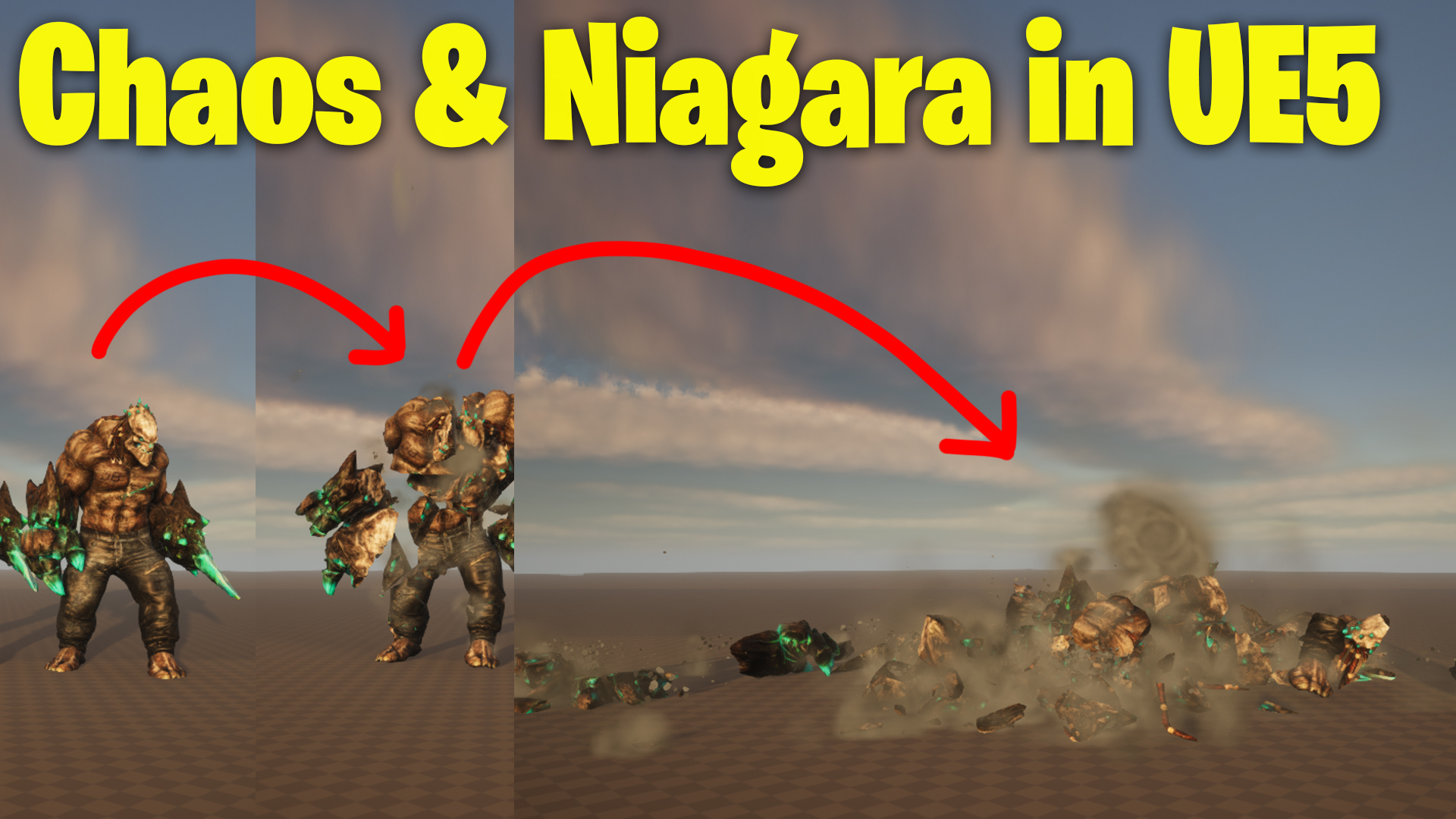
Chaos & Niagara in UE5 Tutorial
#cghow #UE5 #UE4Niagara #gamefx #ue5niagara #ue4vfx #niagara #unrealengineniagara #realtimevfx
●Visit – https://cghow.com/
Unreal Engine Marketplace – https://bit.ly/3aojvAa
Artstation Store – https://www.artstation.com/ashif/store
Gumroad – https://cghow.gumroad.com/
Video Title:
Chaos Destruction Effect with Niagara for Dust and Debris in UE5
Video Description:
Hi guys, I’m Ashif Ali, and you’re watching CGHOW. In today’s video, I’ll guide you through creating a chaos destruction effect using Unreal Engine 5, combined with Niagara for dust and debris particles. I’ll show you how to set up the chaos destruction system, fracture a static mesh, and link it with Niagara to create realistic destruction effects. Don’t forget to subscribe to my YouTube channel, like, share, and comment if you like this video. Let’s dive into the tutorial!
Key Points (in bold):
- Fracturing a Static Mesh: Start by searching for a static mesh and importing it into the viewport. Use the fracture tool to break it into chunks and customize the mesh’s shattering behavior.
- Chaos Destruction Setup: Set the geometry collection and apply fracture presets like uniform break and adjust chunk numbers. Adjust the activation delay to make the object explode immediately.
- Adding Explosions: Use the chaos radial vector and directional forces to simulate an explosive impact with adjustable magnitude and directional effects.
- Integrating Niagara Particles: Create a Niagara particle system for the destruction effect and use the Chaos node to spawn particles at the destruction point. Customize spawn rates and frequencies to match the explosion timing.
- Dust and Debris Particles: Use smoke and debris meshes for additional effects. Customize the dust color, size, and dissolve parameters to create realistic smoke. For debris, use mesh particles and apply random scale, rotation, and collision effects.
- Particle Adjustments: Refine particle settings like lifetime, velocity, drag, and scale to achieve the desired look. Use randomness to make the debris scatter in a more natural, chaotic pattern.
- Fine-Tuning the Effect: Add collision to the debris for more realism. Adjust the color, size, and randomness of particles to fine-tune the final look.
- Final Tweaks: Apply camera settings, adjust materials, and finish up the effect by smoothing out transitions for the dust and debris particles.
Trendy Tags:
#ChaosDestruction #UnrealEngine5 #NiagaraVFX #DestructionEffect #ParticleSystem #GameDev #VFXTutorial #UE5Tutorial #NiagaraParticles #DestructionVFX #SmokeEffect #DebrisParticles #VFXArtist
Additional Notes:
- Realistic Destruction Effects: This tutorial demonstrates how to use the Chaos system to create dynamic destruction effects, with Niagara providing the particles to simulate dust, smoke, and debris.
- Adjustable Parameters: The particle size, color, and randomization can be fine-tuned to match the tone and environment of your game.
- Optimizing Performance: Use GPU-based particles for smoother performance and faster rendering when working with complex destruction scenes.
- Customization Options: Feel free to experiment with different materials and force magnitudes to achieve a variety of destruction effects for different gameplay scenarios.
Leave a Reply