

Download – https://www.patreon.com/posts/58575274
👉👉 If you Liked it – http://bit.ly/2UZmiZ4
Channel Ashif – http://bit.ly/3aYaniw
Support me on – https://www.patreon.com/Ashif
Support me on – paypal.me/9953280644
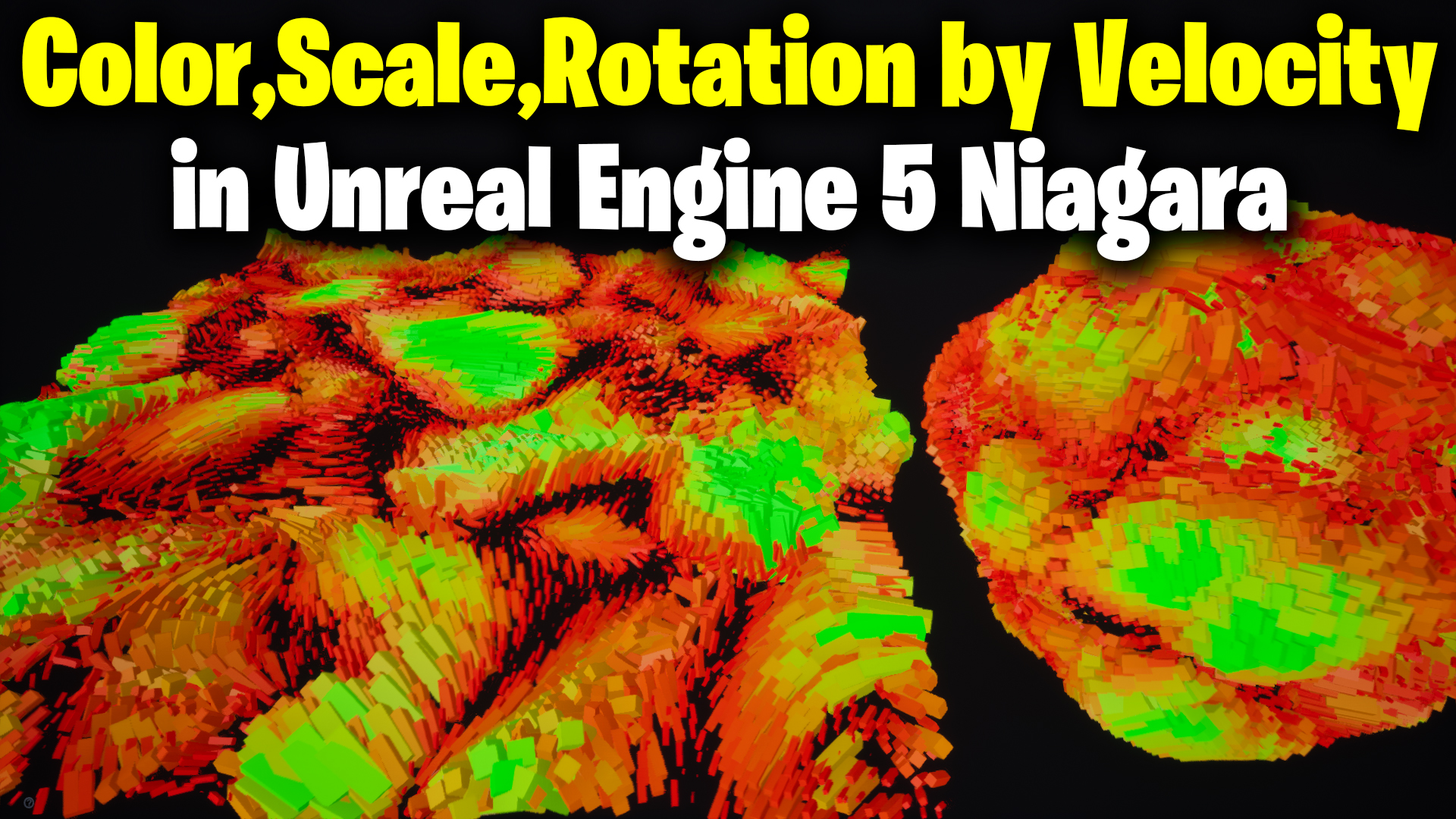
in this video, I did not create any effect but you will learn how to use particle velocity to change the color, scale, or rotation of particles in ue5 Niagara.
#cghow #UE5 #UE4Niagara #gamefx #ue5niagara #ue4vfx #niagara #unrealengineniagara #realtimevfx
●Upload Your Tutorials/Work – https://cghow.com/
Purchase Effect Package From Unreal engine Marketplace –
Unreal Engine Niagara Effects in Marketplace – https://youtu.be/DF4Lb_btEus
Niagara Effects Pack in Marketplace – https://youtu.be/g6_k8T7FqHA
Unreal Engine Advanced Magical Effects in Marketplace – https://youtu.be/0Dn3GLIzhMo
Smoke in UE4 Niagara Pack01 in Unreal Engine Marketplace – https://youtu.be/38BPA_9yqJ8
UE4 Niagara Fire Pack 01 in Marketplace – https://youtu.be/PW5FL-zZoP4
UE4 Niagara Fire Pack 02 in Marketplace – https://youtu.be/fdLXPlUEzxM
UE4 Niagara Explosions Pack 02 in Marketplace – https://youtu.be/dj-XX9he4aE
Unreal Engine Niagara Effects Pack 03 in Marketplace – https://youtu.be/0kKon43I-Og
Slow Motion Explosion in UE4 Niagara Pack 04 in Marketplace – https://youtu.be/lUK1eW5zRP0
Unreal Engine Niagara Effects pack 04 in Marketplace – https://youtu.be/MihWYB31Gi4
Slow Motion Explosion in UE4 Niagara Pack 04 in Marketplace – https://youtu.be/lUK1eW5zRP0
UE4.25 Niagara Effects Pack 05 in Marketplace – https://youtu.be/sn1HIENVTDI
UE4.25 Niagara Effects Pack 06 in Marketplace – https://youtu.be/pvH_xGQ5jvs
Explosions Package in Unreal Engine Niagara Particle System – https://youtu.be/1mbqWscjUJ4
●Follow FB Page – https://www.facebook.com/cghow0/
●Join FB Group – https://www.facebook.com/groups/cghow/
●Android App – http://bit.ly/2XUnhoR
Playlists-
●Unreal Engine Niagara Tutorials – http://bit.ly/2SmPEuT
●Unreal engine VFX Tutorials -http://bit.ly/2JNXyJZ
●Unity VFX Tutorials – http://bit.ly/2XNGlKz
How to Use Velocity to Control Particle Effects in UE5 Niagara | Tutorial
Hi guys, I’m Asif Ali, and you’re watching CGHOW! In today’s video, I’ll show you how to use velocity in Unreal Engine 5’s Niagara system to control particle scale, color, and rotation. This simple yet powerful effect can be applied in many projects, and I’ll guide you through the process step by step. Let’s get started!
[Music Playing]
Don’t forget to subscribe to my YouTube channel and hit the bell icon to get notified when new tutorials are released!
What You’ll Learn in This Tutorial:
- Setting Up the Niagara Emitter:
- How to create a basic Niagara emitter and use simple shapes (like cubes) to demonstrate particle behavior.
- Using the
Springmodule to make particles return to their initial positions while moving.
- Using Velocity to Control Particle Properties:
- Learn how to manipulate velocity to control particle movement, color, and scale.
- Break down the
velocityvector into components (X, Y, Z) and use them to influence other parameters like size and color. - Use the
Clampnode to limit the velocity effect within the range of 0 to 1.
- Modifying Color and Scale Based on Velocity:
- Create a dynamic color effect based on velocity by using a
Lerpfunction to blend colors. - Apply velocity to control particle size dynamically, creating more complex visual effects.
- Create a dynamic color effect based on velocity by using a
- Advanced Techniques:
- Modify particle orientation based on velocity so that the particles rotate as they move.
- Apply the velocity to control the rotation of particles to create more realistic movement.
- Switching Meshes Dynamically:
- How to use different meshes (like spheres and cubes) based on the velocity value using the
Indexinput. - How to apply this concept to create more complex particle effects with multiple meshes.
- How to use different meshes (like spheres and cubes) based on the velocity value using the
Key Steps to Follow:
- Create a Basic Niagara Emitter: Start by setting up a simple mesh and applying basic properties like spawn rate and particle size.
- Manipulate Particle Velocity: Use the
Springmodule and break the velocity into components to influence other properties. - Control Particle Scale and Color with Velocity: Use the
Lerpnode to control how color and scale react to the velocity of the particles. - Adjust Rotation with Velocity: Apply velocity to control particle rotation and create more dynamic effects.
Trendy Tags:
#UnrealEngine5 #NiagaraVFX #UE5 #ParticleSystems #VFXTutorial #VelocityInVFX #GameDev #VisualEffects #CGHOW #NiagaraTutorial #ParticleEffects #UE5Tutorial
Thanks for watching! Keep experimenting and learning with Niagara, and I hope this tutorial helps you make your particle effects more dynamic and exciting. Bye-bye, take care!
Leave a Reply