


Download – https://www.patreon.com/posts/62105326
Ref – https://bit.ly/3gpxIfT
NFT – https://opensea.io/CGHOW
👉👉 If you Liked it – http://bit.ly/2UZmiZ4
Channel Ashif – http://bit.ly/3aYaniw
Support me on – https://www.patreon.com/Ashif
Support me on – paypal.me/9953280644
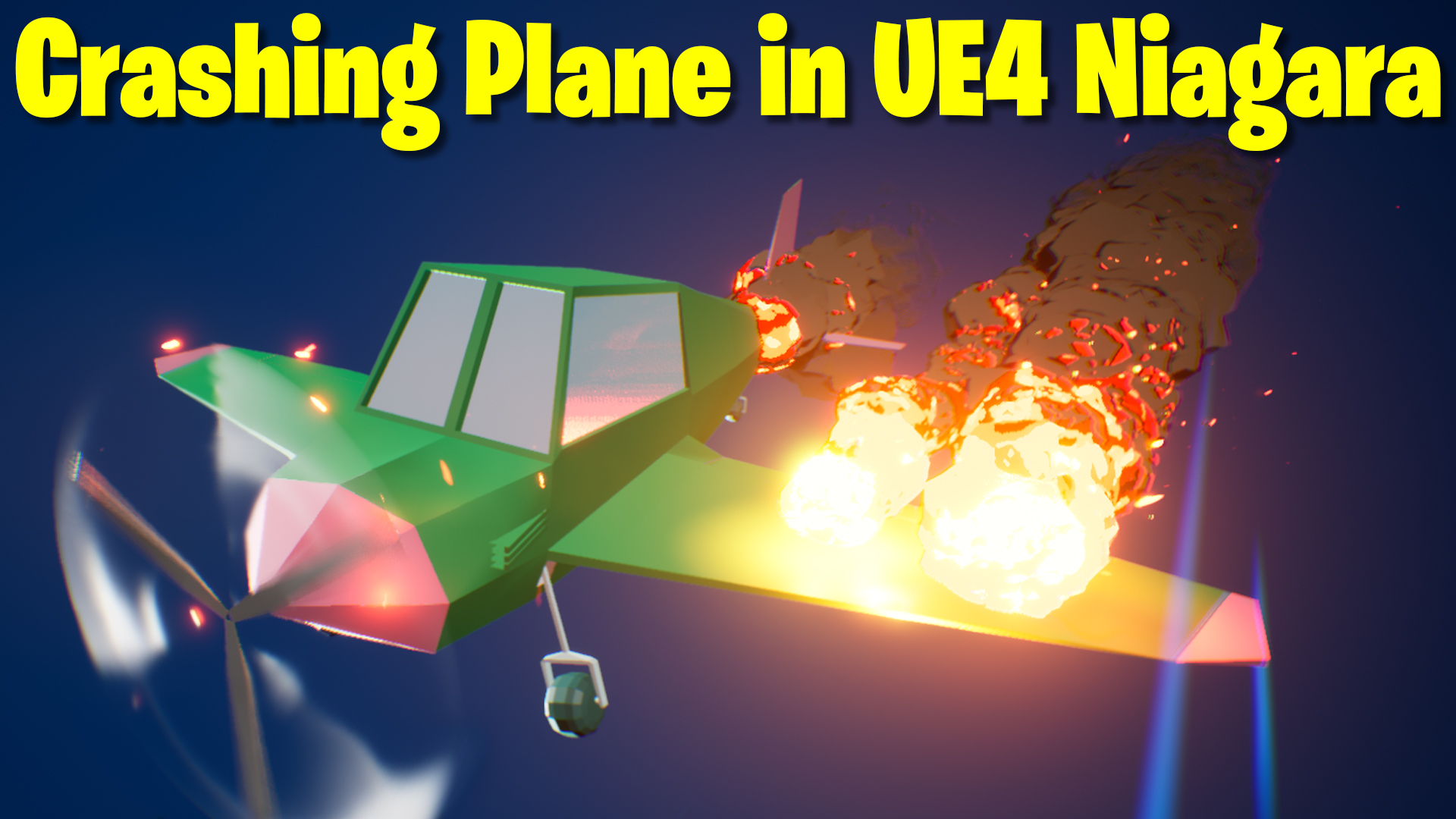
Crashing Plane FX in UE4 Niagara Tutorial | Download Files
#cghow #UE5 #UE4Niagara #gamefx #ue5niagara #ue4vfx #niagara #unrealengineniagara #realtimevfx
●Upload Your Tutorials/Work – https://cghow.com/
Purchase Effect Package From Unreal engine Marketplace –
Unreal Engine Niagara Effects in Marketplace – https://youtu.be/DF4Lb_btEus
Niagara Effects Pack in Marketplace – https://youtu.be/g6_k8T7FqHA
Unreal Engine Advanced Magical Effects in Marketplace – https://youtu.be/0Dn3GLIzhMo
Smoke in UE4 Niagara Pack01 in Unreal Engine Marketplace – https://youtu.be/38BPA_9yqJ8
UE4 Niagara Fire Pack 01 in Marketplace – https://youtu.be/PW5FL-zZoP4
UE4 Niagara Fire Pack 02 in Marketplace – https://youtu.be/fdLXPlUEzxM
UE4 Niagara Explosions Pack 02 in Marketplace – https://youtu.be/dj-XX9he4aE
Unreal Engine Niagara Effects Pack 03 in Marketplace – https://youtu.be/0kKon43I-Og
Slow Motion Explosion in UE4 Niagara Pack 04 in Marketplace – https://youtu.be/lUK1eW5zRP0
Unreal Engine Niagara Effects pack 04 in Marketplace – https://youtu.be/MihWYB31Gi4
Slow Motion Explosion in UE4 Niagara Pack 04 in Marketplace – https://youtu.be/lUK1eW5zRP0
UE4.25 Niagara Effects Pack 05 in Marketplace – https://youtu.be/sn1HIENVTDI
UE4.25 Niagara Effects Pack 06 in Marketplace – https://youtu.be/pvH_xGQ5jvs
Explosions Package in Unreal Engine Niagara Particle System – https://youtu.be/1mbqWscjUJ4
●Follow FB Page – https://www.facebook.com/cghow0/
●Join FB Group – https://www.facebook.com/groups/cghow/
●Android App – http://bit.ly/2XUnhoR
Playlists-
●Unreal Engine Niagara Tutorials – http://bit.ly/2SmPEuT
●Unreal engine VFX Tutorials -http://bit.ly/2JNXyJZ
●Unity VFX Tutorials – http://bit.ly/2XNGlKz
Title: How to Create a Crashing Plane Effect in Unreal Engine – Full Breakdown
Description:
Hi guys, I’m Asif Ali, and I’m back after a short break due to some issues with my graphic card. I had to upgrade to a new RTX 360 12GB! Now, I’m back with some exciting effects created using this new GPU. Today, I’ll show you how I made a crashing plane effect in Unreal Engine, inspired by a reference I found on Twitter. Check the link in the description for the original effect. This tutorial will guide you through the process of creating this effect from scratch and adding unique elements like burning effects and wing effects.
Key Points:
- New RTX 360 GPU – Increased performance for all VFX.
- Plane Mesh Setup – Creating a mesh with animated rotation and jitter effects.
- Speed Lines & Wings Effect – Adding texture to simulate motion.
- Burning Effect – Using noise textures and gradient techniques to create realistic fire and smoke.
- Shadow Effects – Creating soft shadows beneath the plane.
- Particle Systems – How to manage emitter setups for lifelike effects.
- Material Setup – Creating materials for speed lines, fire, and shadow elements.
- Mesh Renderer & Animation – How to animate a plane mesh with rotation and jitter.
Trendy Tags:
#UnrealEngine #VFX #NiagaraVFX #RTX360 #CrashingPlane #UnrealEngineTutorial #GameEffects #3DAnimation #Niagara #UE5 #VisualEffects
Leave a Reply