

Download – https://www.patreon.com/posts/62151966
NFT – https://opensea.io/CGHOW
👉👉 If you Liked it – http://bit.ly/2UZmiZ4
Channel Ashif – http://bit.ly/3aYaniw
Support me on – https://www.patreon.com/Ashif
Support me on – paypal.me/9953280644
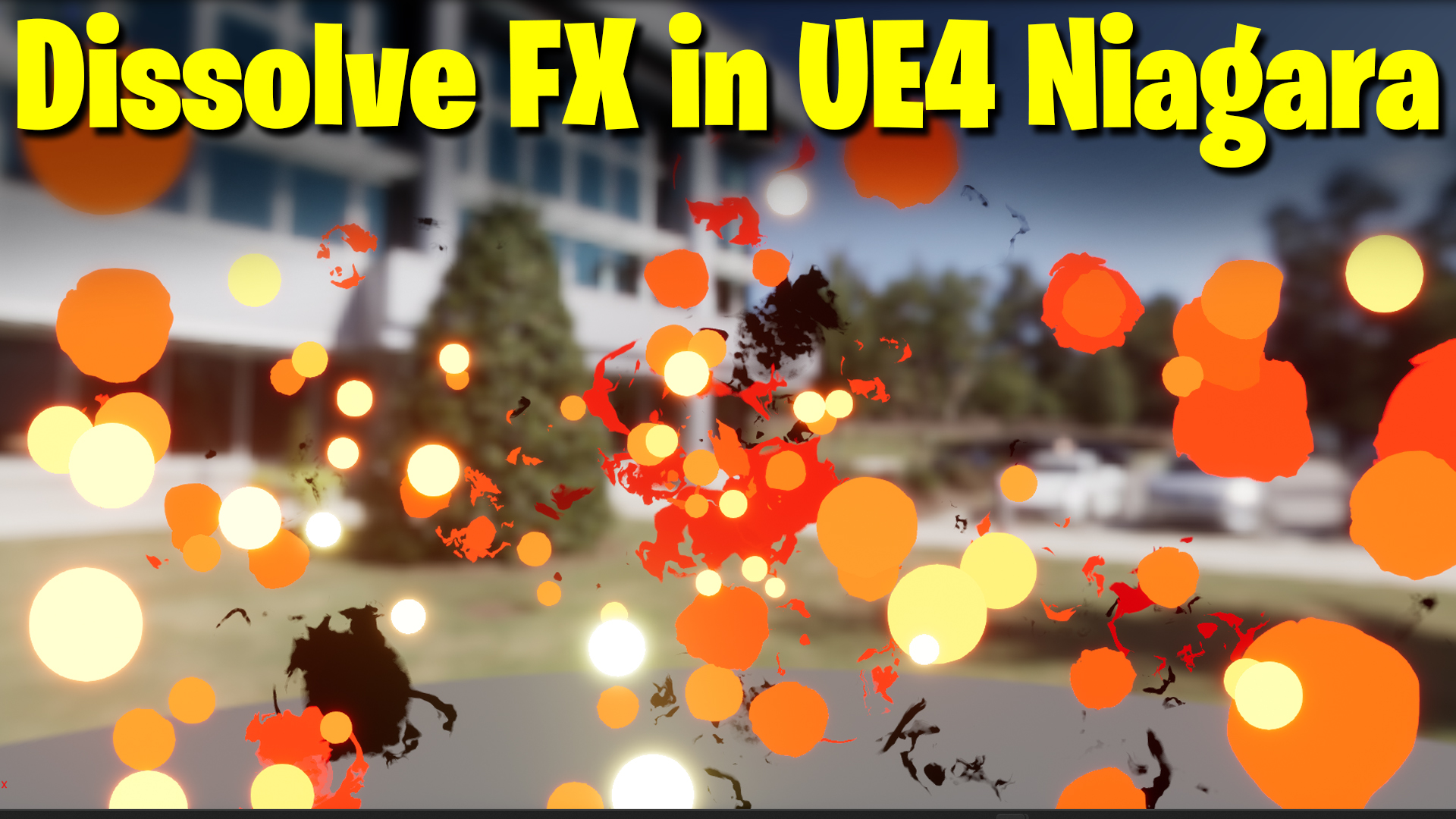
Dissolve FX in UE4 Niagara Tutorial | Download Files
#cghow #UE5 #UE4Niagara #gamefx #ue5niagara #ue4vfx #niagara #unrealengineniagara #realtimevfx
●Upload Your Tutorials/Work – https://cghow.com/
Purchase Effect Package From Unreal engine Marketplace –
Unreal Engine Niagara Effects in Marketplace – https://youtu.be/DF4Lb_btEus
Niagara Effects Pack in Marketplace – https://youtu.be/g6_k8T7FqHA
Unreal Engine Advanced Magical Effects in Marketplace – https://youtu.be/0Dn3GLIzhMo
Smoke in UE4 Niagara Pack01 in Unreal Engine Marketplace – https://youtu.be/38BPA_9yqJ8
UE4 Niagara Fire Pack 01 in Marketplace – https://youtu.be/PW5FL-zZoP4
UE4 Niagara Fire Pack 02 in Marketplace – https://youtu.be/fdLXPlUEzxM
UE4 Niagara Explosions Pack 02 in Marketplace – https://youtu.be/dj-XX9he4aE
Unreal Engine Niagara Effects Pack 03 in Marketplace – https://youtu.be/0kKon43I-Og
Slow Motion Explosion in UE4 Niagara Pack 04 in Marketplace – https://youtu.be/lUK1eW5zRP0
Unreal Engine Niagara Effects pack 04 in Marketplace – https://youtu.be/MihWYB31Gi4
Slow Motion Explosion in UE4 Niagara Pack 04 in Marketplace – https://youtu.be/lUK1eW5zRP0
UE4.25 Niagara Effects Pack 05 in Marketplace – https://youtu.be/sn1HIENVTDI
UE4.25 Niagara Effects Pack 06 in Marketplace – https://youtu.be/pvH_xGQ5jvs
Explosions Package in Unreal Engine Niagara Particle System – https://youtu.be/1mbqWscjUJ4
●Follow FB Page – https://www.facebook.com/cghow0/
●Join FB Group – https://www.facebook.com/groups/cghow/
●Android App – http://bit.ly/2XUnhoR
Playlists-
●Unreal Engine Niagara Tutorials – http://bit.ly/2SmPEuT
●Unreal engine VFX Tutorials -http://bit.ly/2JNXyJZ
●Unity VFX Tutorials – http://bit.ly/2XNGlKz
Title: Create a Shattering Sphere Dissolve Effect in Unreal Engine | Easy Niagara VFX Tutorial
Description: Hi guys, I’m Asif Ali, and you’re watching CGHOW! In today’s tutorial, we’ll create a simple yet stunning dissolve effect. Imagine a sphere bursting apart, shattering into smaller pieces, and dissolving seamlessly in Unreal Engine using Niagara. This effect is easy to follow, even for beginners, so let’s jump right into it!
If you haven’t subscribed yet, don’t forget to click on the subscribe button, and hit the bell icon to stay updated with all my new content! Also, if you like this video, please give it a thumbs up, share it with your friends, and leave a comment. Let’s start the tutorial!
Tutorial Breakdown:
- Create the Emitter & Adjust Settings:
- Start by creating a new Niagara system.
- Add gravity and adjust the sphere size to 200.
- Set the spawn rate to 50 and randomize the third parameter to between 20 and 50.
- Design the Material:
- Use a noise texture (you can find one in the Content Example folder or use any noise texture).
- Add a radial exponent for dissolving effects and set the radius to animate dynamically using the Radius parameter.
- Use a dynamic parameter for the dissolve effect and adjust the value between 0.1 to 1 for smooth dissolving.
- Configure Particle Life & Dissolve Control:
- Set the particle life to 1.8 seconds.
- Use a dynamic parameter for controlling radius and dissolve over time.
- Add a floor node for sharp transitions between dissolving phases.
- Create the Dissolve Animation:
- Animate the size of the sphere (scale from 0.2 to 0.5).
- Scale the noise texture as the particle dissolves to maintain visual consistency.
- Outer Dissolve Effect:
- Use a radial exponent to create an outer dissolve effect that erodes from the outside in.
- Adjust the dissolve rate dynamically using parameters, and tweak values to control how fast the effect erodes.
- Final Touches:
- Add gravity to make the pieces fall after dissolving.
- Adjust the color from white to yellowish to red and black.
- Fine-tune the transparency and other minor settings to perfect the look of the effect.
Key Points:
- Emitter Setup: Create a basic emitter with gravity and adjust spawn rate and size.
- Material Creation: Use noise texture and dynamic parameters to control dissolve effect.
- Animation: Animate radius and dissolve parameters using curves.
- Outer Dissolve Effect: Use radial exponent to dissolve particles from outer areas.
- Gravity & Fall: Add gravity for realistic falling pieces.
Trending Tags:
- #UnrealEngine
- #NiagaraVFX
- #DissolveEffect
- #VFXTutorial
- #UnrealVFX
- #GameDevelopment
Leave a Reply