

Support me on – https://www.patreon.com/Ashif
Support me on – paypal.me/9953280644
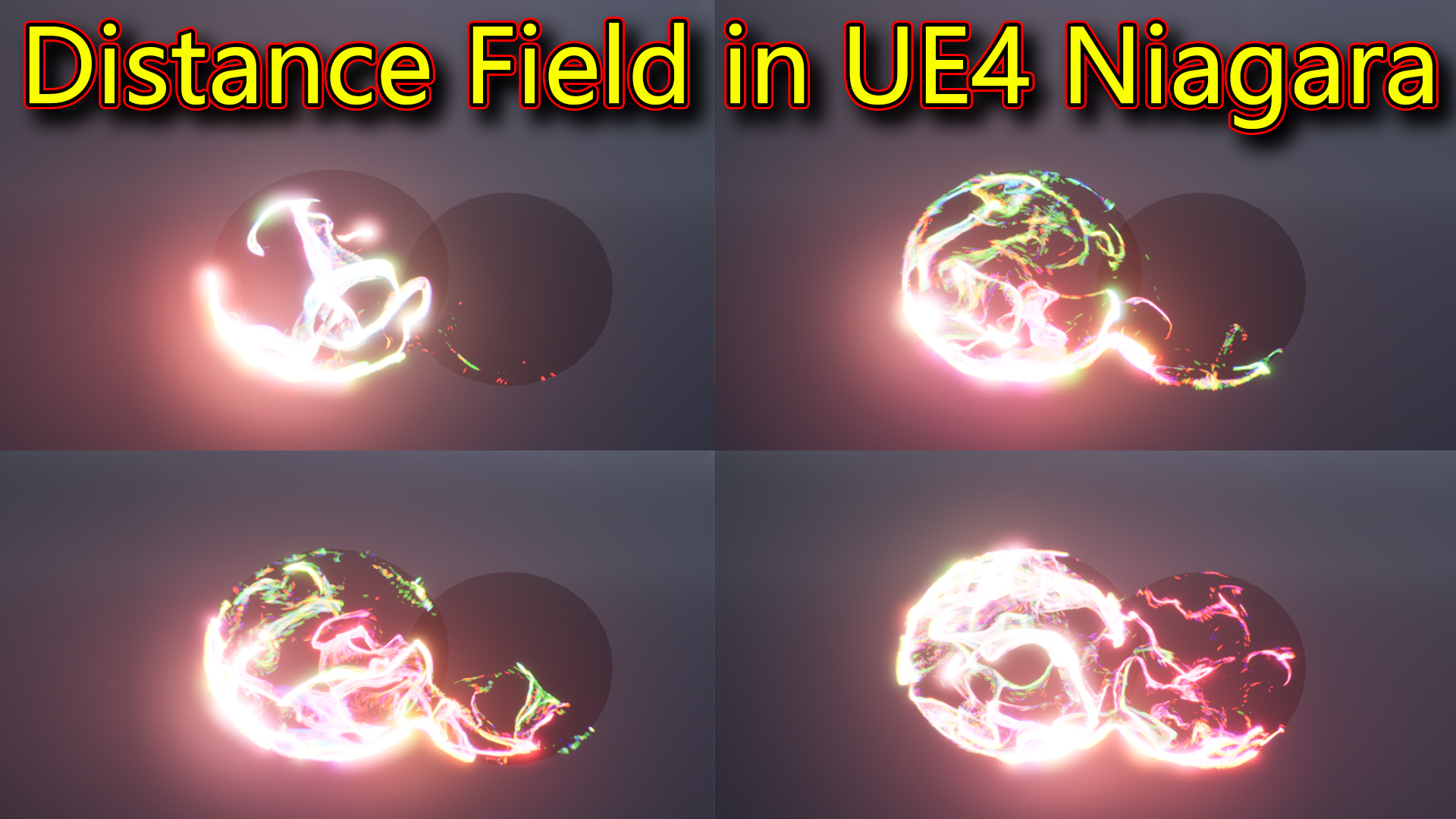
Hi, guys today I have created a distance field effect in unreal engine niagara.
#cghow #RealtimeVFX #UE4Niagara #gamefx #ue4vfx #ue4fx #niagara #unrealengineniagara #unrealenginevfxtutorials
●Upload Your Tutorials/Work – https://cghow.com/
Purchase Effect Package From Unreal engine Marketplace –
Unreal Engine Niagara Effects in Marketplace – https://youtu.be/DF4Lb_btEus
Niagara Effects Pack in Marketplace – https://youtu.be/g6_k8T7FqHA
Unreal Engine Advanced Magical Effects in Marketplace – https://youtu.be/0Dn3GLIzhMo
Smoke in UE4 Niagara Pack01 in Unreal Engine Marketplace – https://youtu.be/38BPA_9yqJ8
UE4 Niagara Fire Pack 01 in Marketplace – https://youtu.be/PW5FL-zZoP4
UE4 Niagara Fire Pack 02 in Marketplace – https://youtu.be/fdLXPlUEzxM
UE4 Niagara Explosions Pack 02 in Marketplace – https://youtu.be/dj-XX9he4aE
Unreal Engine Niagara Effects Pack 03 in Marketplace – https://youtu.be/0kKon43I-Og
Slow Motion Explosion in UE4 Niagara Pack 04 in Marketplace – https://youtu.be/lUK1eW5zRP0
Unreal Engine Niagara Effects pack 04 in Marketplace – https://youtu.be/MihWYB31Gi4
Slow Motion Explosion in UE4 Niagara Pack 04 in Marketplace – https://youtu.be/lUK1eW5zRP0
UE4.25 Niagara Effects Pack 05 in Marketplace – https://youtu.be/sn1HIENVTDI
UE4.25 Niagara Effects Pack 06 in Marketplace – https://youtu.be/pvH_xGQ5jvs
Explosions Package in Unreal Engine Niagara Particle System – https://youtu.be/1mbqWscjUJ4
●Follow FB Page – https://www.facebook.com/cghow0/
●Join FB Group – https://www.facebook.com/groups/cghow/
●Android App – http://bit.ly/2XUnhoR
Playlists-
●Unreal Engine Niagara Tutorials – http://bit.ly/2SmPEuT
●Unreal engine VFX Tutorials -http://bit.ly/2JNXyJZ
●Unity VFX Tutorials – http://bit.ly/2XNGlKz


Title: Distance Field Effect in Unreal Engine Niagara – Full Tutorial
Description:
Hi guys, I’m Asif Ali, and you’re watching another CGHOW tutorial! In today’s video, I’m showing you how to create an awesome Distance Field effect in Unreal Engine Niagara. It’s a really simple setup using the new module in Unreal Engine 4.26. Let’s dive in and see how this cool effect is made!
Video Summary:
In this tutorial, I’ll walk you through how to create a Distance Field Effect using Unreal Engine Niagara, with particles spreading around a mesh (like a sphere or character). This effect is very simple but looks stunning, and it leverages the new “Move to Nearest Distance Field Surface GPU” module.
Here’s how I set it up:
- Setting Up Distance Fields:
- First, enable the Distance Field in the Project Settings by turning on Generate Mesh Distance Field and restarting Unreal Engine.
- I then created a simple particle system using a default fountain effect and placed it in the scene.
- Using the “Move to Nearest Distance Field Surface” Module:
- The magic happens when I add the “Move to Nearest Distance Field Surface GPU” module to the particle system.
- This module makes the particles move toward and spread across the nearest surface that has a distance field. It automatically detects the sphere or any other mesh you place in the scene and adjusts the particle behavior accordingly.
- Adjusting Particle Settings:
- I modified settings like spawn rate, cone velocity, curl noise, and drag to add some randomness and movement to the particles.
- To make the effect look cooler, I applied color noise and adjusted the curl noise for dynamic randomness.
- Testing on Different Meshes:
- I tested the effect on a character mesh to see how the particles reacted. It worked perfectly, and the particles dynamically attached themselves to the character’s surface.
- Conclusion:
- This is a simple yet effective effect that uses default Niagara modules in combination with the new distance field functionality. The particles spread across surfaces smoothly, and with a few tweaks, you can achieve stunning results.
Key Learning Points:
- Enabling Distance Fields in the project settings for particle effects.
- Using the “Move to Nearest Distance Field Surface GPU” module to spread particles across meshes.
- Adjusting particle properties like velocity, curl noise, drag, and color to enhance the effect.
- Applying this effect to different meshes, such as spheres or characters, for dynamic interactions.
Don’t forget to:
- Subscribe to CGHOW for more Unreal Engine tutorials!
- Click the bell icon to get notified of all future videos.
- Leave a comment if you have any questions or suggestions for future tutorials.
Thanks for watching, and remember: Keep learning and experimenting with Unreal Engine!
Music Credits:
[Add Music Credits Here if applicable]
Tags:
Unreal Engine, Niagara VFX, Distance Field Effect, Particle Systems, GPU Particles, VFX Tutorial, Game Development, Visual Effects, Color Noise, Curl Noise, Unreal Engine Tutorial, 3D VFX
Leave a Reply