

Download – https://cghow.gumroad.com/l/lmmou
Download – https://artstn.co/m/2N72y
Ref – https://youtu.be/SPlAcUGsTvo?t=14
NFT – https://opensea.io/CGHOW
Twitter – https://twitter.com/cghow_
👉👉 If you Liked it – http://bit.ly/2UZmiZ4
Channel Ashif – http://bit.ly/3aYaniw
Support me on – https://www.patreon.com/Ashif
Support me on – paypal.me/9953280644
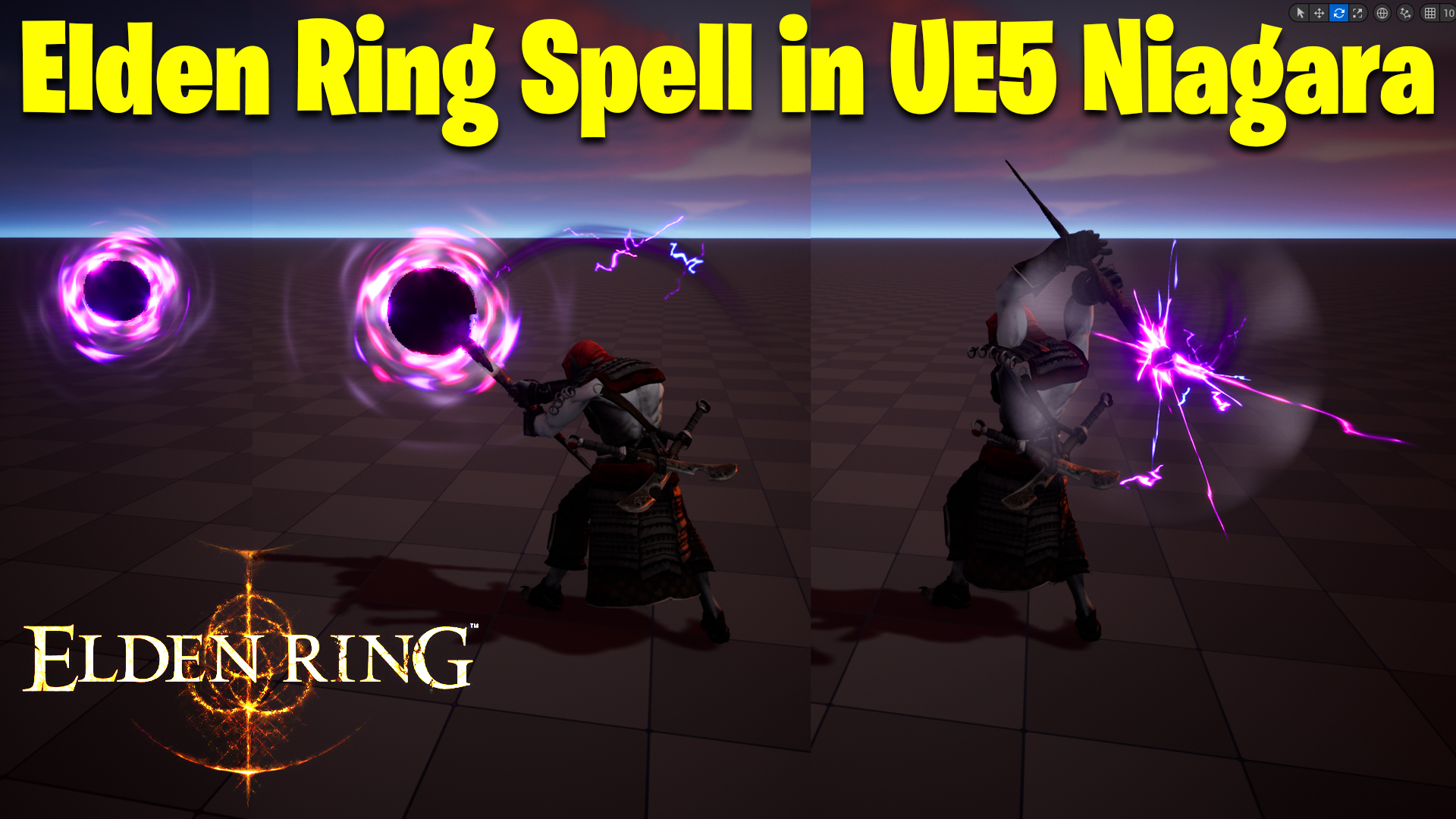
Elden Ring spell in UE5 Niagara Tutorial | Download Files
Chapters :
0:00 – Intro
1:36 – Import Animation
2:28 – Create Level
3:45 – Stick Mesh
6:00 – Link Stick with Animation in Sequencer
8:42 – FX Stick
9:04 – Core Emitter
10:25 – Link FX with Stick
12:46 – Lightning Texture
15:23 – Lightning Material
15:53 – Lightning Emitter
18:15 – Smoke Emitter
20:57 – Ribbon Material
24:25 – Ribbon Trail Emitter
27:00 – Ring Shape Texture
31:34 – Ring Shape Emitter
34:48 – Glow Emitter
38:16 – Shockwave Material
41:30 – Shockwave Emitter
44:55 – Lightning Streaks Emitter
50:22 – Projectile FX
50:33 – Black Ball Emitter
53:47 – Projectile Energy Material
56:10 – Energy Emitter
1:5:41 – Post Process
#cghow #UE5 #UE4Niagara #gamefx #ue5niagara #ue4vfx #niagara #unrealengineniagara #realtimevfx
●Upload Your Tutorials/Work – https://cghow.com/
Purchase Effect Package From Unreal engine Marketplace –
Unreal Engine Niagara Effects in Marketplace – https://youtu.be/DF4Lb_btEus
Niagara Effects Pack in Marketplace – https://youtu.be/g6_k8T7FqHA
Unreal Engine Advanced Magical Effects in Marketplace – https://youtu.be/0Dn3GLIzhMo
Smoke in UE4 Niagara Pack01 in Unreal Engine Marketplace – https://youtu.be/38BPA_9yqJ8
UE4 Niagara Fire Pack 01 in Marketplace – https://youtu.be/PW5FL-zZoP4
UE4 Niagara Fire Pack 02 in Marketplace – https://youtu.be/fdLXPlUEzxM
UE4 Niagara Explosions Pack 02 in Marketplace – https://youtu.be/dj-XX9he4aE
Unreal Engine Niagara Effects Pack 03 in Marketplace – https://youtu.be/0kKon43I-Og
Slow Motion Explosion in UE4 Niagara Pack 04 in Marketplace – https://youtu.be/lUK1eW5zRP0
Unreal Engine Niagara Effects pack 04 in Marketplace – https://youtu.be/MihWYB31Gi4
Slow Motion Explosion in UE4 Niagara Pack 04 in Marketplace – https://youtu.be/lUK1eW5zRP0
UE4.25 Niagara Effects Pack 05 in Marketplace – https://youtu.be/sn1HIENVTDI
UE4.25 Niagara Effects Pack 06 in Marketplace – https://youtu.be/pvH_xGQ5jvs
Explosions Package in Unreal Engine Niagara Particle System – https://youtu.be/1mbqWscjUJ4
●Follow FB Page – https://www.facebook.com/cghow0/
●Join FB Group – https://www.facebook.com/groups/cghow/
●Android App – http://bit.ly/2XUnhoR
Playlists-
●Unreal Engine Niagara Tutorials – http://bit.ly/2SmPEuT
●Unreal engine VFX Tutorials -http://bit.ly/2JNXyJZ
●Unity VFX Tutorials – http://bit.ly/2XNGlKz
Creating a Magical Spell Effect in Unreal Engine 5
Introduction
- The video begins with a brief introduction by the creator, Ashif Ali, and a call to action to subscribe to the channel.
- The creator mentions a subscriber’s request to recreate a spell effect from the game Elden Ring.
- A specific spell effect is selected as the target for the tutorial.
Setting Up the Scene
- A new level is created in Unreal Engine 5.
- A character model is imported and rigged.
- A simple scene is set up with basic lighting.
- A sequencer is added to control the timing of the spell effect.
Creating the Spell Effect
- Initial Glow Effect:
- A Niagara particle system is created to emit a glowing effect from the character’s hand.
- Particles are spawned in a spherical shape and given a short lifespan.
- The particles are assigned a bright, glowing material.
- Projectile Effect:
- A spherical projectile is spawned from the character’s hand.
- The projectile is given a forward velocity and a slight random variation in direction.
- A trail effect is added to the projectile using a ribbon particle system.
- Impact Effect:
- When the projectile hits the target, a burst of particles is emitted.
- The particles are given a radial velocity and a fading lifespan.
- A shockwave effect is created using a radial gradient and noise textures.
- Additional Effects:
- Lightning bolts are added to the scene to enhance the visual impact of the spell.
- A custom material is created for the lightning effect, using noise textures to create a realistic appearance.
- A glowing aura is added to the character’s hand to emphasize the magical nature of the spell.
Animating the Effect
- Keyframes are added to the sequencer to control the timing and duration of the various effects.
- The character’s animation is synchronized with the particle effects to create a seamless visual experience.
Conclusion
The video concludes with a final rendering of the spell effect, demonstrating the powerful capabilities of Unreal Engine 5’s Niagara system. The creator encourages viewers to experiment with different techniques and settings to create their own unique effects.
Key Takeaways:
- Break down complex effects into smaller, manageable components.
- Use a combination of particle systems, materials, and animations to create dynamic and visually appealing effects.
- Experiment with different techniques and settings to achieve desired results.
- Pay attention to detail and timing to create a polished and professional-looking effect.
Leave a Reply