

Download – https://cghow.gumroad.com/l/miwwh
Download – https://artstn.co/m/7Oqzy
Ref – https://bit.ly/3O1BlHs
Patreon- https://www.patreon.com/Ashif
NFT – https://opensea.io/CGHOW
Twitter – https://twitter.com/cghow_
👉👉 If you Liked it – http://bit.ly/2UZmiZ4
Channel Ashif – http://bit.ly/3aYaniw
Support me on – paypal.me/9953280644
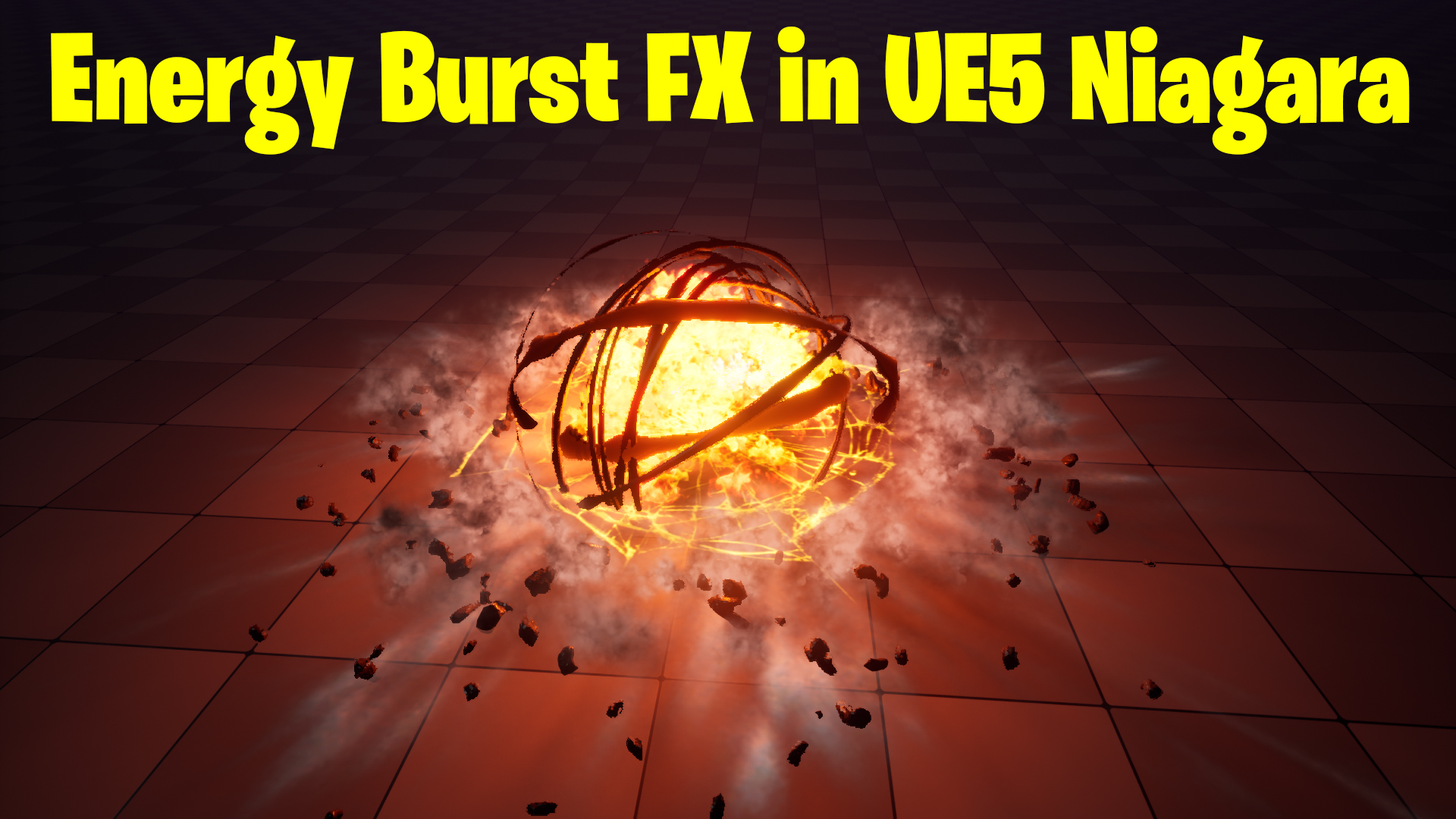
Energy Burst in UE5 Niagara Tutorial | Download Files
Chapters:
0:00 – Intro
1:43 – Level
3:13 – Rings Emitters
4:55 – Rings Material
12:38 – Light Emitter
17:31 – Debris Emitters
27:22 – Debris Material
29:40 – Fire Emitter
34:29 – Decal Emitters
41:18 – Smoke Rings
45:47 – End Flames
48:09 – Flash Emitter
55:18 – heat distortion Emitter
1:04:32 – Embers Emitter
#cghow #UE5 #UE4Niagara #gamefx #ue5niagara #ue4vfx #niagara #unrealengineniagara #realtimevfx
●Visit – https://cghow.com/
Unreal Engine Marketplace – https://bit.ly/3aojvAa
Artstation Store – https://www.artstation.com/ashif/store
Gumroad – https://cghow.gumroad.com/
Crafting a Dynamic Energy Burst Effect in Unreal Engine 5
Introduction
In this tutorial, we’ll delve into the creation of a dynamic energy burst effect in Unreal Engine 5, utilizing Niagara particle systems. We’ll break down the effect into its core components and explore the techniques to bring them to life.
Material Setup
- Energy Ring Material:
- Create a new material to simulate the glowing energy rings.
- Use a gradient texture to create a radial gradient.
- Add noise textures to create a turbulent, energetic appearance.
- Control the opacity of the rings using a mask.
- Spark Material:
- Create a new material for the sparks.
- Use a simple point sprite material with a bright color.
- Add a fade-out effect to the sparks.
- Smoke Material:
- Create a new material for the smoke.
- Use a noise texture to create a wispy, turbulent appearance.
- Control the opacity of the smoke using a mask.
Particle System Setup
- Energy Rings:
- Create a new Niagara system.
- Spawn particles in a circular pattern.
- Apply the energy ring material to the particles.
- Animate the particles to rotate and scale over time.
- Add a fade-out effect to the particles.
- Sparks:
- Create a new Niagara system.
- Spawn particles from the center of the burst.
- Apply a random velocity to the particles.
- Use the spark material to create the visual effect.
- Add a fade-out effect to the particles.
- Smoke:
- Create a new Niagara system.
- Spawn particles from the center of the burst.
- Apply an upward velocity to the particles.
- Use the smoke material to create the visual effect.
- Add a fade-out effect to the particles.
Scene Setup
- Geometry:
- Create a simple plane to represent the ground.
- Position the geometry in the scene.
- Lighting:
- Set up directional lighting to illuminate the scene.
- Adjust the lighting angle and intensity to create the desired mood.
- Add ambient lighting to fill in shadows and create a more realistic look.
Post-Processing Effects
- Bloom:
- Add a bloom effect to enhance the brightness of the energy burst.
- Depth of Field:
- Use depth of field to blur the background and focus on the energy burst.
- Color Grading:
- Adjust the color grading to create a vibrant and energetic atmosphere.
Tips and Tricks:
- Experiment with different particle systems and materials to create unique and visually appealing effects.
- Use the sequencer to control the timing and duration of the effects.
- Pay attention to detail and fine-tune the parameters of your particle systems and materials.
- Consider adding sound effects to enhance the overall experience.
- Use post-processing effects to create a cinematic and immersive atmosphere.
Leave a Reply