

Support me on – https://www.patreon.com/Ashif
Support me on – paypal.me/9953280644
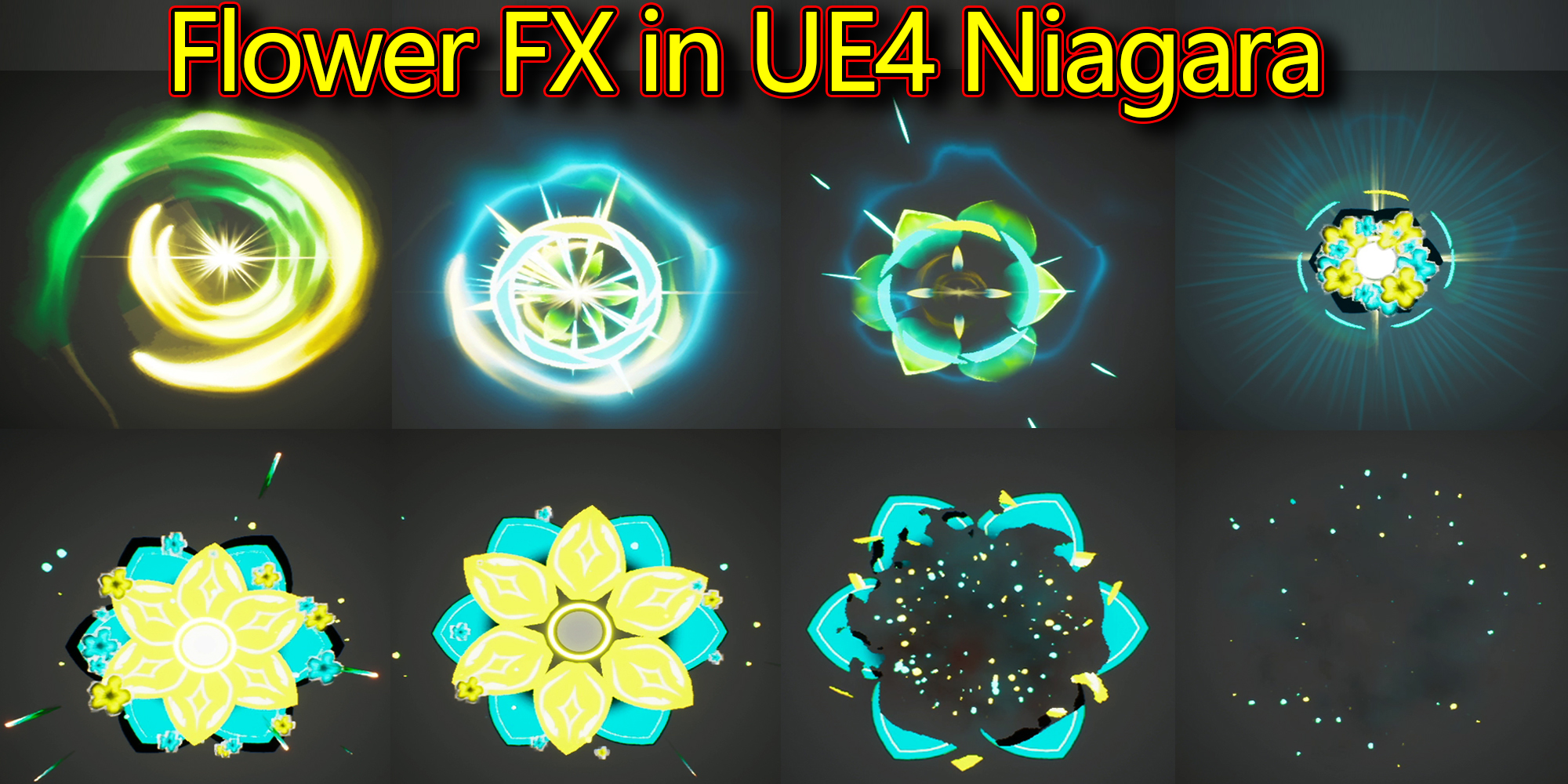
Hi guys today i have created this flower effect in unreal engine niagara.
#cghow #RealtimeVFX #UE4Niagara #gamefx #ue4vfx #ue4fx #niagara #unrealengineniagara #unrealenginevfxtutorials
●Upload Your Tutorials/Work – https://cghow.com/
Purchase Effect Package From Unreal engine Marketplace –
Unreal Engine Niagara Effects in Marketplace – https://youtu.be/DF4Lb_btEus
Niagara Effects Pack in Marketplace – https://youtu.be/g6_k8T7FqHA
Unreal Engine Advanced Magical Effects in Marketplace – https://youtu.be/0Dn3GLIzhMo
Smoke in UE4 Niagara Pack01 in Unreal Engine Marketplace – https://youtu.be/38BPA_9yqJ8
UE4 Niagara Fire Pack 01 in Marketplace – https://youtu.be/PW5FL-zZoP4
UE4 Niagara Fire Pack 02 in Marketplace – https://youtu.be/fdLXPlUEzxM
UE4 Niagara Explosions Pack 02 in Marketplace – https://youtu.be/dj-XX9he4aE
Unreal Engine Niagara Effects Pack 03 in Marketplace – https://youtu.be/0kKon43I-Og
Slow Motion Explosion in UE4 Niagara Pack 04 in Marketplace – https://youtu.be/lUK1eW5zRP0
Unreal Engine Niagara Effects pack 04 in Marketplace – https://youtu.be/MihWYB31Gi4
Slow Motion Explosion in UE4 Niagara Pack 04 in Marketplace – https://youtu.be/lUK1eW5zRP0
UE4.25 Niagara Effects Pack 05 in Marketplace – https://youtu.be/sn1HIENVTDI
UE4.25 Niagara Effects Pack 06 in Marketplace – https://youtu.be/pvH_xGQ5jvs
Explosions Package in Unreal Engine Niagara Particle System – https://youtu.be/1mbqWscjUJ4
●Follow FB Page – https://www.facebook.com/cghow0/
●Join FB Group – https://www.facebook.com/groups/cghow/
●Android App – http://bit.ly/2XUnhoR
Playlists-
●Unreal Engine Niagara Tutorials – http://bit.ly/2SmPEuT
●Unreal engine VFX Tutorials -http://bit.ly/2JNXyJZ
●Unity VFX Tutorials – http://bit.ly/2XNGlKz


Title: Flower Effect in Unreal Engine Niagara | VFX Tutorial
Description:
In this video, I’ll walk you through the process of creating a beautiful flower effect in Unreal Engine using Niagara. This effect includes multiple layers of petals with different colors, fading, and animation behaviors, making it both visually appealing and dynamic.
We’ll go through the steps to create and customize the flower petals using mesh emitters, dynamic parameters, and noise textures for randomization. I’ll show you how to control the position, scale, and color fading of each petal, as well as how to layer multiple flower components for a full effect. From panning textures to eroding particles, I’ll share the secrets behind the materials and the Niagara settings that make this effect come to life.
Key Points:
- Petal Effect: Creating flower petals with mesh emitters, UV manipulation, and panning textures using dynamic parameters for animation.
- Material Setup: How to use different material properties like texture channels, noise, and gradients for controlling fading and randomization.
- Emitter Customization: Adjusting spawn rates, particle sizes, and velocities for each layer of the effect (flowers, streaks, flashes, etc.).
- Advanced Techniques: Use of dynamic parameters for random tiling and color adjustments, plus creating a range of effects like rays, rings, and sparks.
- Custom Alignment: Ensuring all particles align correctly with a dynamic view, especially when adding custom alignments like Z-axis alignment.
Trendy Tags: #UnrealEngine #NiagaraVFX #VFXTutorial #UnrealEngineTutorial #FlowerEffect #MeshEmitter #ParticleEffects #GameDesign #VisualEffects #CGHOW
Additional Notes:
- Understanding the Material Setup: This tutorial assumes some knowledge of materials in Unreal Engine. If you’re a beginner, you can pause and revisit sections that discuss material layering and node setups.
- Tips: Always remember to adjust particle spawn rates and sizes to match the timing of your animation for a smooth visual experience. Adding randomization through dynamic parameters can add a lot of realism to your effects.
Call to Action:
Don’t forget to subscribe to my YouTube channel CGHOW for more VFX tutorials and tips on Unreal Engine Niagara. Also, hit the bell icon to stay updated with new videos. Feel free to comment below if you have any questions, and I’ll be happy to assist you!
Conclusion:
Thank you for watching, and remember to keep learning and experimenting with Unreal Engine to push your VFX skills further!
Leave a Reply