

Download – https://www.patreon.com/posts/63266037
Bike – https://bit.ly/3CeR8yo
NFT – https://opensea.io/CGHOW
👉👉 If you Liked it – http://bit.ly/2UZmiZ4
Channel Ashif – http://bit.ly/3aYaniw
Support me on – https://www.patreon.com/Ashif
Support me on – paypal.me/9953280644
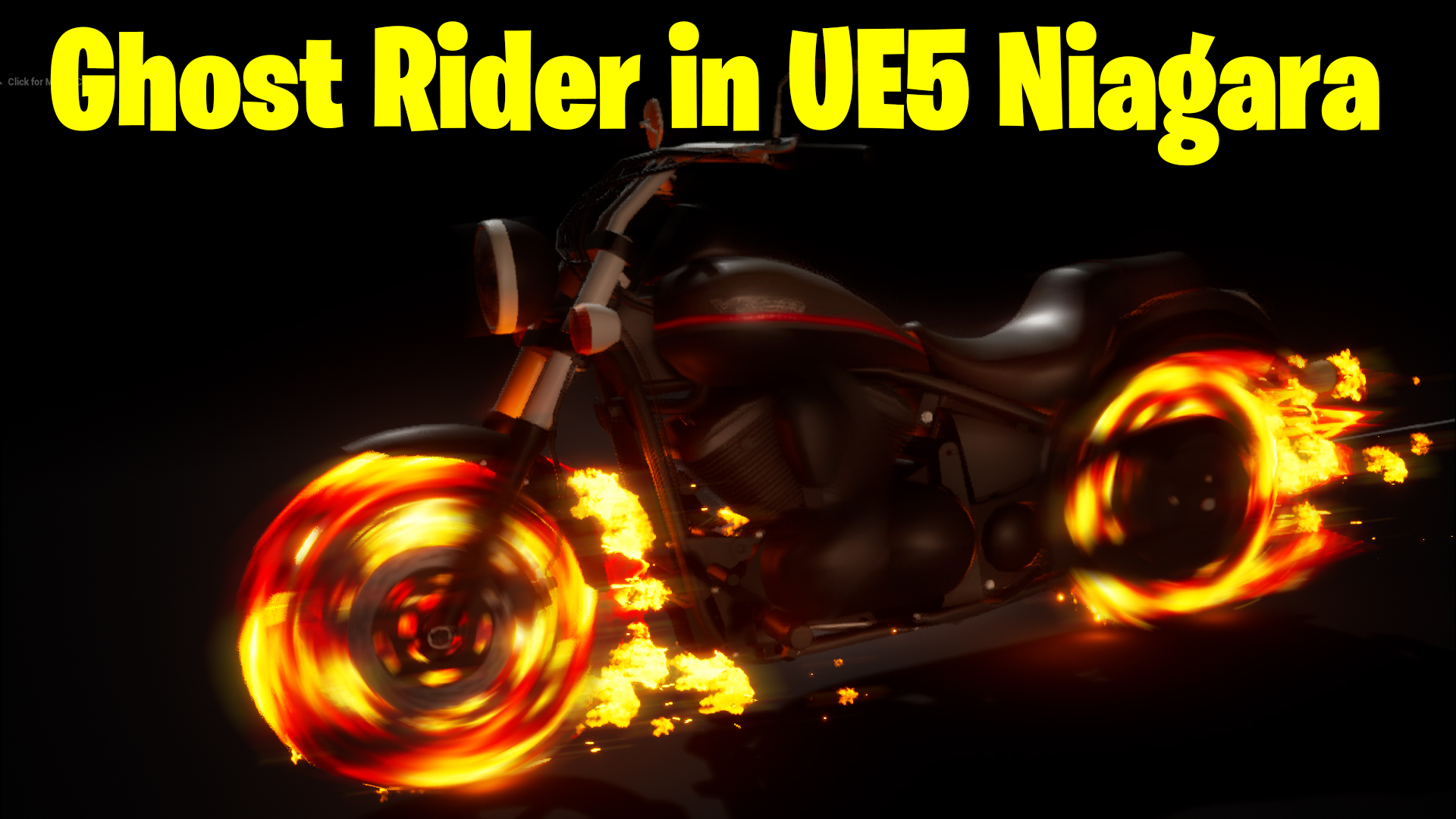
Ghost Rider in UE5 Niagara Tutorial | Download Files
#cghow #UE5 #UE4Niagara #gamefx #ue5niagara #ue4vfx #niagara #unrealengineniagara #realtimevfx
●Upload Your Tutorials/Work – https://cghow.com/
Purchase Effect Package From Unreal engine Marketplace –
Unreal Engine Niagara Effects in Marketplace – https://youtu.be/DF4Lb_btEus
Niagara Effects Pack in Marketplace – https://youtu.be/g6_k8T7FqHA
Unreal Engine Advanced Magical Effects in Marketplace – https://youtu.be/0Dn3GLIzhMo
Smoke in UE4 Niagara Pack01 in Unreal Engine Marketplace – https://youtu.be/38BPA_9yqJ8
UE4 Niagara Fire Pack 01 in Marketplace – https://youtu.be/PW5FL-zZoP4
UE4 Niagara Fire Pack 02 in Marketplace – https://youtu.be/fdLXPlUEzxM
UE4 Niagara Explosions Pack 02 in Marketplace – https://youtu.be/dj-XX9he4aE
Unreal Engine Niagara Effects Pack 03 in Marketplace – https://youtu.be/0kKon43I-Og
Slow Motion Explosion in UE4 Niagara Pack 04 in Marketplace – https://youtu.be/lUK1eW5zRP0
Unreal Engine Niagara Effects pack 04 in Marketplace – https://youtu.be/MihWYB31Gi4
Slow Motion Explosion in UE4 Niagara Pack 04 in Marketplace – https://youtu.be/lUK1eW5zRP0
UE4.25 Niagara Effects Pack 05 in Marketplace – https://youtu.be/sn1HIENVTDI
UE4.25 Niagara Effects Pack 06 in Marketplace – https://youtu.be/pvH_xGQ5jvs
Explosions Package in Unreal Engine Niagara Particle System – https://youtu.be/1mbqWscjUJ4
●Follow FB Page – https://www.facebook.com/cghow0/
●Join FB Group – https://www.facebook.com/groups/cghow/
●Android App – http://bit.ly/2XUnhoR
Playlists-
●Unreal Engine Niagara Tutorials – http://bit.ly/2SmPEuT
●Unreal engine VFX Tutorials -http://bit.ly/2JNXyJZ
●Unity VFX Tutorials – http://bit.ly/2XNGlKz
Video Tutorial Breakdown:
- Intro
- You introduce yourself and the concept of the tutorial: creating a basic burning bike effect inspired by Ghost Rider.
- You encourage viewers to subscribe, like, share, and comment if they enjoy the content.
- Assets and Setup
- You begin by downloading a bike model from archive3d.net and import it into Maya, explaining how to set up the bike mesh with separate tires.
- The bike model is exported as OBJ files, cleaned up, and properly positioned on the grid.
- Importing into Unreal Engine
- The bike is imported into Unreal Engine with three materials applied to different parts of the bike (bike body and tires).
- The mesh is configured and placed in the level.
- Setting Up the Bike Emitter in Niagara
- The bike mesh is placed in a Niagara emitter for particle effects, where the emitter spawns once and stays in the scene for the entire duration.
- You set the size and positioning of the bike and duplicate the emitter for the tires.
- Animating the Tires
- The tires are set to rotate using the Niagara emitter, with adjustments made to their speed and direction to simulate tire rotation.
- You apply specific materials for the burning tires using noise and texture mapping.
- Lighting and Effects
- Lights are added to illuminate the ground, with intensity adjustments and a skylight.
- A floor material is applied to the scene for realism.
- Adding Sparks and Fire
- Sparks and fire effects are created using Niagara to simulate the burning tire effects.
- The sparks are made to emit randomly in various directions with an adjustable spawn rate.
- A fire texture from the starter content is used to create the burning effect.
- Camera Animation
- You animate a camera in the sequencer to track the bike’s motion, adding keyframes to rotate the camera and make it more dynamic.
- Additional Effects
- You increase the brightness of the lighting and add image effects to enhance the overall scene.
- Speed lines are created by duplicating the effect, changing the parameters to make them appear as motion blur.
- Final Adjustments
- You tweak some particle systems to get the final look, adjusting the randomness and spawn rates to get the desired effect.
Key Points:
- Model Setup: Importing and setting up the bike in Maya, cleaning, and exporting it for use in Unreal Engine.
- Niagara Emitter: Creating a basic bike emitter with mesh particles and applying rotations for the tires.
- Burning Effects: Adding fire, sparks, and lighting to simulate the burning tire effect.
- Camera and Sequencer: Animating the camera to focus on the bike and adding dynamic movement.
- Speed Lines: Implementing motion blur effects to simulate high-speed movement.
Trendy Tags:
- #GhostRiderEffect #UnrealEngine #Niagara #VFX #ParticleEffects #GhostRiderBike #GameVFX #UnrealTutorial #NiagaraVFX
Leave a Reply