

Download – https://www.patreon.com/posts/63824706
Ref – https://bit.ly/36hoWPl
NFT – https://opensea.io/CGHOW
👉👉 If you Liked it – http://bit.ly/2UZmiZ4
Channel Ashif – http://bit.ly/3aYaniw
Support me on – https://www.patreon.com/Ashif
Support me on – paypal.me/9953280644
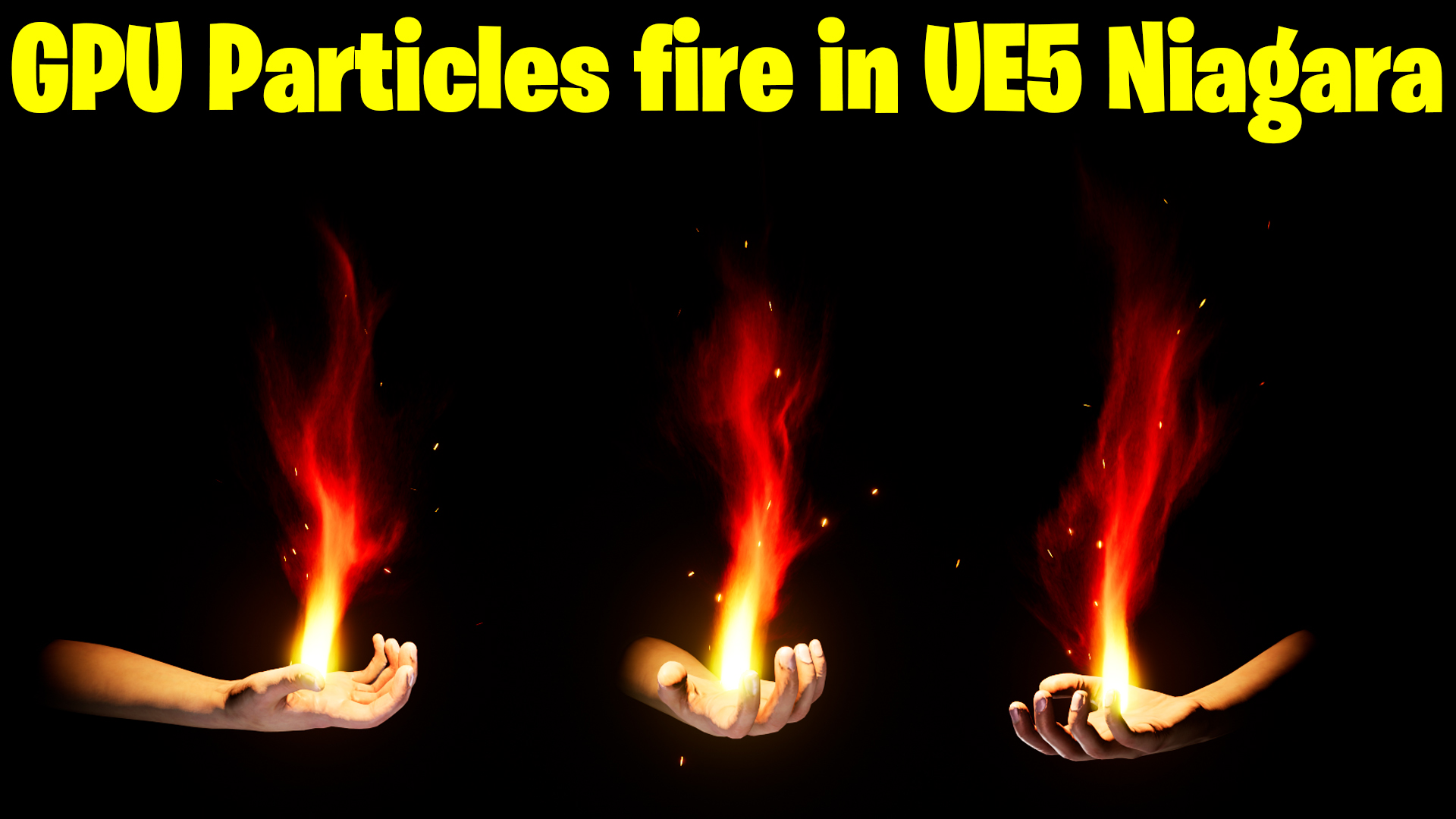
GPU Particle Fire in UE5 Niagara Tutorial | Download Files
#cghow #UE5 #UE4Niagara #gamefx #ue5niagara #ue4vfx #niagara #unrealengineniagara #realtimevfx
●Upload Your Tutorials/Work – https://cghow.com/
Purchase Effect Package From Unreal engine Marketplace –
Unreal Engine Niagara Effects in Marketplace – https://youtu.be/DF4Lb_btEus
Niagara Effects Pack in Marketplace – https://youtu.be/g6_k8T7FqHA
Unreal Engine Advanced Magical Effects in Marketplace – https://youtu.be/0Dn3GLIzhMo
Smoke in UE4 Niagara Pack01 in Unreal Engine Marketplace – https://youtu.be/38BPA_9yqJ8
UE4 Niagara Fire Pack 01 in Marketplace – https://youtu.be/PW5FL-zZoP4
UE4 Niagara Fire Pack 02 in Marketplace – https://youtu.be/fdLXPlUEzxM
UE4 Niagara Explosions Pack 02 in Marketplace – https://youtu.be/dj-XX9he4aE
Unreal Engine Niagara Effects Pack 03 in Marketplace – https://youtu.be/0kKon43I-Og
Slow Motion Explosion in UE4 Niagara Pack 04 in Marketplace – https://youtu.be/lUK1eW5zRP0
Unreal Engine Niagara Effects pack 04 in Marketplace – https://youtu.be/MihWYB31Gi4
Slow Motion Explosion in UE4 Niagara Pack 04 in Marketplace – https://youtu.be/lUK1eW5zRP0
UE4.25 Niagara Effects Pack 05 in Marketplace – https://youtu.be/sn1HIENVTDI
UE4.25 Niagara Effects Pack 06 in Marketplace – https://youtu.be/pvH_xGQ5jvs
Explosions Package in Unreal Engine Niagara Particle System – https://youtu.be/1mbqWscjUJ4
●Follow FB Page – https://www.facebook.com/cghow0/
●Join FB Group – https://www.facebook.com/groups/cghow/
●Android App – http://bit.ly/2XUnhoR
Playlists-
●Unreal Engine Niagara Tutorials – http://bit.ly/2SmPEuT
●Unreal engine VFX Tutorials -http://bit.ly/2JNXyJZ
●Unity VFX Tutorials – http://bit.ly/2XNGlKz
Create a Simple GPU Fire Effect in Unreal Engine (Using Particles)
Description:
Hi guys, I’m Asif Ali and you’re watching CGHOW. Today, I created a simple fire effect using GPU particles. While it doesn’t look like realistic fire, I followed a reference that gave me inspiration for this effect. In this tutorial, I’ll walk you through creating the effect from scratch.
If you haven’t subscribed to my YouTube channel yet, please subscribe! If you like the tutorial, don’t forget to like, share, and comment. You can also download the assets for this project from my Patreon.
Let’s dive in!
Key Points:
- Creating the Hand Animation: Importing the animation, selecting the right frames, and making the hand pose static for our fire effect.
- Adding GPU Particles: Setting up fire particles using an additive material and adjusting spawn rates and life expectancy for realism.
- Fine-Tuning the Fire Effect: Adjusting color, adding noise, and tweaking the particles to achieve the desired look.
- Advanced Tips: Using radial noise and tweaking the emitter to create a chaotic fire look. Adding bloom and contrast for a more realistic effect.
- Final Adjustments: Combining everything and randomizing the settings to get a dynamic fire effect.
Trendy Tags:
- #GPUParticles
- #FireEffect
- #UnrealEngineTutorial
- #ParticleSystem
- #VFX
- #UnrealEngine5
Additional Notes:
- The tutorial emphasizes creating a dynamic effect using GPU particles in Unreal Engine.
- For realistic fire simulation, tweaking the particle velocity, life cycle, and color over time is essential.
- The tutorial also provides insights into optimizing particle effects for performance, particularly when using a high number of particles.
Leave a Reply