

Download – https://cghow.gumroad.com/l/ryrlf
Download – https://artstn.co/m/pk9rV
Ref – https://bit.ly/3HwKLZK
NFT – https://opensea.io/CGHOW
Twitter – https://twitter.com/cghow_
👉👉 If you Liked it – http://bit.ly/2UZmiZ4
Channel Ashif – http://bit.ly/3aYaniw
Support me on – https://www.patreon.com/Ashif
Support me on – paypal.me/9953280644
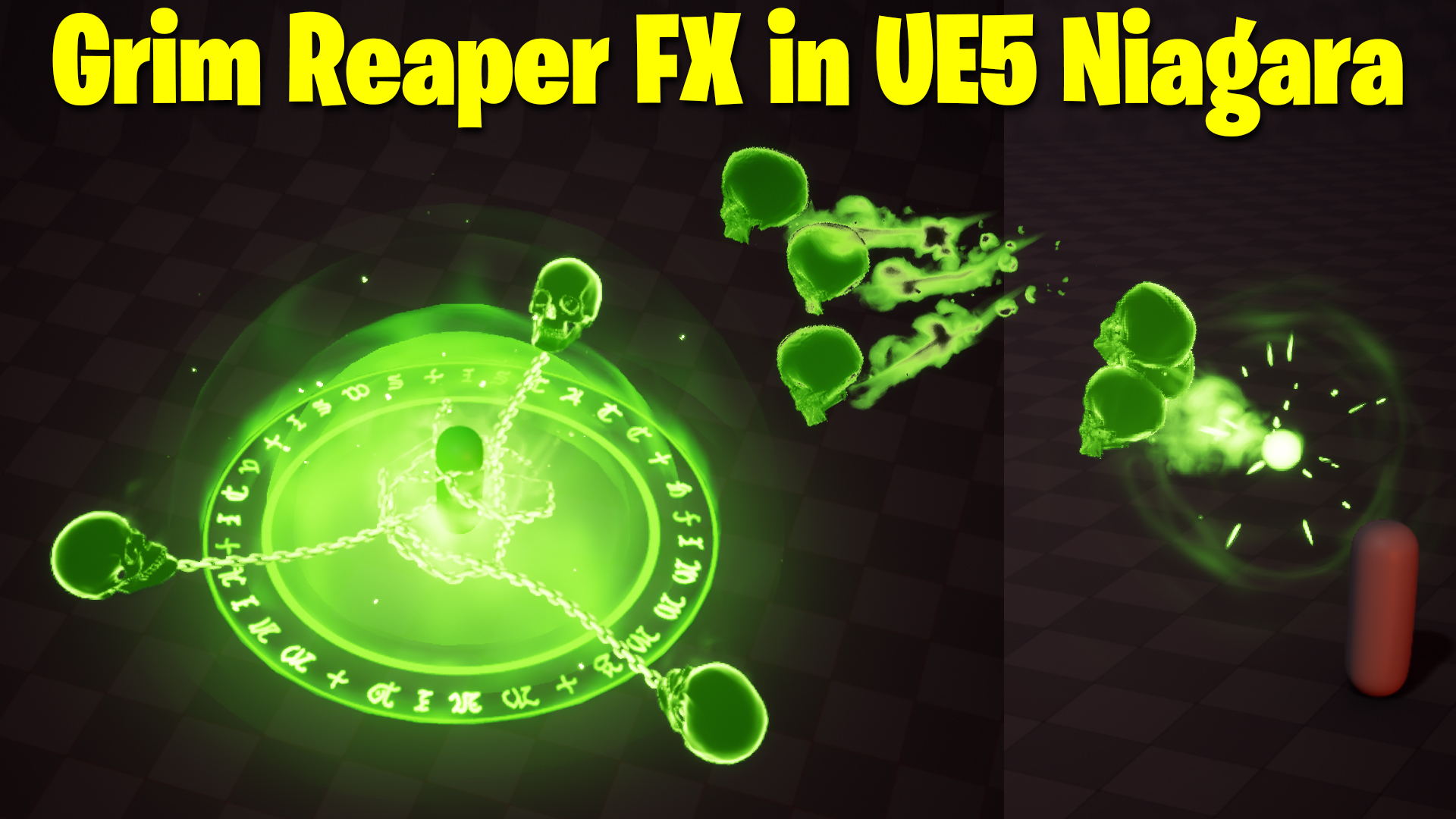
Grim Reaper FX in UE5 Niagara Tutorial | Download Files
Chapters:
0:00 – Intro
1:17 – setting Level
3:03 – setting player and sequencer
5:36 – Spawn Skull FX
20:52 – Skull Shooting FX
42:35 – Skull Hit Impact FX
1:24:25 – Camera Shake
1:26:00 – Post Process
#cghow #UE5 #UE4Niagara #gamefx #ue5niagara #ue4vfx #niagara #unrealengineniagara #realtimevfx
●Upload Your Tutorials/Work – https://cghow.com/
Purchase Effect Package From Unreal engine Marketplace –
Unreal Engine Niagara Effects in Marketplace – https://youtu.be/DF4Lb_btEus
Niagara Effects Pack in Marketplace – https://youtu.be/g6_k8T7FqHA
Unreal Engine Advanced Magical Effects in Marketplace – https://youtu.be/0Dn3GLIzhMo
Smoke in UE4 Niagara Pack01 in Unreal Engine Marketplace – https://youtu.be/38BPA_9yqJ8
UE4 Niagara Fire Pack 01 in Marketplace – https://youtu.be/PW5FL-zZoP4
UE4 Niagara Fire Pack 02 in Marketplace – https://youtu.be/fdLXPlUEzxM
UE4 Niagara Explosions Pack 02 in Marketplace – https://youtu.be/dj-XX9he4aE
Unreal Engine Niagara Effects Pack 03 in Marketplace – https://youtu.be/0kKon43I-Og
Slow Motion Explosion in UE4 Niagara Pack 04 in Marketplace – https://youtu.be/lUK1eW5zRP0
Unreal Engine Niagara Effects pack 04 in Marketplace – https://youtu.be/MihWYB31Gi4
Slow Motion Explosion in UE4 Niagara Pack 04 in Marketplace – https://youtu.be/lUK1eW5zRP0
UE4.25 Niagara Effects Pack 05 in Marketplace – https://youtu.be/sn1HIENVTDI
UE4.25 Niagara Effects Pack 06 in Marketplace – https://youtu.be/pvH_xGQ5jvs
Explosions Package in Unreal Engine Niagara Particle System – https://youtu.be/1mbqWscjUJ4
●Follow FB Page – https://www.facebook.com/cghow0/
●Join FB Group – https://www.facebook.com/groups/cghow/
●Android App – http://bit.ly/2XUnhoR
Playlists-
●Unreal Engine Niagara Tutorials – http://bit.ly/2SmPEuT
●Unreal engine VFX Tutorials -http://bit.ly/2JNXyJZ
●Unity VFX Tutorials – http://bit.ly/2XNGlKz
Introduction
- Welcome and Introduction: The video starts with a brief introduction by the creator, Ashif Ali, and a call to action to subscribe to the channel.
- Effect Breakdown: The creator explains that the tutorial will focus on recreating a specific effect found on ArtStation, created by Jade Kim. The effect involves a character shooting three skulls that impact a target, creating a dramatic explosion.
Setting Up the Scene
- Creating the Scene: The creator sets up a basic scene in Unreal Engine 5, including a ground plane, two characters (a hero and a villain), and basic lighting.
- Adding a Sequencer: A sequencer is added to control the timing and animation of the effect.
Creating the Initial Impact Effect
- Particle System Setup: A new Niagara system is created to simulate the initial impact.
- Particle Spawning and Lifetime: Particles are spawned in a spherical shape and given a short lifespan.
- Particle Scaling and Fading: The particles are scaled down over time and faded out.
- Color and Brightness: The particles are given a bright, energetic color and their brightness is increased over time.
Creating the Energy Gathering Effect
- Particle Spawning and Attraction: Particles are spawned around the villain’s hand and attracted to a central point.
- Particle Scaling and Fading: The particles scale down and fade out as they reach the center point.
Creating the Skull Projectile Effect
- Spawning the Skulls: Three skulls are spawned from the villain’s hand.
- Skull Movement: The skulls are given a forward velocity and a slight random variation in direction.
- Skull Impact: When the skulls hit the target, a burst of particles is emitted.
Creating the Impact Effect
- Particle Spawning and Shape: A large number of particles are spawned in a spherical shape.
- Particle Movement and Fading: The particles move outward from the impact point and fade out over time.
- Particle Color and Texture: The particles are given a bright, energetic color and a textured appearance.
Creating the Chain Effect
- Mesh Creation: A custom mesh is created to represent the chain.
- Particle System Setup: A Niagara system is created to spawn and animate the chain particles.
- Particle Movement and Scaling: The particles are spawned along the chain and scaled over time.
Creating the Aura Effect
- Particle Spawning and Shape: Particles are spawned in a spherical shape around the impact point.
- Particle Movement and Fading: The particles move outward and fade out over time.
- Particle Color and Texture: The particles are given a bright, glowing color and a textured appearance.
Adding Camera Effects
- Camera Shake: A camera shake effect is added to the sequencer to enhance the impact of the explosion.
- Post-Processing Effects: Chromatic aberration is added to the scene to create a stylized look.
Leave a Reply