

Channel Ashif – http://bit.ly/3aYaniw
Support me on – https://www.patreon.com/Ashif
Support me on – paypal.me/9953280644
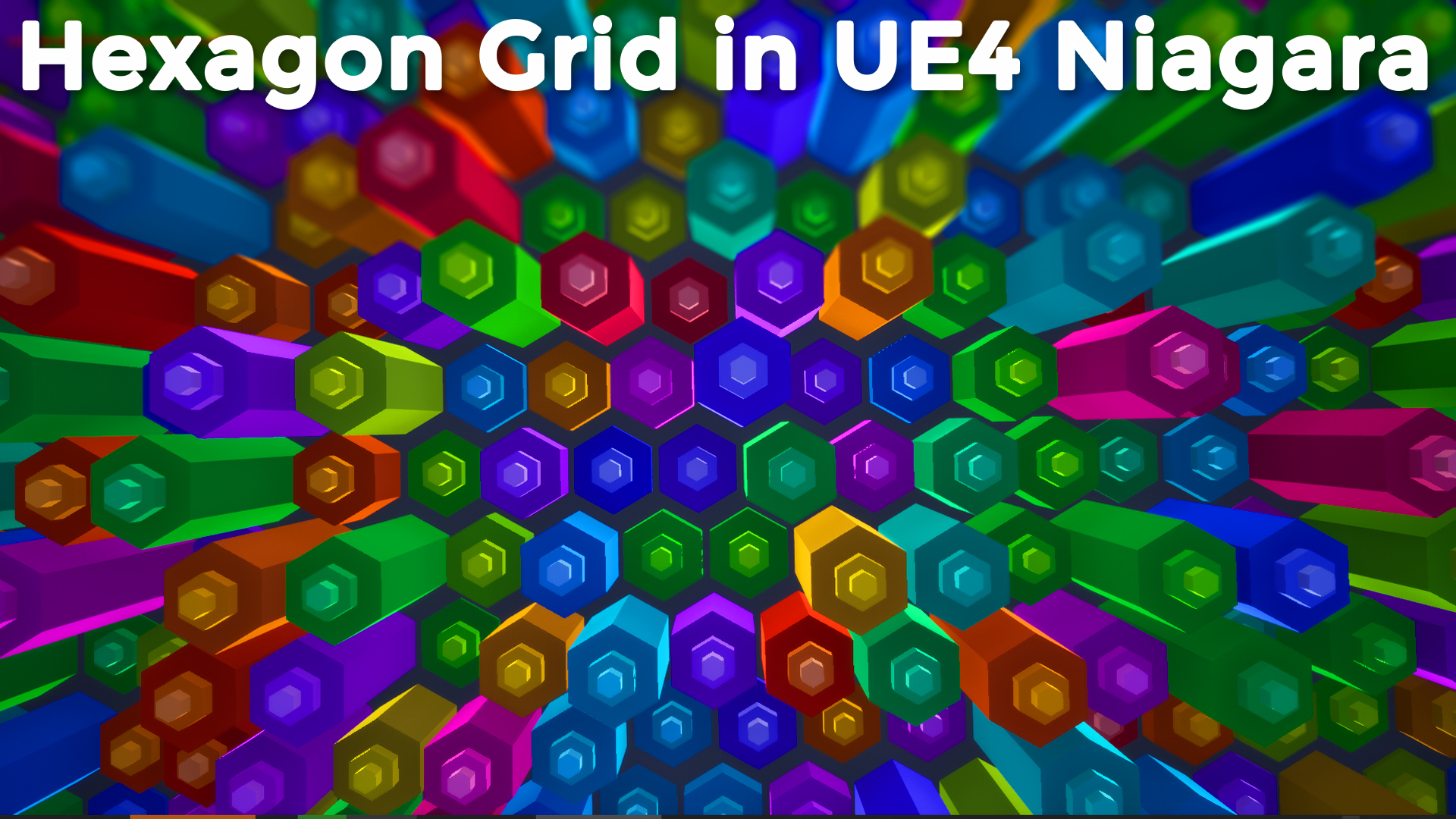
Hexagon Grid in UE4 Niagara
#cghow #RealtimeVFX #UE4Niagara #gamefx #ue4vfx #ue4fx #niagara #unrealengineniagara #unrealenginevfxtutorials
●Upload Your Tutorials/Work – https://cghow.com/
Purchase Effect Package From Unreal engine Marketplace –
Unreal Engine Niagara Effects in Marketplace – https://youtu.be/DF4Lb_btEus
Niagara Effects Pack in Marketplace – https://youtu.be/g6_k8T7FqHA
Unreal Engine Advanced Magical Effects in Marketplace – https://youtu.be/0Dn3GLIzhMo
Smoke in UE4 Niagara Pack01 in Unreal Engine Marketplace – https://youtu.be/38BPA_9yqJ8
UE4 Niagara Fire Pack 01 in Marketplace – https://youtu.be/PW5FL-zZoP4
UE4 Niagara Fire Pack 02 in Marketplace – https://youtu.be/fdLXPlUEzxM
UE4 Niagara Explosions Pack 02 in Marketplace – https://youtu.be/dj-XX9he4aE
Unreal Engine Niagara Effects Pack 03 in Marketplace – https://youtu.be/0kKon43I-Og
Slow Motion Explosion in UE4 Niagara Pack 04 in Marketplace – https://youtu.be/lUK1eW5zRP0
Unreal Engine Niagara Effects pack 04 in Marketplace – https://youtu.be/MihWYB31Gi4
Slow Motion Explosion in UE4 Niagara Pack 04 in Marketplace – https://youtu.be/lUK1eW5zRP0
UE4.25 Niagara Effects Pack 05 in Marketplace – https://youtu.be/sn1HIENVTDI
UE4.25 Niagara Effects Pack 06 in Marketplace – https://youtu.be/pvH_xGQ5jvs
Explosions Package in Unreal Engine Niagara Particle System – https://youtu.be/1mbqWscjUJ4
●Follow FB Page – https://www.facebook.com/cghow0/
●Join FB Group – https://www.facebook.com/groups/cghow/
●Android App – http://bit.ly/2XUnhoR
Playlists-
●Unreal Engine Niagara Tutorials – http://bit.ly/2SmPEuT
●Unreal engine VFX Tutorials -http://bit.ly/2JNXyJZ
●Unity VFX Tutorials – http://bit.ly/2XNGlKz


Title: Create Hexagon Grid Effect in Niagara | Unreal Engine Tutorial
Intro:
Hi guys, I’m Asifaji, and welcome back to CGHOW! Today, we’re creating a hexagon grid effect in Unreal Engine using Niagara. Let’s get started!
Step 1: Setting Up Niagara
- First, we create a new Niagara particle system. I’ll take the default Fountain system and rename it “Hexagon Grid.”
- Disable the unnecessary components, such as forces and spawn rate. We need a grid-based particle system.
Step 2: Creating the Hexagon Grid
- To create the grid, use the Grid Spawn Particle system. Set the grid’s location with “Grid Location.”
- I only need the grid on the X and Y axes, so set the Z-axis to 0.
- Set the particle life to a constant value of 10 and keep it infinite for the lifetime.
Step 3: Adding Hexagon Mesh
- To shape the grid into hexagons, I create a simple hexagonal mesh and scale it down to fit.
- After that, I import the mesh into Unreal Engine, replace the sprite renderer with the mesh renderer, and adjust the mesh size to 0.5.
Step 4: Styling the Grid
- To get the hexagon grid to look like the one in my previous tutorial, I’ll apply a gradient to alternate between black and white using material logic.
- The key here is using a sine function or offset values to create the alternating rows. I adjust the texture to apply the gradient effect in the Niagara system.
Step 5: Adding Offsets and Animating the Grid
- To offset every other row, I modify the Y-axis position by adding a custom offset value. This creates the staggered hexagon rows you see in the grid.
- For animating, I randomize the scale on the Z-axis, adjusting it between 0 and 1 for a more dynamic effect.
Step 6: Fine-Tuning and Adding Variations
- Duplicate the emitter and adjust values like color and size to create multiple layers or “steps” within the grid.
- To adjust the color strength, you can add or multiply the color’s intensity.
- I also show how to synchronize the scaling for all emitters and add variations in color and size.
Step 7: Final Look and Simulation
- After applying these steps, you’ll have a dynamic hexagonal grid effect that looks great in the viewport.
- Finally, I demonstrate how to simulate and showcase the result in full-screen mode.
Outro:
That’s it for today’s tutorial! I hope you found this helpful. Don’t forget to like, share, and subscribe to CGHOW for more Unreal Engine tutorials. Keep learning, and I’ll see you in the next video. Bye!
Additional Notes for Blog Post:
- Tags: #UnrealEngine #Niagara #HexagonGrid #VFX #GameDev
- Key Points in Bold:
- Create a Niagara particle system and set up a grid spawn.
- Use a custom hexagon mesh for the grid.
- Apply color gradients and offsets for hexagonal row effects.
- Animate and randomize particle sizes for dynamic effects.
- Duplicate emitters for multi-layer effects with different color variations.
This format should be a great fit for your CGHOW YouTube tutorials and CGHOW.com blog. Let me know if you need any adjustments!
Leave a Reply