


Download – https://www.patreon.com/posts/58848888
👉👉 If you Liked it – http://bit.ly/2UZmiZ4
Channel Ashif – http://bit.ly/3aYaniw
Support me on – https://www.patreon.com/Ashif
Support me on – paypal.me/9953280644
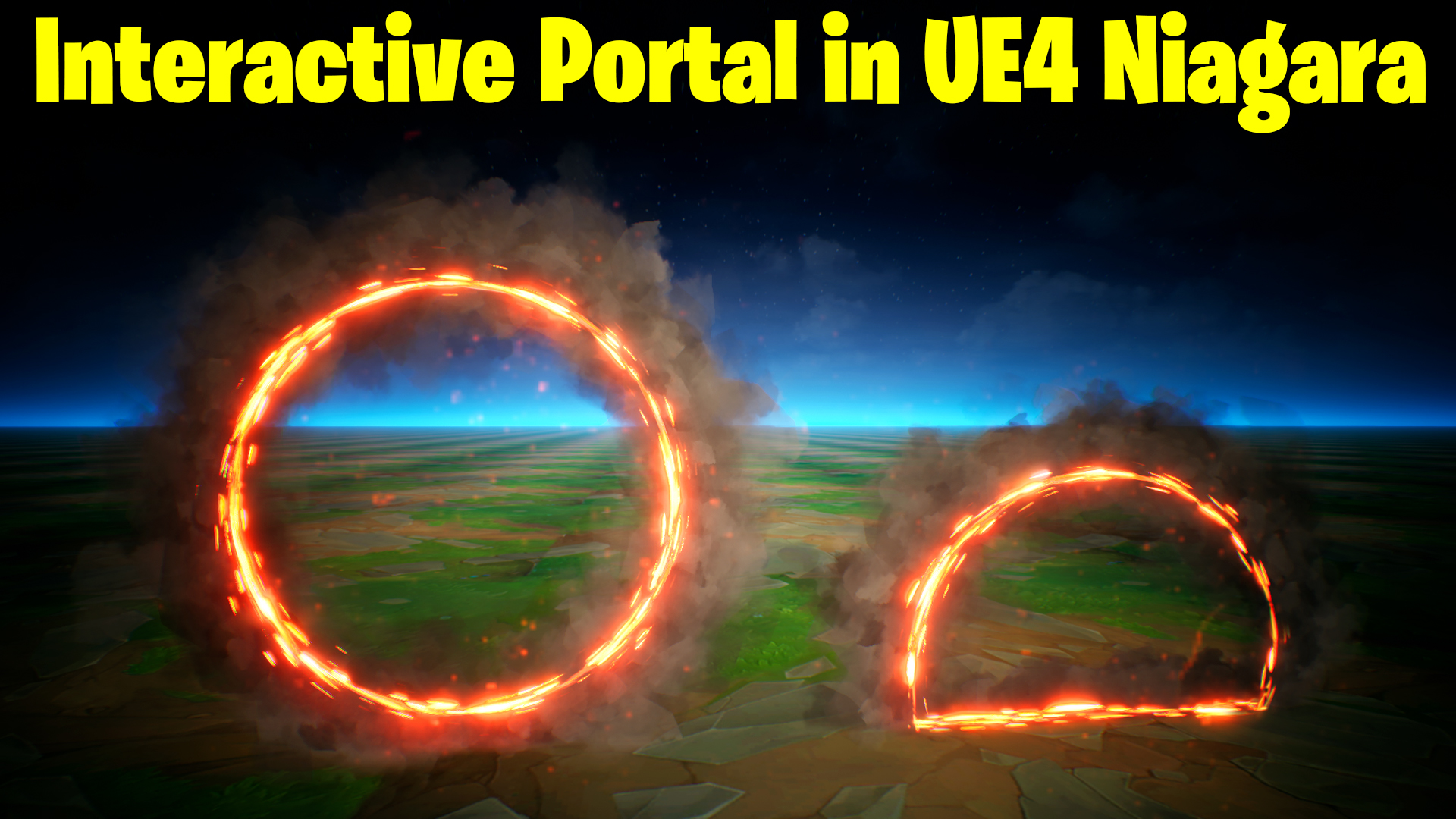
Interactive Portal in UE4 Niagara Tutorial | Download Files
hi guys today I have created an interactive portal in ue4 Niagara. this simple portal when interactive with gound it changes the shape accordingly. this is a very simple trick to do this.
#cghow #UE5 #UE4Niagara #gamefx #ue5niagara #ue4vfx #niagara #unrealengineniagara #realtimevfx
●Upload Your Tutorials/Work – https://cghow.com/
Purchase Effect Package From Unreal engine Marketplace –
Unreal Engine Niagara Effects in Marketplace – https://youtu.be/DF4Lb_btEus
Niagara Effects Pack in Marketplace – https://youtu.be/g6_k8T7FqHA
Unreal Engine Advanced Magical Effects in Marketplace – https://youtu.be/0Dn3GLIzhMo
Smoke in UE4 Niagara Pack01 in Unreal Engine Marketplace – https://youtu.be/38BPA_9yqJ8
UE4 Niagara Fire Pack 01 in Marketplace – https://youtu.be/PW5FL-zZoP4
UE4 Niagara Fire Pack 02 in Marketplace – https://youtu.be/fdLXPlUEzxM
UE4 Niagara Explosions Pack 02 in Marketplace – https://youtu.be/dj-XX9he4aE
Unreal Engine Niagara Effects Pack 03 in Marketplace – https://youtu.be/0kKon43I-Og
Slow Motion Explosion in UE4 Niagara Pack 04 in Marketplace – https://youtu.be/lUK1eW5zRP0
Unreal Engine Niagara Effects pack 04 in Marketplace – https://youtu.be/MihWYB31Gi4
Slow Motion Explosion in UE4 Niagara Pack 04 in Marketplace – https://youtu.be/lUK1eW5zRP0
UE4.25 Niagara Effects Pack 05 in Marketplace – https://youtu.be/sn1HIENVTDI
UE4.25 Niagara Effects Pack 06 in Marketplace – https://youtu.be/pvH_xGQ5jvs
Explosions Package in Unreal Engine Niagara Particle System – https://youtu.be/1mbqWscjUJ4
●Follow FB Page – https://www.facebook.com/cghow0/
●Join FB Group – https://www.facebook.com/groups/cghow/
●Android App – http://bit.ly/2XUnhoR
Playlists-
●Unreal Engine Niagara Tutorials – http://bit.ly/2SmPEuT
●Unreal engine VFX Tutorials -http://bit.ly/2JNXyJZ
●Unity VFX Tutorials – http://bit.ly/2XNGlKz
Title: Creating Ground-Interaction Effects in Unreal Engine | Simple Smoke and Sparks Tutorial
Description: In this tutorial, Asif Ali from CGHOW demonstrates how to create a simple but effective ground-interaction effect using smoke and sparks in Unreal Engine. The effect reacts to ground collisions and adjusts dynamically based on emitter movement. Learn how to use separate emitters, adjust particle spawn rates, and utilize kill volumes for particle deletion. Follow along as Asif walks through the process of setting up the effect from scratch and explains each step in detail.
Key Points:
- Ground Interaction Setup: Learn how to create smoke particles that delete upon colliding with the ground.
- Emitter Positioning: Understand how emitter movement affects particle behavior and how to control it.
- Creating Spark Effects: Duplicate emitters to create sparks, layered with smoke for more visual complexity.
- Kill Volume Utilization: Use kill volumes to delete particles based on specific conditions like position or distance.
- Dynamic Particle Adjustments: Adjust particle size dynamically based on emitter position to achieve realistic interactions.
Tutorial Steps:
- Initial Setup:
- Create a new folder and FX asset.
- Set up a basic smoke effect using a simple material.
- Emitter Positioning:
- Create a torus shape for particle emission.
- Adjust position and particle spawn rate to form a ring shape.
- Movement and Interaction:
- Move the emitter up and down to see how the particles dissipate or generate based on emitter height.
- Ensure particles stay on the ground by adjusting emitter positions with subtracting logic.
- Particle Deletion:
- Introduce kill volumes to delete particles when they intersect with a specific plane.
- Set up conditions for particle death to avoid wasted particles.
- Ground Effect Creation:
- Create a ground particle emitter that interacts with the ground similarly to the original smoke effect.
- Adjust size and spawn rates for visual feedback.
- Dynamic Adjustments:
- Use remap range functions to control particle size based on emitter height.
- Fine-tune the effect with additional conditions for particle visibility and deletion.
- Final Touches:
- Add boolean conditions to refine when particles should appear or disappear.
- Test the effect for smooth interaction and adjust based on your needs.
Trendy Tags:
#UnrealEngine #VFX #Niagara #GameDevelopment #ParticleEffects #GroundInteraction #UnrealEngineTutorial #CGHOW #VisualEffects #UnrealEngine5 #SmokeEffects #Sparks #KillVolume
Additional Notes:
- The setup demonstrated in this tutorial can be adapted for various gameplay scenarios, including character interactions, environment effects, and more.
- You can download the project file on my Patreon for a closer look at the settings used in this tutorial.
Call to Action:
Don’t forget to like, subscribe, and click the bell icon to get notified when new tutorials are posted! Keep learning, and I’ll see you in the next video!
Leave a Reply