

Channel Ashif – http://bit.ly/3aYaniw
Support me on – https://www.patreon.com/Ashif
Support me on – paypal.me/9953280644
kaleidoscope Material in UE4 Tutorial
#cghow #RealtimeVFX #UE4Niagara #gamefx #ue4vfx #ue4fx #niagara #unrealengineniagara #unrealenginevfxtutorials
●Upload Your Tutorials/Work – https://cghow.com/
Purchase Effect Package From Unreal engine Marketplace –
Unreal Engine Niagara Effects in Marketplace – https://youtu.be/DF4Lb_btEus
Niagara Effects Pack in Marketplace – https://youtu.be/g6_k8T7FqHA
Unreal Engine Advanced Magical Effects in Marketplace – https://youtu.be/0Dn3GLIzhMo
Smoke in UE4 Niagara Pack01 in Unreal Engine Marketplace – https://youtu.be/38BPA_9yqJ8
UE4 Niagara Fire Pack 01 in Marketplace – https://youtu.be/PW5FL-zZoP4
UE4 Niagara Fire Pack 02 in Marketplace – https://youtu.be/fdLXPlUEzxM
UE4 Niagara Explosions Pack 02 in Marketplace – https://youtu.be/dj-XX9he4aE
Unreal Engine Niagara Effects Pack 03 in Marketplace – https://youtu.be/0kKon43I-Og
Slow Motion Explosion in UE4 Niagara Pack 04 in Marketplace – https://youtu.be/lUK1eW5zRP0
Unreal Engine Niagara Effects pack 04 in Marketplace – https://youtu.be/MihWYB31Gi4
Slow Motion Explosion in UE4 Niagara Pack 04 in Marketplace – https://youtu.be/lUK1eW5zRP0
UE4.25 Niagara Effects Pack 05 in Marketplace – https://youtu.be/sn1HIENVTDI
UE4.25 Niagara Effects Pack 06 in Marketplace – https://youtu.be/pvH_xGQ5jvs
Explosions Package in Unreal Engine Niagara Particle System – https://youtu.be/1mbqWscjUJ4
●Follow FB Page – https://www.facebook.com/cghow0/
●Join FB Group – https://www.facebook.com/groups/cghow/
●Android App – http://bit.ly/2XUnhoR
Playlists-
●Unreal Engine Niagara Tutorials – http://bit.ly/2SmPEuT
●Unreal engine VFX Tutorials -http://bit.ly/2JNXyJZ
●Unity VFX Tutorials – http://bit.ly/2XNGlKz


Title: Kaleidoscope Material in Unreal Engine 4 | Tutorial
Introduction: Hi guys, I’m Asif Ali, and welcome to another CGHOW video! Today, we’ll be creating a kaleidoscope effect using materials in Unreal Engine 4. Let’s jump right into it!
[Music]
Don’t forget to:
- Subscribe to my YouTube channel
- Click the bell icon to get notifications for all new videos
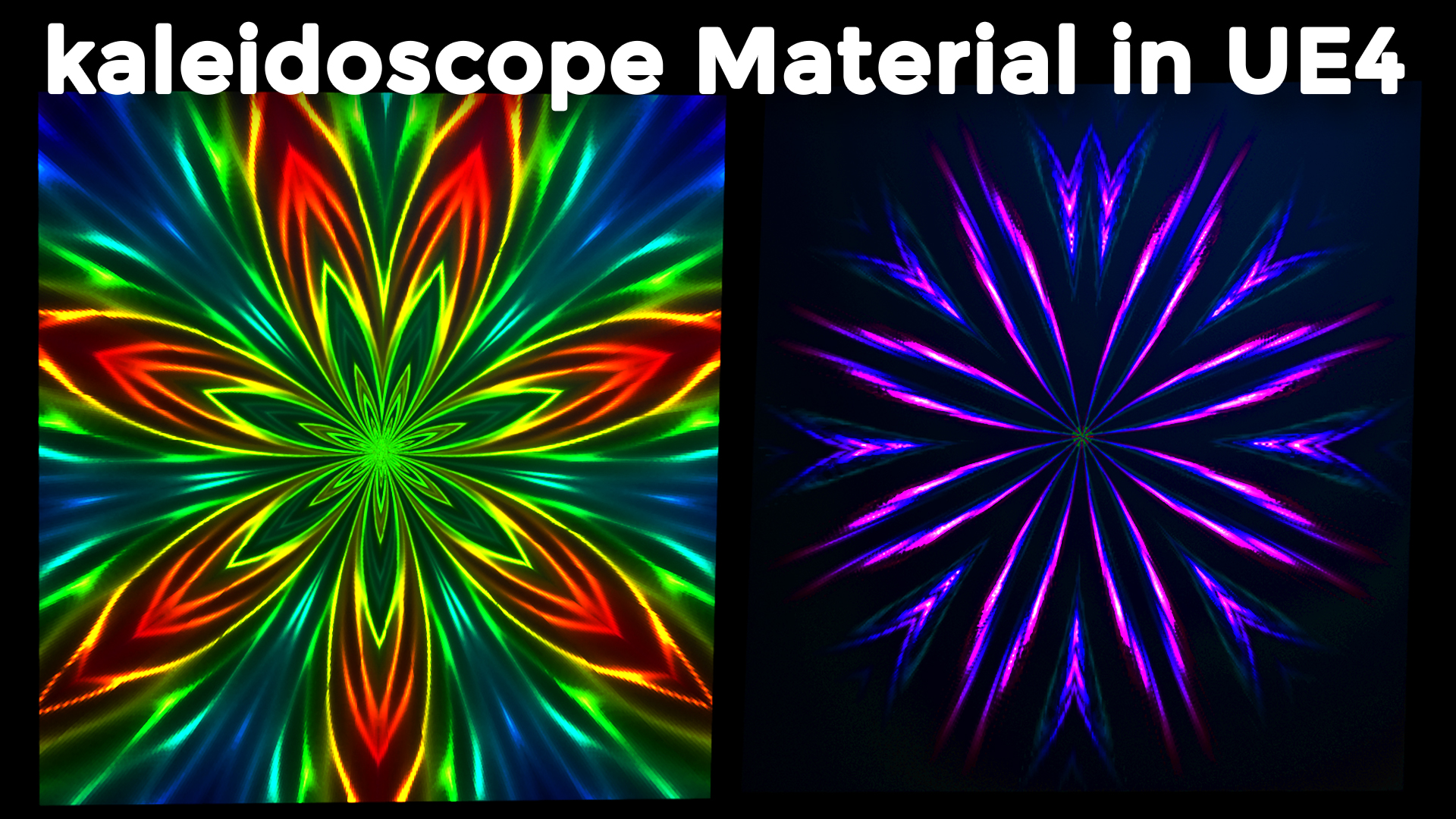
Exploring the Concept: As you can see, this effect looks really amazing. The concept behind it is quite simple – it’s all about mirroring the same texture in multiple ways. While I may not create an exact copy of the effect, I’ll do my best to get something close, and hopefully, you’ll learn something new along the way.
Symmetry and How It Works: In Photoshop, we have tools like symmetry that allow us to create mirrored designs. I’ll quickly show you how this works using a dual symmetry brush, which mirrors your design across multiple axes. We’ll replicate a similar effect in Unreal Engine to achieve that kaleidoscopic look.
Creating the Kaleidoscope Effect in Unreal Engine: Now let’s switch to Unreal Engine. I’ll start by creating a new material and adding a texture. For this example, I’ll use a character texture. If I preview this, you can see the character image appears once. We want to create a mirror effect by manipulating the coordinates.
Mirroring the Image: To create the mirror effect, we’ll use a “Texture Coordinate” node. By default, the texture is being applied once, but we need to manipulate it so it mirrors across multiple axes. I’ll use a mask node and apply the “Absolute” node, which flips the image and creates the mirrored symmetry.
Adjusting the Texture Coordinates: I’ll now tweak the coordinates to center the image, making it easier to control. By adjusting the U and V coordinates, we’ll position the image in the middle and apply the mirror effect across multiple axes.
Repetition and Tiling: Next, I’ll demonstrate how to repeat the image in multiple directions, creating a kaleidoscope effect. To do this, I’ll multiply and divide by Pi to control the tiling and symmetry of the texture. This will allow us to create the mirrored pattern across the material.
Adding Color and Final Touches: Once the mirrored pattern is in place, I’ll add some color to the effect. By introducing random hues, I’ll make the kaleidoscope more vibrant and dynamic. You can experiment with different textures and colors to create variations of the effect.
Conclusion: And there you have it! We’ve successfully created a kaleidoscope effect using materials in Unreal Engine 4. I hope this tutorial helped you understand how to achieve this cool effect, and now you can try it with your own textures and setups.
Outro: If you have any questions, feel free to leave a comment below. Don’t forget to subscribe to my channel for more tutorials. Thanks for watching, and keep learning. Goodbye!
Leave a Reply