

Download – https://www.patreon.com/posts/54891648
👉👉 If you Liked it – http://bit.ly/2UZmiZ4
Channel Ashif – http://bit.ly/3aYaniw
Support me on – https://www.patreon.com/Ashif
Support me on – paypal.me/9953280644
Layered 3D Noise in UE5 Niagara and Material Tutorial | Download Files
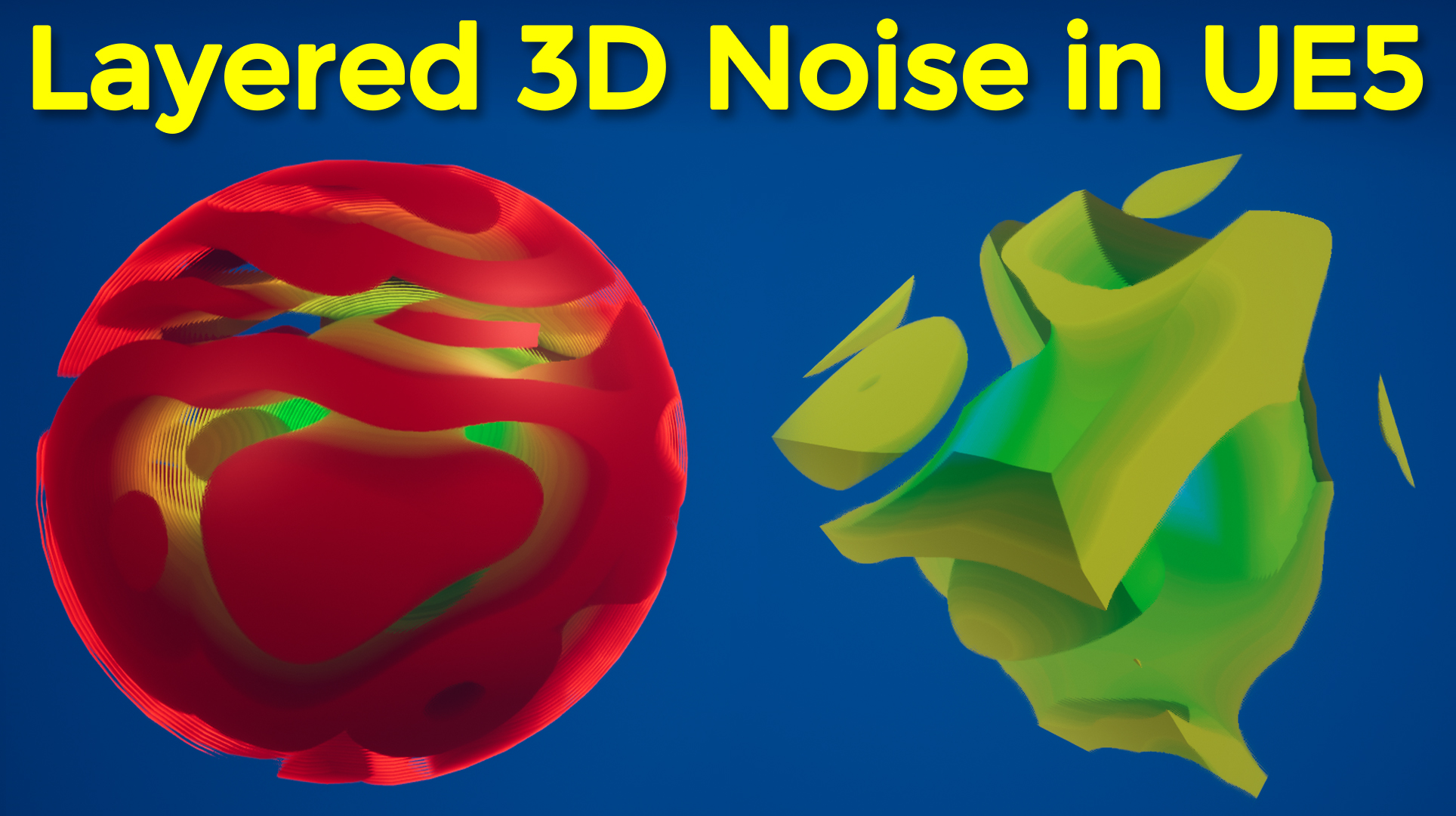
hi guys in this tutorial I will create layered 3d noise using ue5 material and ue5 niagara.
#cghow #UE5 #UE4Niagara #gamefx #ue4vfx #ue4fx #niagara #ue4niagara #unrealengineniagara #unrealenginevfxtutorials
●Upload Your Tutorials/Work – https://cghow.com/
Purchase Effect Package From Unreal engine Marketplace –
Unreal Engine Niagara Effects in Marketplace – https://youtu.be/DF4Lb_btEus
Niagara Effects Pack in Marketplace – https://youtu.be/g6_k8T7FqHA
Unreal Engine Advanced Magical Effects in Marketplace – https://youtu.be/0Dn3GLIzhMo
Smoke in UE4 Niagara Pack01 in Unreal Engine Marketplace – https://youtu.be/38BPA_9yqJ8
UE4 Niagara Fire Pack 01 in Marketplace – https://youtu.be/PW5FL-zZoP4
UE4 Niagara Fire Pack 02 in Marketplace – https://youtu.be/fdLXPlUEzxM
UE4 Niagara Explosions Pack 02 in Marketplace – https://youtu.be/dj-XX9he4aE
Unreal Engine Niagara Effects Pack 03 in Marketplace – https://youtu.be/0kKon43I-Og
Slow Motion Explosion in UE4 Niagara Pack 04 in Marketplace – https://youtu.be/lUK1eW5zRP0
Unreal Engine Niagara Effects pack 04 in Marketplace – https://youtu.be/MihWYB31Gi4
Slow Motion Explosion in UE4 Niagara Pack 04 in Marketplace – https://youtu.be/lUK1eW5zRP0
UE4.25 Niagara Effects Pack 05 in Marketplace – https://youtu.be/sn1HIENVTDI
UE4.25 Niagara Effects Pack 06 in Marketplace – https://youtu.be/pvH_xGQ5jvs
Explosions Package in Unreal Engine Niagara Particle System – https://youtu.be/1mbqWscjUJ4
●Follow FB Page – https://www.facebook.com/cghow0/
●Join FB Group – https://www.facebook.com/groups/cghow/
●Android App – http://bit.ly/2XUnhoR
Playlists-
●Unreal Engine Niagara Tutorials – http://bit.ly/2SmPEuT
●Unreal engine VFX Tutorials -http://bit.ly/2JNXyJZ
●Unity VFX Tutorials – http://bit.ly/2XNGlKz
Video Description:
Hello everyone, I’m Asif Ali, and you’re watching CGHOW! In today’s video, I’m going to show you how I created a Layered 3D Noise effect in Unreal Engine 5. This effect uses a custom noise texture applied to a sphere, with adjustable parameters such as color, spawn rate, speed, and width. You’ll see how to manipulate these settings to create a dynamic, layered noise effect.
I walk you through the entire process, from creating the noise texture and adding panning motion to fine-tuning the parameters. You can even change the mesh type from a sphere to a cone, cube, or torus, and I’ll explain how to adjust the material to achieve different looks.
At the start, I also mention the inspiration for this effect, which came from a 3D noise shader image I found on Twitter. In the video, I replicate the shader effect, focusing on colors and the noise behavior to create something visually striking.
Here’s what you’ll learn:
- Creating and customizing a layered 3D noise effect
- Using time manipulation for dynamic animation
- Adjusting the noise scale, panning, and speed
- Changing mesh shapes and applying different materials
- Setting up parameters for user control
I also show how to apply this effect to particles in Unreal Engine, allowing you to adjust settings like spawn rate and color based on execution IDs.
Additional Notes:
- The project files are available for download on my Patreon if you’d like to explore this effect further or implement it in your own projects.
- Don’t forget to subscribe and click the bell icon for more Unreal Engine 5 tutorials!
Key Points:
- Layered 3D Noise: Create dynamic noise layers and control parameters such as speed, width, and spawn rate.
- Customizable Meshes: Switch between different mesh types (sphere, cube, cone, etc.) for varied effects.
- Time-Based Animation: Learn how to manipulate time to create smooth animations.
- User Parameters: Easily adjust settings like color and noise scale using user parameters.
- Patreon Access: Download the project files from my Patreon for hands-on learning.
Trendy Tags: #UnrealEngine5 #NiagaraVFX #3DNoiseEffect #UE5Tutorial #VFX #ParticleEffects #Patreon
This tutorial is a great example of how to use Unreal Engine 5’s powerful features to create dynamic, visually appealing VFX. Enjoy creating with these techniques, and don’t forget to leave your feedback in the comments!
Leave a Reply