

Download – https://cghow.gumroad.com/l/zvzud
Download – https://artstn.co/m/bbzlw
NFT – https://opensea.io/CGHOW
Twitter – https://twitter.com/cghow_
👉👉 If you Liked it – http://bit.ly/2UZmiZ4
Channel Ashif – http://bit.ly/3aYaniw
Support me on – https://www.patreon.com/Ashif
Support me on – paypal.me/9953280644
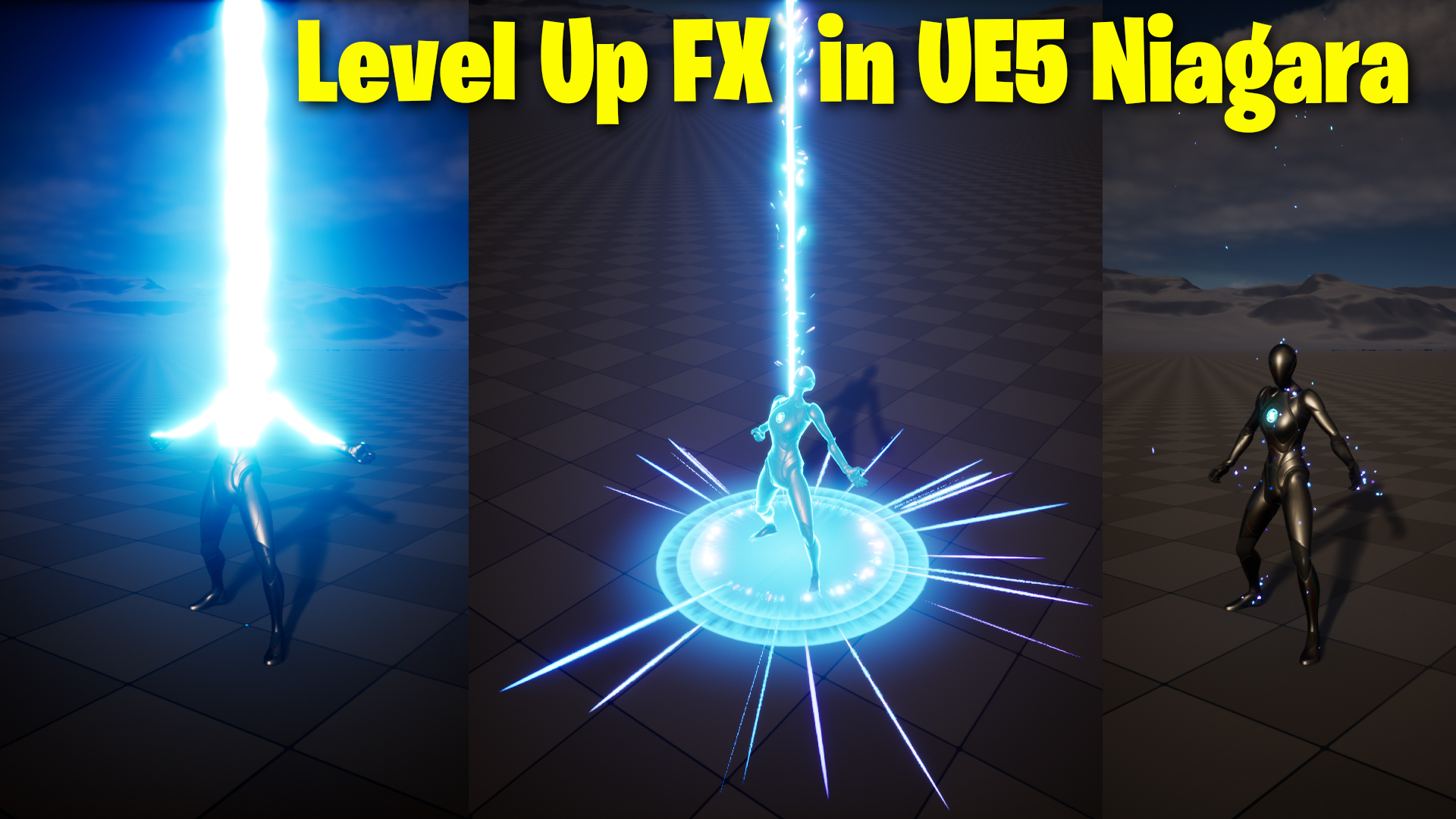
Level Up Beam FX UE5 Niagara Tutorial | Download Files
Chapters:
0:00 – Intro
3:04 – Wipe the Fresnel material
4:35 – animating material parameter in sequencer
8:30 – Beam Emitter
15:14 – Beam Ember Emitter
18:06 – Shockwave Emitter
21:51 – Glow on ground Emitter
23:04 – Skeletal Particles Emitter
26:47 – Post Process
29:50 Shockwave Particles Emitter
#cghow #UE5 #UE4Niagara #gamefx #ue5niagara #ue4vfx #niagara #unrealengineniagara #realtimevfx
●Upload Your Tutorials/Work – https://cghow.com/
Purchase Effect Package From Unreal engine Marketplace –
Unreal Engine Niagara Effects in Marketplace – https://youtu.be/DF4Lb_btEus
Niagara Effects Pack in Marketplace – https://youtu.be/g6_k8T7FqHA
Unreal Engine Advanced Magical Effects in Marketplace – https://youtu.be/0Dn3GLIzhMo
Smoke in UE4 Niagara Pack01 in Unreal Engine Marketplace – https://youtu.be/38BPA_9yqJ8
UE4 Niagara Fire Pack 01 in Marketplace – https://youtu.be/PW5FL-zZoP4
UE4 Niagara Fire Pack 02 in Marketplace – https://youtu.be/fdLXPlUEzxM
UE4 Niagara Explosions Pack 02 in Marketplace – https://youtu.be/dj-XX9he4aE
Unreal Engine Niagara Effects Pack 03 in Marketplace – https://youtu.be/0kKon43I-Og
Slow Motion Explosion in UE4 Niagara Pack 04 in Marketplace – https://youtu.be/lUK1eW5zRP0
Unreal Engine Niagara Effects pack 04 in Marketplace – https://youtu.be/MihWYB31Gi4
Slow Motion Explosion in UE4 Niagara Pack 04 in Marketplace – https://youtu.be/lUK1eW5zRP0
UE4.25 Niagara Effects Pack 05 in Marketplace – https://youtu.be/sn1HIENVTDI
UE4.25 Niagara Effects Pack 06 in Marketplace – https://youtu.be/pvH_xGQ5jvs
Explosions Package in Unreal Engine Niagara Particle System – https://youtu.be/1mbqWscjUJ4
●Follow FB Page – https://www.facebook.com/cghow0/
●Join FB Group – https://www.facebook.com/groups/cghow/
●Android App – http://bit.ly/2XUnhoR
Playlists-
●Unreal Engine Niagara Tutorials – http://bit.ly/2SmPEuT
●Unreal engine VFX Tutorials -http://bit.ly/2JNXyJZ
●Unity VFX Tutorials – http://bit.ly/2XNGlKz
Description:
Hi guys, I’m Asif Ali, and you’re watching CGHOW! This is the third level of effects in my Level-Up Effects series. In this video, I’ll be creating a lightning effect from scratch, building on the animation material and setup shown in the first tutorial of this series. If you haven’t subscribed to my channel yet, please do so, and don’t forget to like, share, and comment! Let’s get started.
Key Points:
- Animation Material Setup: I’m using the base funnel material from the first tutorial as a starting point. This is where the foundation of the animation lies, but we won’t be redoing this part in this video.
- Creating the Lightning Effect: You’ll learn how to create a lightning effect from scratch using sequencer and material instances.
- Material Nodes: We’ll be working with custom parameters for color, intensity, and final power to control the material’s emissive properties.
- Animating the Glow: The glow animates from top to bottom by using a wipe parameter.
- Sequencer Setup: The animation is controlled using keys, and I’ll guide you through how to set up and animate it.
- Creating the Beam: A mesh cylinder is used to create a beam, and I’ll show you how to animate the scale and intensity of the beam to sync with the lightning effect.
- Particle Effects: We’ll add beam particles and shockwaves to enhance the effect, giving it a more dynamic feel.
- Shockwave Effect: The shockwave animates from the character’s feet and spreads outward.
- Skeletal Particles: We’ll use skeletal particles for emitting from the character’s legs, giving the appearance of energy disintegration.
- Final Look and Polish: The final step includes adding some post-processing effects, like contrast adjustments, to make the glow pop and improve the overall visual impact.
Trendy Tags: #UnrealEngine5 #NiagaraVFX #LightingEffect #VFXTutorial #LevelUpEffects #Sequencer #ParticleEffects #UnrealEngine #GameDevelopment #VFXArt
Additional Notes:
- If you’re struggling with animating these effects, I recommend revisiting the first two videos in this series. They cover the foundational setup and techniques used in this tutorial.
- Keep experimenting with values like intensity, scale, and power to get the perfect look for your effects.
Leave a Reply