

Download – https://cghow.gumroad.com/l/faeqv
Download – https://artstn.co/m/3N5Xy
Ref – https://bit.ly/3bDYLFp
NFT – https://opensea.io/CGHOW
Twitter – https://twitter.com/cghow_
👉👉 If you Liked it – http://bit.ly/2UZmiZ4
Channel Ashif – http://bit.ly/3aYaniw
Support me on – https://www.patreon.com/Ashif
Support me on – paypal.me/9953280644
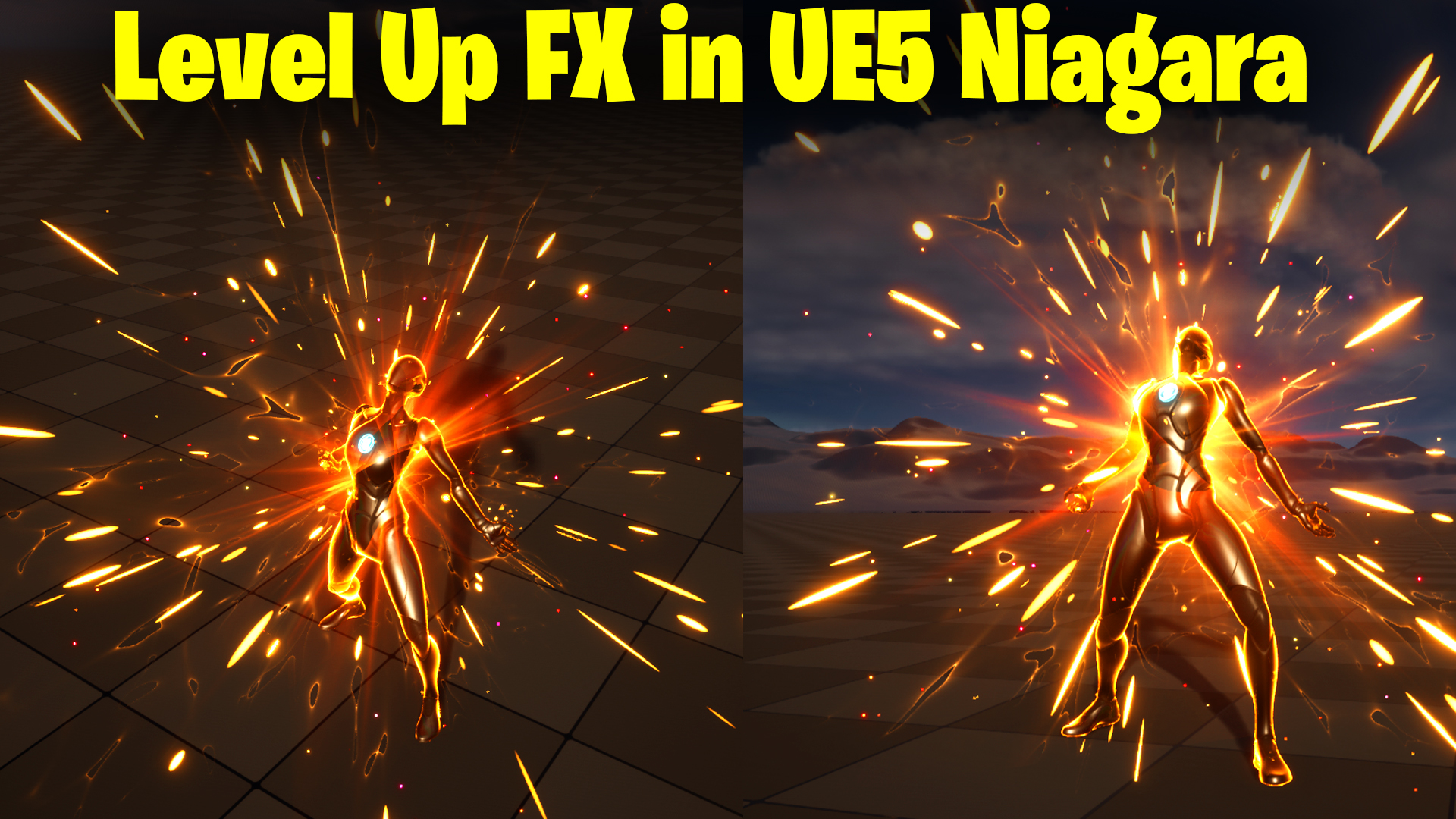
Level Up FX in UE5 Niagara Tutorial | Download Files
Chapters:
0:00 – Intro
1:11 – Import Animation
2:12 – Create Level
3:21 – Create Sequencer
3:33 – Animation in Sequencer
4:15 – Added fresnel parameter in Character Material
9:02 – Animate Material Parameters in Sequencer
12:05 – Gathering Streaks Emitter
16:00 – Burst Streaks Emitter
19:26 – Gathering Energy Emitter
23:32 – Flash Emitter
28:28 – End Particles from Skeletal
35:15 – Post Process in Sequencer
#cghow #UE5 #UE4Niagara #gamefx #ue5niagara #ue4vfx #niagara #unrealengineniagara #realtimevfx
●Upload Your Tutorials/Work – https://cghow.com/
Purchase Effect Package From Unreal engine Marketplace –
Unreal Engine Niagara Effects in Marketplace – https://youtu.be/DF4Lb_btEus
Niagara Effects Pack in Marketplace – https://youtu.be/g6_k8T7FqHA
Unreal Engine Advanced Magical Effects in Marketplace – https://youtu.be/0Dn3GLIzhMo
Smoke in UE4 Niagara Pack01 in Unreal Engine Marketplace – https://youtu.be/38BPA_9yqJ8
UE4 Niagara Fire Pack 01 in Marketplace – https://youtu.be/PW5FL-zZoP4
UE4 Niagara Fire Pack 02 in Marketplace – https://youtu.be/fdLXPlUEzxM
UE4 Niagara Explosions Pack 02 in Marketplace – https://youtu.be/dj-XX9he4aE
Unreal Engine Niagara Effects Pack 03 in Marketplace – https://youtu.be/0kKon43I-Og
Slow Motion Explosion in UE4 Niagara Pack 04 in Marketplace – https://youtu.be/lUK1eW5zRP0
Unreal Engine Niagara Effects pack 04 in Marketplace – https://youtu.be/MihWYB31Gi4
Slow Motion Explosion in UE4 Niagara Pack 04 in Marketplace – https://youtu.be/lUK1eW5zRP0
UE4.25 Niagara Effects Pack 05 in Marketplace – https://youtu.be/sn1HIENVTDI
UE4.25 Niagara Effects Pack 06 in Marketplace – https://youtu.be/pvH_xGQ5jvs
Explosions Package in Unreal Engine Niagara Particle System – https://youtu.be/1mbqWscjUJ4
●Follow FB Page – https://www.facebook.com/cghow0/
●Join FB Group – https://www.facebook.com/groups/cghow/
●Android App – http://bit.ly/2XUnhoR
Playlists-
●Unreal Engine Niagara Tutorials – http://bit.ly/2SmPEuT
●Unreal engine VFX Tutorials -http://bit.ly/2JNXyJZ
●Unity VFX Tutorials – http://bit.ly/2XNGlKz
Video Title: Creating a Level-Up Effect in UE5 Niagara | Complete Guide
Introduction:
Hi guys, I’m Asif Ali, and you’re watching CGHOW. In today’s tutorial, I’ll be showing you how to create a level-up effect using UE5’s Niagara. We’ll be starting with a simple square to make it easier to understand. If you haven’t subscribed yet, please do so! Like, share, and comment if you enjoy this video, and let’s get started!
Tutorial Highlights:
- Importing the Animation: First, I’ll import an animation for my mannequin from UE5. You can download it and apply the mannequin’s default material.
- Setting Up the Level-Up Scene: I’ll create a label using the “upward” word and adjust the light settings to create a nice, dynamic scene for the effect.
- Creating the Material for Emissive Effects: I’ll duplicate the material, add some emissive effects, and adjust the intensity for a glowing appearance. This is essential for a level-up vibe.
- Using Sequencer: We’ll use the Level Sequencer to animate the materials and control the power intensity with keyframes to get a nice glowing effect.
- Particle Effects: The core of this tutorial is adding particle effects to the character’s level-up animation. We’ll use gather and burst streaks to generate some excitement with motion and color.
- Final Adjustments and Customization: I’ll show you how to add more energy effects, make the burst particles scale down, and use a custom material for the flashing energy effect.
- Bonus Effect: As a bonus, I’ll demonstrate how to use a flash effect that changes the scale and how to make the 3D flash effect rotate for more dynamic animation.
Key Points:
- Import & Animation Setup: Importing the character animation and applying materials.
- Material Tweaks: Duplicating materials and adding emissive effects for glowing intensity.
- Sequencer Animation: Keyframe control for smooth transitions.
- Particle Effects: Creating gathering streaks and burst particles for dynamic level-up visuals.
- Customization: Adding flash and energy effects to enhance the look.
Trendy Tags: #LevelUpEffect #UE5 #NiagaraVFX #UnrealEngine #ParticleEffects #VFXTutorial #GameDev #GamingVFX #CGHOW #AnimationEffects
Leave a Reply