
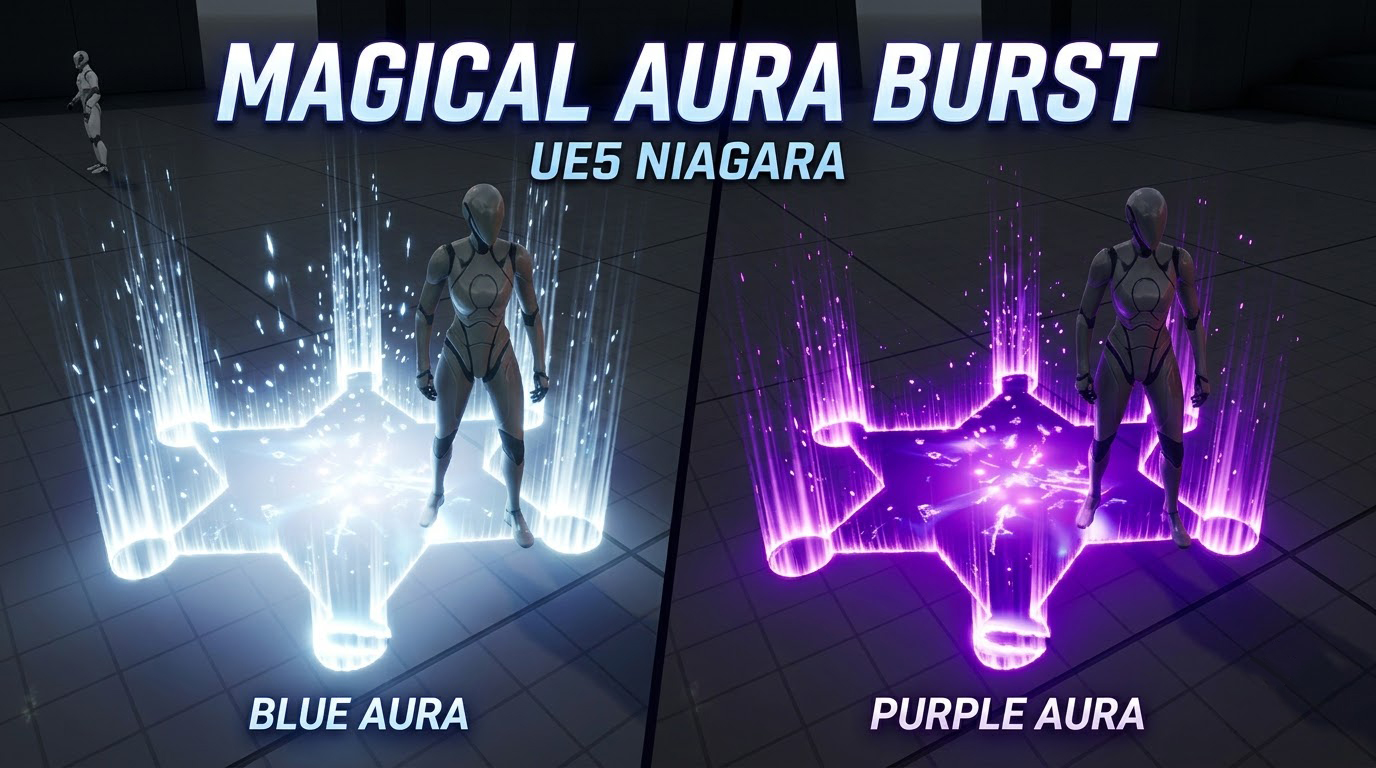

In this video, I showcase an upgraded and remastered Magical Aura Burst Effect in Unreal Engine 5 Niagara! ✨💥
This effect is an improved modern version of a classic asset I built from scratch years ago. In this showcase, you’ll see how it performs in UE5, how it’s integrated via Blueprints, and how you can completely customize it using exposed user parameters.
What You Will Learn & Explore in This Video:
- Remastered Asset Breakdown: See the modernized visuals and performance improvements made to this classic magical burst effect in Unreal Engine 5.
- Blueprint Random Spawner Setup: How a Blueprint actor can be used in your level to dynamically spawn multiple Niagara burst effects at randomized locations.
- Exposed Niagara User Parameters: How to tweak and control the visual characteristics in real-time right from the editor:
- 📏 Overall Scale: Smoothly adjust the burst dimensions from small localized impacts to massive, scene-covering shockwaves.
- 🌈 Hue Shift Control: Cycle seamlessly from values of 0 to 1 to produce diverse color variations (arcane, fire, void, nature, and more).
- 💡 Particle Point Light Toggle: Easily toggle particle lighting on or off to optimize performance or balance scene illumination.
- Full In-Depth Learning Reference: Where to find the comprehensive step-by-step tutorial covering every custom texture, material, and mesh from scratch.
🔗 Video Link: http://www.youtube.com/watch?v=yhjWyNIQXYk
🌐 ArtStation: https://www.artstation.com/ashif
🐦 Twitter / X: https://x.com/cghow_
📷 Instagram: https://www.instagram.com/cghow.com_/
#UE5Niagara #UnrealEngine5 #RealtimeVFX
Leave a Reply