

Support me on – https://www.patreon.com/Ashif
Support me on – paypal.me/9953280644
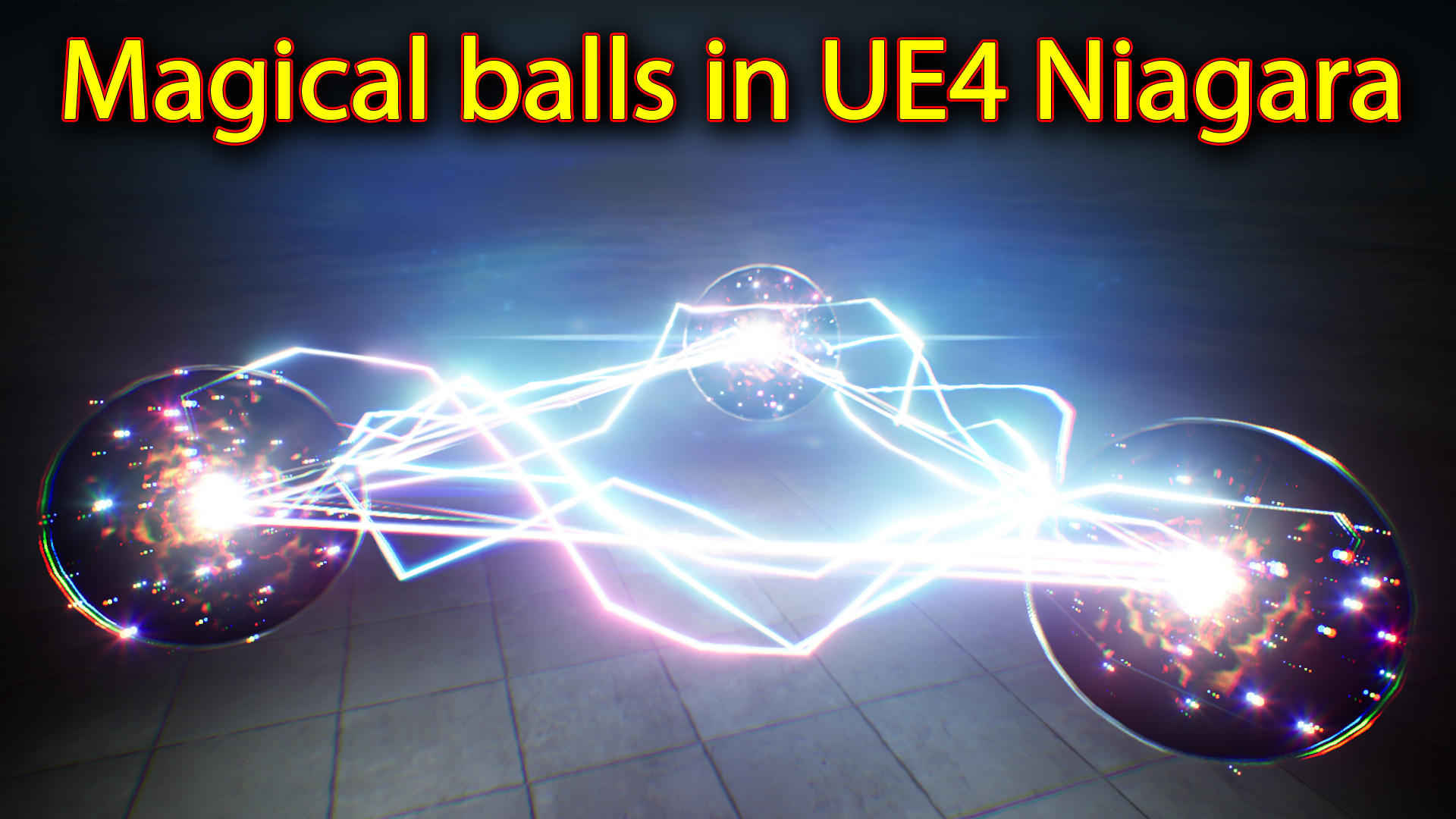
Hi guys today i have created this magical electric balls effect in unreal engine Niagara. for balls i used 3 layers like black material,glowing edge material and reflection material ball. then i added some more elements inside the ball like plasma , stars and lens flare. for electric effect i used 2 Niagara system in which i used ribbon and beam setup with random settings.
#cghow #RealtimeVFX #UE4Niagara #gamefx #ue4vfx #ue4fx #niagara #unrealengineniagara #unrealenginevfxtutorials
●Upload Your Tutorials/Work – https://cghow.com/
…………………………………………………………………………………………………………
Purchase Effect Package From Unreal engine Marketplace –
●Niagara Effects Pack – http://bit.ly/2LWgZTx
●Advanced Magical FX – http://bit.ly/2XQYyXL
……………………………………………………………………………………………………………………………………
●Patreon – https://www.patreon.com/Ashif
……………………………………………………………………………………………………………………………………
●Follow FB Page – https://www.facebook.com/cghow0/
●Join FB Group – https://www.facebook.com/groups/cghow/
……………………………………………………………………………………………………………………………………
●Android App – http://bit.ly/2XUnhoR
……………………………………………………………………………………………………………………………………
Playlists-
●Unreal Engine Niagara Tutorials – http://bit.ly/2SmPEuT
●Unreal engine VFX Tutorials -http://bit.ly/2JNXyJZ
●Unity VFX Tutorials – http://bit.ly/2XNGlKz
……………………………………………………………………………………………………………………………………
●Discussion & Help Forum – http://bit.ly/2Lo0Er7
……………………………………………………………………………………………………………………………………


Video Title: Creating a Magical Ball Effect with Lightning in Unreal Engine Niagara
Description:
In this tutorial, Asif Ali from CGHOW demonstrates how to create a stunning magical ball effect with lightning using Unreal Engine’s Niagara. This step-by-step guide covers everything from the sphere’s material setup to the complex lightning and particle systems that make the effect come to life. Watch to learn how to create and control dynamic particles for a mesmerizing visual experience!
Key Points:
- Material Setup for Sphere:
- Create a transparent sphere with emissive black edges.
- Use a mesh sphere and a simple material with black color and emissive settings.
- Control transparency and emissiveness with the material settings.
- Edge Particles:
- Spawn two random color particles (orange and yellow) to simulate burning edges.
- Use a power node to mix emissive light and noise texture for added detail.
- Reflection Sphere:
- Create a reflection sphere that simulates the environment using reflection vectors.
- Fade the reflection using opacity and a final color material setup.
- Plasma Core:
- Use sprite render with a dynamic texture that distorts over time.
- Control the distortion and tiling with a dynamic parameter for enhanced visual appeal.
- Add random life and size for natural variation in the particles.
- Glow Effect:
- Create a radial gradient for the glowing effect.
- Scale the glow particles to simulate energy growing over time.
- Lens Flares and Stars:
- Use simple textures and spawn particles with random life and size.
- Apply sine wave for particle scaling to simulate flickering effects.
- Lightning Setup:
- Use ribbon renderer to create straight and distorted lightning bolts.
- Adjust beam size and location dynamically using user parameters.
- Control the distortion of the lightning with jitter position and curl noise.
Additional Notes:
- Particle Control:
- Learn how to adjust particle behavior dynamically for more control over the animation.
- Optimizing the Effect:
- Use efficient material setups to keep the effect optimized for real-time performance.
- Customization:
- Experiment with different values for particle life, size, and color to make the effect unique to your game or project.
Tags:
#UnrealEngine #NiagaraVFX #GameDevelopment #VFXTutorial #MagicalEffects #Lightning #UnrealEngineTutorial #CGHOW #ParticleEffects #VFXArtist
Call to Action:
If you enjoyed this tutorial and want to learn more about creating dynamic VFX in Unreal Engine, don’t forget to subscribe to CGHOW and hit the bell icon to receive notifications for future videos. Share your thoughts or questions in the comments below!
Leave a Reply