

Support me on – https://www.patreon.com/Ashif
Support me on – paypal.me/9953280644
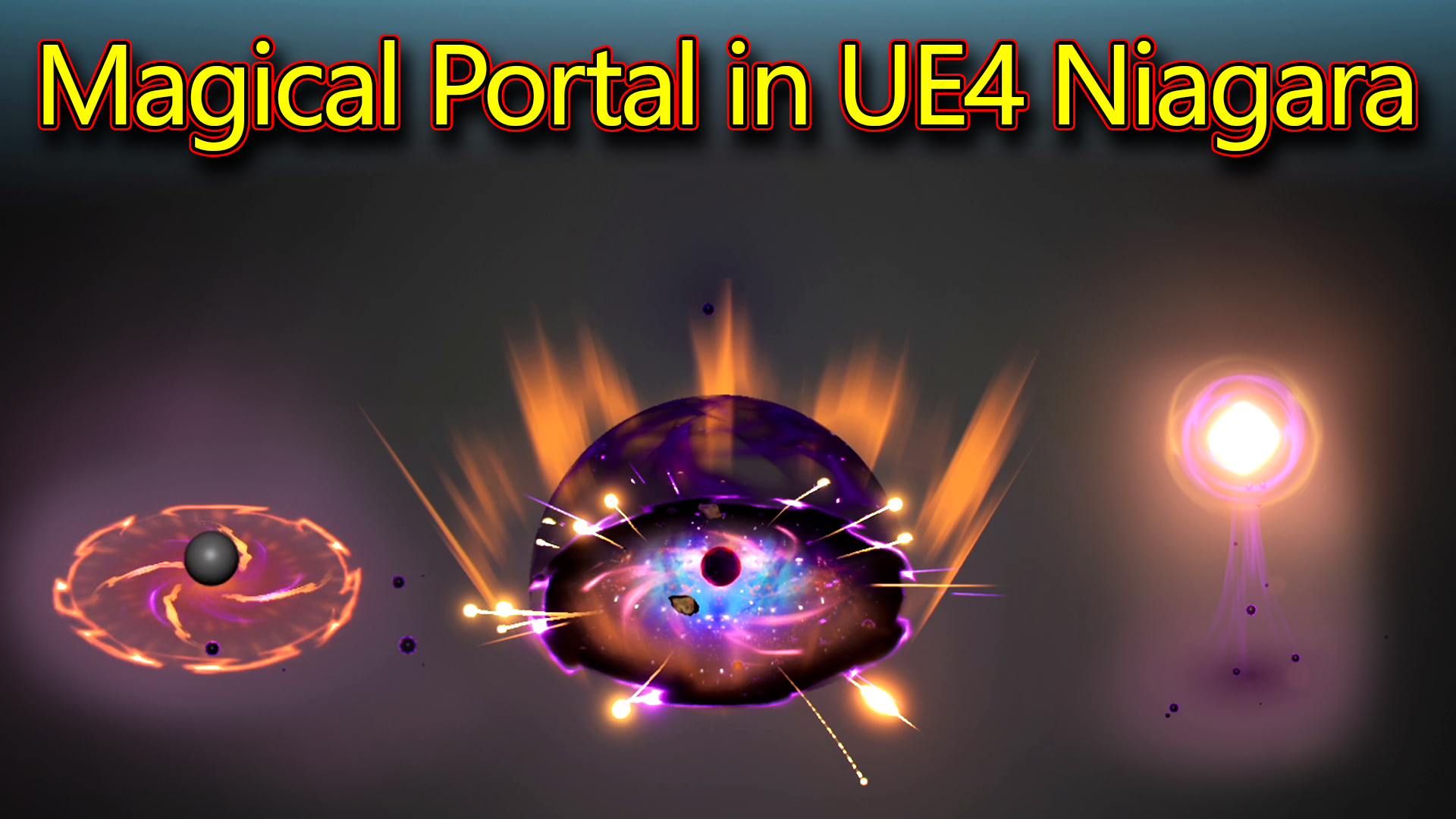
Hi, guys today I have created this magical portal effect in unreal engine Niagara.
#cghow #RealtimeVFX #UE4Niagara #gamefx #ue4vfx #ue4fx #niagara #unrealengineniagara #unrealenginevfxtutorials
●Upload Your Tutorials/Work – https://cghow.com/
Purchase Effect Package From Unreal engine Marketplace –
Unreal Engine Niagara Effects in Marketplace – https://youtu.be/DF4Lb_btEus
Niagara Effects Pack in Marketplace – https://youtu.be/g6_k8T7FqHA
Unreal Engine Advanced Magical Effects in Marketplace – https://youtu.be/0Dn3GLIzhMo
Smoke in UE4 Niagara Pack01 in Unreal Engine Marketplace – https://youtu.be/38BPA_9yqJ8
UE4 Niagara Fire Pack 01 in Marketplace – https://youtu.be/PW5FL-zZoP4
UE4 Niagara Fire Pack 02 in Marketplace – https://youtu.be/fdLXPlUEzxM
UE4 Niagara Explosions Pack 02 in Marketplace – https://youtu.be/dj-XX9he4aE
Unreal Engine Niagara Effects Pack 03 in Marketplace – https://youtu.be/0kKon43I-Og
Slow Motion Explosion in UE4 Niagara Pack 04 in Marketplace – https://youtu.be/lUK1eW5zRP0
Unreal Engine Niagara Effects pack 04 in Marketplace – https://youtu.be/MihWYB31Gi4
Slow Motion Explosion in UE4 Niagara Pack 04 in Marketplace – https://youtu.be/lUK1eW5zRP0
UE4.25 Niagara Effects Pack 05 in Marketplace – https://youtu.be/sn1HIENVTDI
UE4.25 Niagara Effects Pack 06 in Marketplace – https://youtu.be/pvH_xGQ5jvs
Explosions Package in Unreal Engine Niagara Particle System – https://youtu.be/1mbqWscjUJ4
●Follow FB Page – https://www.facebook.com/cghow0/
●Join FB Group – https://www.facebook.com/groups/cghow/
●Android App – http://bit.ly/2XUnhoR
Playlists-
●Unreal Engine Niagara Tutorials – http://bit.ly/2SmPEuT
●Unreal engine VFX Tutorials -http://bit.ly/2JNXyJZ
●Unity VFX Tutorials – http://bit.ly/2XNGlKz


Video Title: Creating a Magical Portal Effect in Unreal Engine Niagara
Description:
In this tutorial, I, Asif Ali, will walk you through the process of creating a stunning magical portal effect using Unreal Engine’s Niagara. This video breaks down the complex particle system and materials I’ve used to create this effect, with detailed explanations of each emitter and how they contribute to the final result. We’ll cover everything from particle animations, material setups, dynamic parameters, and even custom alignments. This effect features various particle systems such as glowing rings, trails, stars, and dynamic meshes.
Key Points:
- Emitter 1: The Sphere:
- Animated with position curves, the sphere changes color from gray to black, yellow, orange, and purple.
- Scale and movement animations are controlled via position and curves.
- Material Setup:
- A simple material is created using noise textures, color adjustments, and dynamic parameters for emissive effects.
- Specular animation is used to control shine and gloss at different stages of the particle’s life.
- Rotating Purple Energy:
- Using sprite renderers and custom alignment, the rotating energy appears as if it is facing the ground.
- The particles fade and rotate at random speeds to create an ethereal effect.
- Glow and Ring Effects:
- Glow effects on the ground are achieved with noise textures and radial gradients.
- Rings scale down and emit with fading colors for a dynamic and magical look.
- Mesh-based Emitters:
- Custom meshes like discs and cones are used for energy blasts and rotating effects.
- Materials are applied with dynamic parameters to control panning and scaling.
- Stars and Streaks:
- Particles representing stars are animated to create a cosmic, magical environment.
- Streak effects are designed to shoot across the screen in a circular pattern, adding more energy and depth to the portal.
- Rocks and Ribbon Effects:
- Rocks appear in the galaxy scene, creating dynamic movement as they follow the stars.
- Ribbon trails follow source particles to create a connecting effect throughout the portal.
Additional Notes:
- Performance Tips: Make sure to adjust the number of particles and emitter settings to optimize performance in your game or project.
- Customization: Feel free to experiment with the material parameters and emitter timings to fine-tune the look of your magical portal effect.
Leave a Reply