
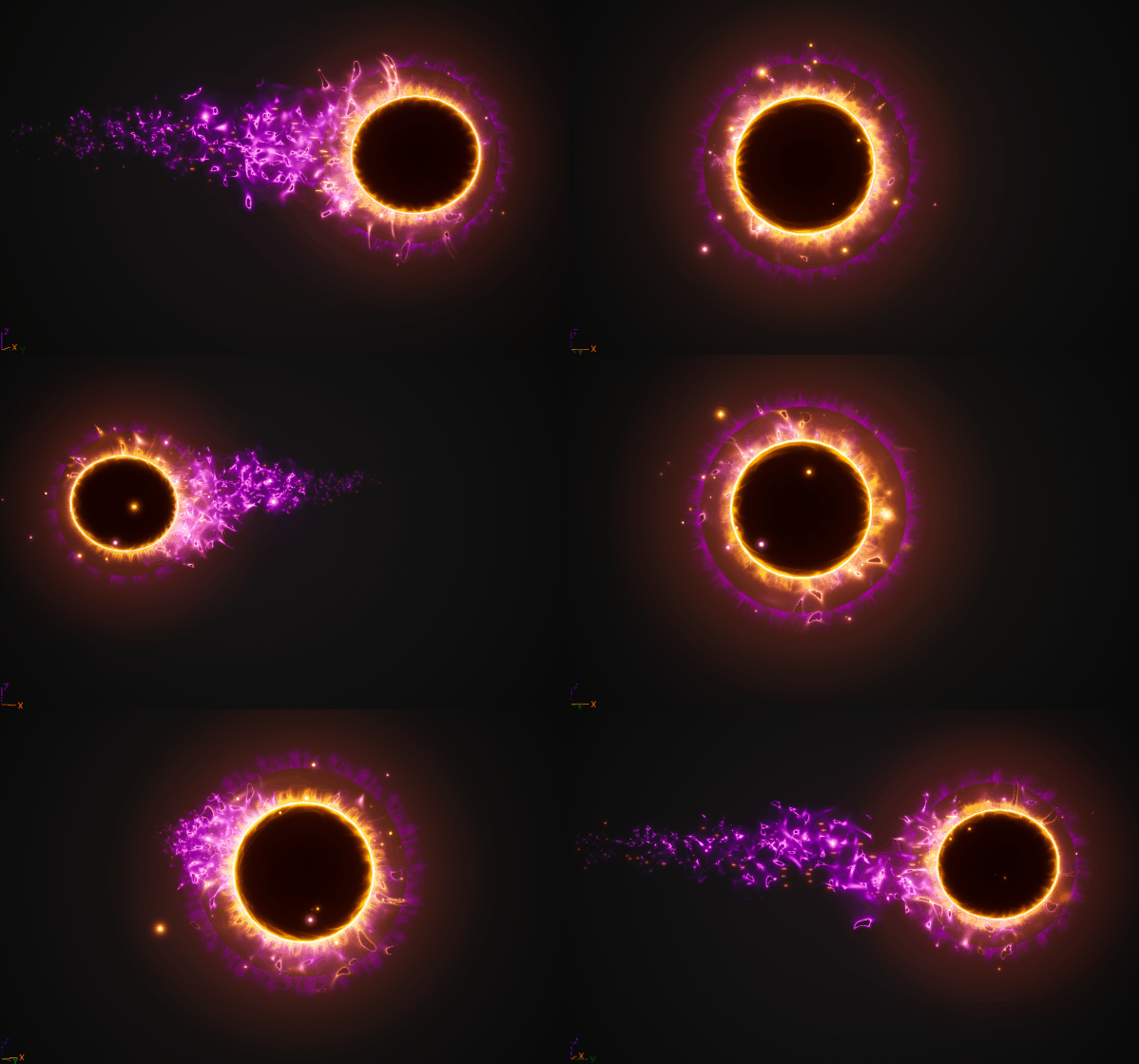

Download – https://www.patreon.com/posts/87788250
Patreon- https://www.patreon.com/Ashif
NFT – https://opensea.io/CGHOW
Twitter – https://twitter.com/cghow_
👉👉 If you Liked it – http://bit.ly/2UZmiZ4
Channel Ashif – http://bit.ly/3aYaniw
Support me on – paypal.me/9953280644
Magical Projectile in Unreal Engine 5.2 Niagara Tutorial | Download Files #cghow #UE5 #UE4Niagara #gamefx #ue5niagara #ue4vfx #niagara #unrealengineniagara #realtimevfx ●Visit – https://cghow.com/
Unreal Engine Marketplace – https://bit.ly/3aojvAa
Artstation Store – https://www.artstation.com/ashif/store
Gumroad – https://cghow.gumroad.com/
Creating a Magical Projectile in Unreal Engine 5.2 Niagara
Description
In this tutorial, learn how to create a mesmerizing magical projectile in Unreal Engine 5.2 using Niagara. This effect blends dynamic textures, particle systems, and customizable materials to create a stunning VFX that can be adapted for spells, energy bursts, or other magical elements in games. Follow along to design a multi-layered projectile effect that looks visually striking and is performance-friendly.
Key Notes
- Setting Up Niagara System:
- Start with the Fountain template in Niagara.
- Remove unnecessary modules, leaving one particle that spawns once and persists.
- Use a sphere mesh as the base particle with a single spawn event.
- Creating the Base Material:
- Create a new material using a noise texture.
- Adjust UVs to prevent pinching and ensure the sphere texture aligns with the camera using Facing Mode set to Camera Plane.
- Add tiling and color customization to enhance the texture appearance.
- Adding Rays and Dynamic Effects:
- Create a new material for rays using radial gradients and texture layering.
- Use Dynamic Parameters to randomize tiling and motion for the rays.
- Apply additive blending for brightness and translucency effects.
- Enhancing the Projectile Layers:
- Add a second particle layer with increased size for outer energy effects.
- Use additional materials with HDR adjustments for glowing or pulsating energy.
- Implement size animations and dynamic tiling for evolving particle visuals.
- Customizing Velocity and Drag:
- Add directional velocity for particle motion.
- Use drag settings to create smooth transitions and ensure the particles fade out naturally.
- Dynamic Brightness and Panning:
- Adjust particle brightness dynamically using curves.
- Apply time-based randomization for unique animations.
Tags
- Unreal Engine Niagara
- Magical Projectile Effect
- UE5 VFX Tutorial
- Game VFX
- Particle Systems
- Visual Effects Design
- Dynamic Materials
Additional Notes
- Use Dynamic Parameters extensively to add variability and prevent uniform behavior in particles.
- Save the materials and particle systems frequently to avoid crashes during development.
- Adjust color and brightness to match the theme of your game, ensuring the effect complements the environment.
- This effect is highly customizable—experiment with textures, gradients, and blending modes to achieve different results.
For the full tutorial and project files, visit my Patreon page. Don’t forget to subscribe to the CGHOW YouTube channel for more Unreal Engine tutorials!
Leave a Reply