

Download Project Files from Patreon – https://www.patreon.com/posts/54248664
👉👉 DON’T CLICK THIS – http://bit.ly/2UZmiZ4
Channel Ashif – http://bit.ly/3aYaniw
Support me on – https://www.patreon.com/Ashif
Support me on – paypal.me/9953280644
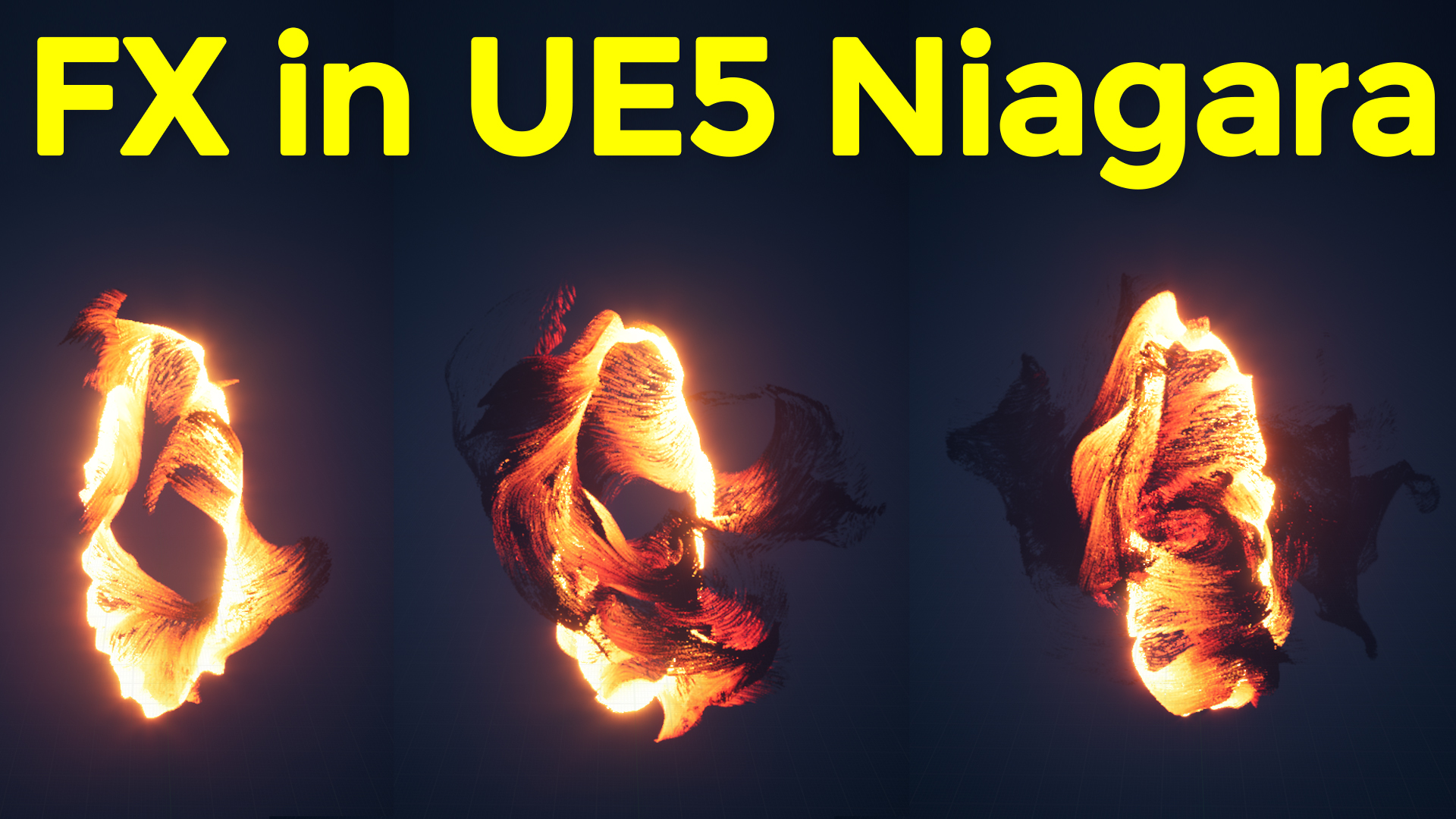
Make this FX in UE5 Niagara and Download from Patreon
#cghow #UE5 #UE4Niagara #gamefx #ue4vfx #ue4fx #niagara #ue4niagara #unrealengineniagara #unrealenginevfxtutorials
●Upload Your Tutorials/Work – https://cghow.com/
Purchase Effect Package From Unreal engine Marketplace –
Unreal Engine Niagara Effects in Marketplace – https://youtu.be/DF4Lb_btEus
Niagara Effects Pack in Marketplace – https://youtu.be/g6_k8T7FqHA
Unreal Engine Advanced Magical Effects in Marketplace – https://youtu.be/0Dn3GLIzhMo
Smoke in UE4 Niagara Pack01 in Unreal Engine Marketplace – https://youtu.be/38BPA_9yqJ8
UE4 Niagara Fire Pack 01 in Marketplace – https://youtu.be/PW5FL-zZoP4
UE4 Niagara Fire Pack 02 in Marketplace – https://youtu.be/fdLXPlUEzxM
UE4 Niagara Explosions Pack 02 in Marketplace – https://youtu.be/dj-XX9he4aE
Unreal Engine Niagara Effects Pack 03 in Marketplace – https://youtu.be/0kKon43I-Og
Slow Motion Explosion in UE4 Niagara Pack 04 in Marketplace – https://youtu.be/lUK1eW5zRP0
Unreal Engine Niagara Effects pack 04 in Marketplace – https://youtu.be/MihWYB31Gi4
Slow Motion Explosion in UE4 Niagara Pack 04 in Marketplace – https://youtu.be/lUK1eW5zRP0
UE4.25 Niagara Effects Pack 05 in Marketplace – https://youtu.be/sn1HIENVTDI
UE4.25 Niagara Effects Pack 06 in Marketplace – https://youtu.be/pvH_xGQ5jvs
Explosions Package in Unreal Engine Niagara Particle System – https://youtu.be/1mbqWscjUJ4
●Follow FB Page – https://www.facebook.com/cghow0/
●Join FB Group – https://www.facebook.com/groups/cghow/
●Android App – http://bit.ly/2XUnhoR
Playlists-
●Unreal Engine Niagara Tutorials – http://bit.ly/2SmPEuT
●Unreal engine VFX Tutorials -http://bit.ly/2JNXyJZ
●Unity VFX Tutorials – http://bit.ly/2XNGlKz
Title: Creating a Random Particle Effect in Unreal Engine 5 Niagara | CGHOW
Description:
Hi guys, I’m Asif Ali, and you’re watching CGHOW! In today’s video, I’m going to show you how I created a random particle effect using Unreal Engine 5 Niagara. This effect features chaotic, swirling particles that are perfect for creating unique VFX in your games or projects.
In this tutorial, I’ll cover:
- Setting up a GPU particle system for high-performance random particles
- Creating a torus shape for particle emission and adjusting it to form an oval shape for the desired look
- Using curl noise to create random particle movement, simulating a more chaotic, unpredictable effect
- Adding vortex forces to create rotational movement and fine-tuning drag to control particle spread
- Implementing color by distance to change the particle color based on its position relative to the emitter, adding a dynamic visual effect
- Adjusting settings like spring force and particle size to make the particles behave naturally and smoothly
I also walk through how to use random values for the particle system to make each effect look unique, with the option to download the final project file from my Patreon. Thanks so much for supporting me there!
If you liked this tutorial, don’t forget to subscribe to CGHOW and hit the bell icon for updates on my latest tutorials. Feel free to drop any questions or comments below, and let me know if you need help with creating similar effects.
Tags:
#UnrealEngine5 #NiagaraVFX #RandomParticleEffect #VFX #CGHOW #ParticleSystem #GPUParticles #NiagaraTutorial #GameDev #VortexForce #ColorByDistance #ParticleEffect #UE5 #UnrealEngineVFX #Tutorial
Leave a Reply