

Download – https://www.patreon.com/posts/68673691
NFT – https://opensea.io/CGHOW
Twitter – https://twitter.com/cghow_
👉👉 If you Liked it – http://bit.ly/2UZmiZ4
Channel Ashif – http://bit.ly/3aYaniw
Support me on – https://www.patreon.com/Ashif
Support me on – paypal.me/9953280644
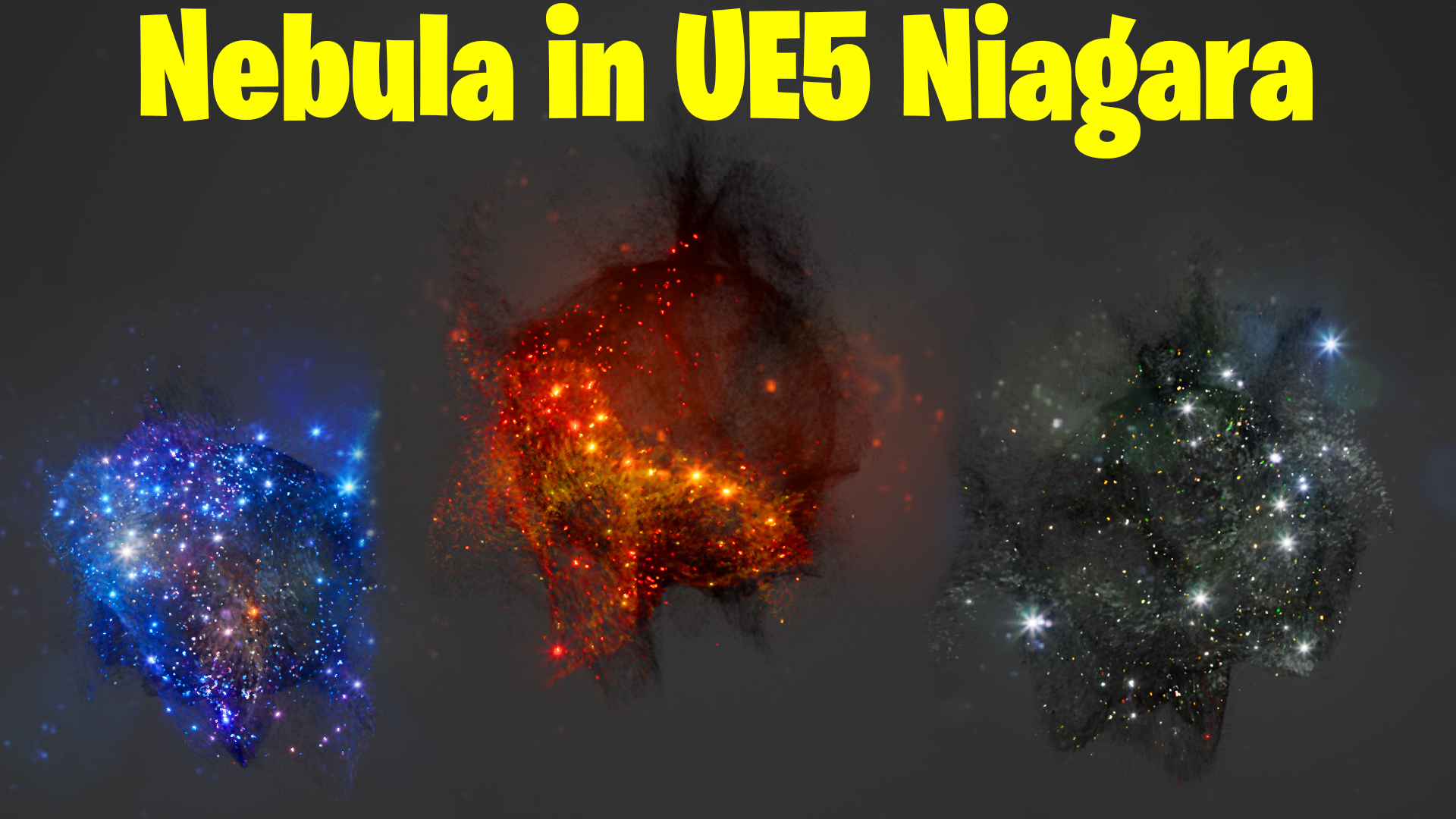
Nebula in UE5 Niagara Tutorial | Download Files
#cghow #UE5 #UE4Niagara #gamefx #ue5niagara #ue4vfx #niagara #unrealengineniagara #realtimevfx
●Upload Your Tutorials/Work – https://cghow.com/
Purchase Effect Package From Unreal engine Marketplace –
Unreal Engine Niagara Effects in Marketplace – https://youtu.be/DF4Lb_btEus
Niagara Effects Pack in Marketplace – https://youtu.be/g6_k8T7FqHA
Unreal Engine Advanced Magical Effects in Marketplace – https://youtu.be/0Dn3GLIzhMo
Smoke in UE4 Niagara Pack01 in Unreal Engine Marketplace – https://youtu.be/38BPA_9yqJ8
UE4 Niagara Fire Pack 01 in Marketplace – https://youtu.be/PW5FL-zZoP4
UE4 Niagara Fire Pack 02 in Marketplace – https://youtu.be/fdLXPlUEzxM
UE4 Niagara Explosions Pack 02 in Marketplace – https://youtu.be/dj-XX9he4aE
Unreal Engine Niagara Effects Pack 03 in Marketplace – https://youtu.be/0kKon43I-Og
Slow Motion Explosion in UE4 Niagara Pack 04 in Marketplace – https://youtu.be/lUK1eW5zRP0
Unreal Engine Niagara Effects pack 04 in Marketplace – https://youtu.be/MihWYB31Gi4
Slow Motion Explosion in UE4 Niagara Pack 04 in Marketplace – https://youtu.be/lUK1eW5zRP0
UE4.25 Niagara Effects Pack 05 in Marketplace – https://youtu.be/sn1HIENVTDI
UE4.25 Niagara Effects Pack 06 in Marketplace – https://youtu.be/pvH_xGQ5jvs
Explosions Package in Unreal Engine Niagara Particle System – https://youtu.be/1mbqWscjUJ4
●Follow FB Page – https://www.facebook.com/cghow0/
●Join FB Group – https://www.facebook.com/groups/cghow/
●Android App – http://bit.ly/2XUnhoR
Playlists-
●Unreal Engine Niagara Tutorials – http://bit.ly/2SmPEuT
●Unreal engine VFX Tutorials -http://bit.ly/2JNXyJZ
●Unity VFX Tutorials – http://bit.ly/2XNGlKz
Creating a Nebula Effect in Unreal Engine | Texture-Based Particle Colors
Description:
In today’s tutorial, I’ll show you how to create a nebula effect using particles in Unreal Engine. Initially, I had a different idea in mind, but this cool nebula-like effect is what I ended up with. One of the best features of this effect is that it responds dynamically to the texture you apply. You can use any texture, such as a fire texture, and watch how the effect adapts to it, creating unique looks every time.
I’ll walk you through how to set up the particle system, use static mesh locations, and apply dynamic textures to give your effect an even cooler visual. If you’d like to download this effect, I will be uploading it to my Patreon, but I won’t include the specific textures I’m using. You can use any texture you prefer.
Key Points:
- Creating a particle system with GPU for performance.
- How to use static meshes for random particle locations.
- Using dynamic textures to change particle colors in real-time.
- How to adjust particle settings (size, spawn rate) for better visuals.
- Adding color enhancement through material multiplication for brightness.
Trendy Tags:
#UnrealEngine5 #VFX #Niagara #ParticleEffects #NebulaEffect #TextureMapping #GameDevelopment #UnrealEngineTutorial
Additional Notes:
- This tutorial is great for anyone looking to improve their particle systems in Unreal Engine.
- Don’t forget to experiment with different textures to get even cooler effects!
- For more VFX tips, be sure to subscribe and check out my Patreon for exclusive content.
Leave a Reply