

Channel Ashif – http://bit.ly/3aYaniw
Support me on – https://www.patreon.com/Ashif
Support me on – paypal.me/9953280644
#cghow #RealtimeVFX #UE4Niagara #gamefx #ue4vfx #ue4fx #niagara #unrealengineniagara #unrealenginevfxtutorials
●Upload Your Tutorials/Work – https://cghow.com/
Purchase Effect Package From Unreal engine Marketplace –
Unreal Engine Niagara Effects in Marketplace – https://youtu.be/DF4Lb_btEus
Niagara Effects Pack in Marketplace – https://youtu.be/g6_k8T7FqHA
Unreal Engine Advanced Magical Effects in Marketplace – https://youtu.be/0Dn3GLIzhMo
Smoke in UE4 Niagara Pack01 in Unreal Engine Marketplace – https://youtu.be/38BPA_9yqJ8
UE4 Niagara Fire Pack 01 in Marketplace – https://youtu.be/PW5FL-zZoP4
UE4 Niagara Fire Pack 02 in Marketplace – https://youtu.be/fdLXPlUEzxM
UE4 Niagara Explosions Pack 02 in Marketplace – https://youtu.be/dj-XX9he4aE
Unreal Engine Niagara Effects Pack 03 in Marketplace – https://youtu.be/0kKon43I-Og
Slow Motion Explosion in UE4 Niagara Pack 04 in Marketplace – https://youtu.be/lUK1eW5zRP0
Unreal Engine Niagara Effects pack 04 in Marketplace – https://youtu.be/MihWYB31Gi4
Slow Motion Explosion in UE4 Niagara Pack 04 in Marketplace – https://youtu.be/lUK1eW5zRP0
UE4.25 Niagara Effects Pack 05 in Marketplace – https://youtu.be/sn1HIENVTDI
UE4.25 Niagara Effects Pack 06 in Marketplace – https://youtu.be/pvH_xGQ5jvs
Explosions Package in Unreal Engine Niagara Particle System – https://youtu.be/1mbqWscjUJ4
●Follow FB Page – https://www.facebook.com/cghow0/
●Join FB Group – https://www.facebook.com/groups/cghow/
●Android App – http://bit.ly/2XUnhoR
Playlists-
●Unreal Engine Niagara Tutorials – http://bit.ly/2SmPEuT
●Unreal engine VFX Tutorials -http://bit.ly/2JNXyJZ
●Unity VFX Tutorials – http://bit.ly/2XNGlKz


Title: Create a Simple Effect in Unreal Engine Niagara from Scratch | CGHOW
Description:
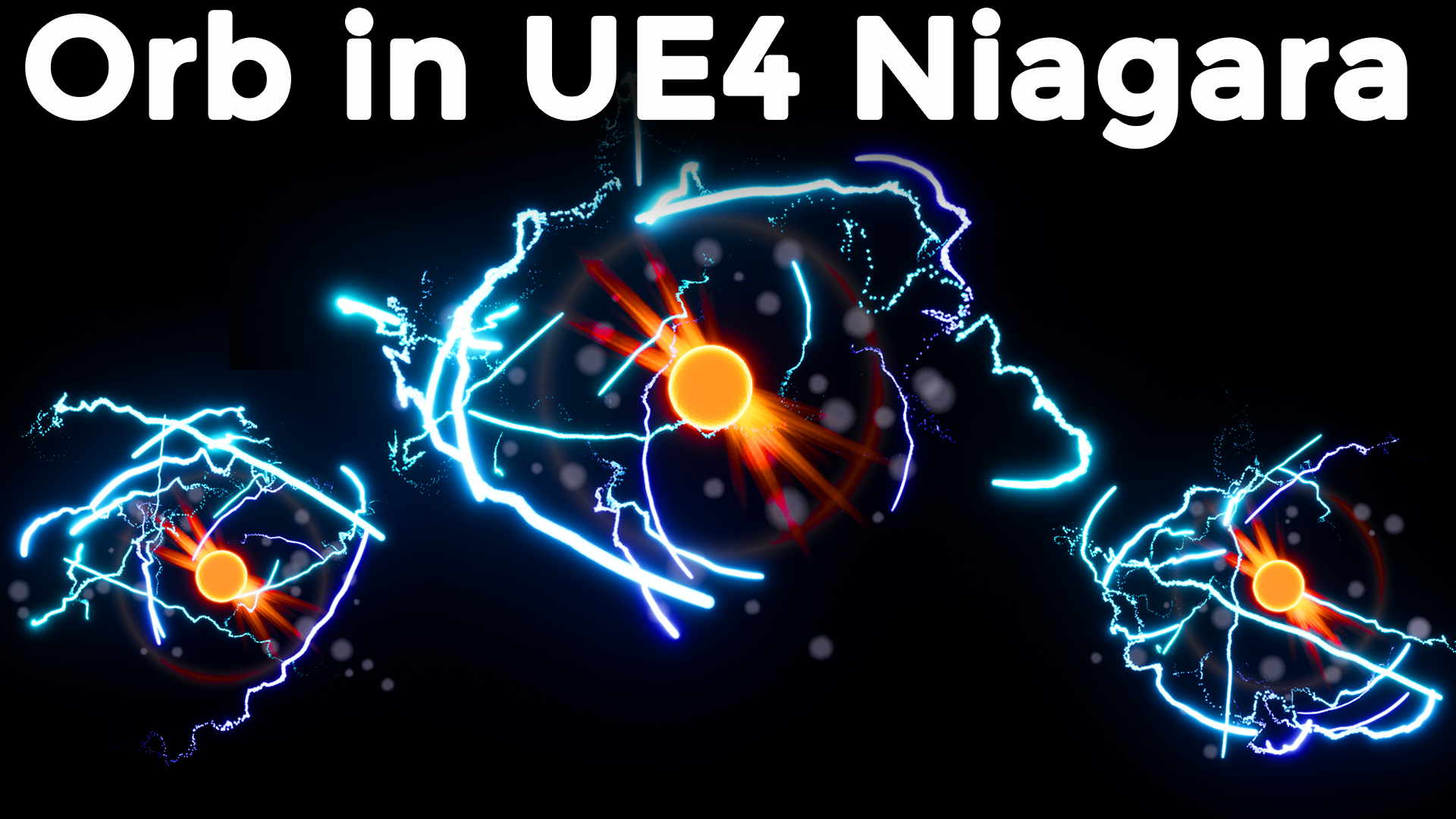
Hi guys, I am Ashif Ali, and you’re watching a CGHOW video. In today’s tutorial, we’ll explore a very simple effect I found on Pinterest and recreate it from scratch in Unreal Engine Niagara. Let’s break down the different elements involved: blue trails, an orange ball, lens flare, bokeh, and flashes. By the end of this video, you’ll learn how to create these effects step-by-step.
Steps Covered:
- Particle Creation: Starting with the basic particle systems for the trails, I’ll show you how to animate the emitter using vectors and basic trigonometric functions (sine and cosine) to achieve smooth rotations.
- Trail Effect: Learn how to create trails and adjust particle properties like size, lifespan, color, and velocity.
- Sphere Mesh Setup: We’ll add a mesh sphere with a glowing material for the orange ball effect.
- Bokeh Effect: I’ll demonstrate how to use different particle modules to simulate a soft bokeh blur effect.
- Lens Flare Flash: We’ll use a custom texture to create a lens flare-type flash that rotates and animates.
- Randomization: Learn how to randomize particle behaviors like speed, spawn rate, and color for a more natural, dynamic look.
What You’ll Learn:
- How to use sine and cosine for rotation in Niagara.
- The key differences between GPU and CPU particles and how they affect performance and visual effects.
- Techniques for animating particle systems using Niagara’s emitter and particle modules.
- How to apply randomization to particle behavior to make effects more dynamic.
- Custom texture creation for lens flare effects.
By the end of this tutorial, you’ll be able to create a similar effect or even experiment and customize it to your needs. It’s a simple yet effective way to understand particle systems and apply them to your own projects.
Don’t forget to subscribe to my YouTube channel CGHOW for more Unreal Engine tutorials, tips, and tricks. Hit the bell icon to receive notifications on all new videos!
If you have any questions, leave a comment below, and I’ll be happy to help. Happy learning!
Tags:
#UnrealEngine #NiagaraVFX #ParticleEffects #VFXTutorial #UnrealEngineTutorial #GamingVFX #Niagara #VFX #Tutorial #UnrealEngineNiagara #CGHOW
Leave a Reply