

Support me on – https://www.patreon.com/Ashif
Support me on – paypal.me/9953280644
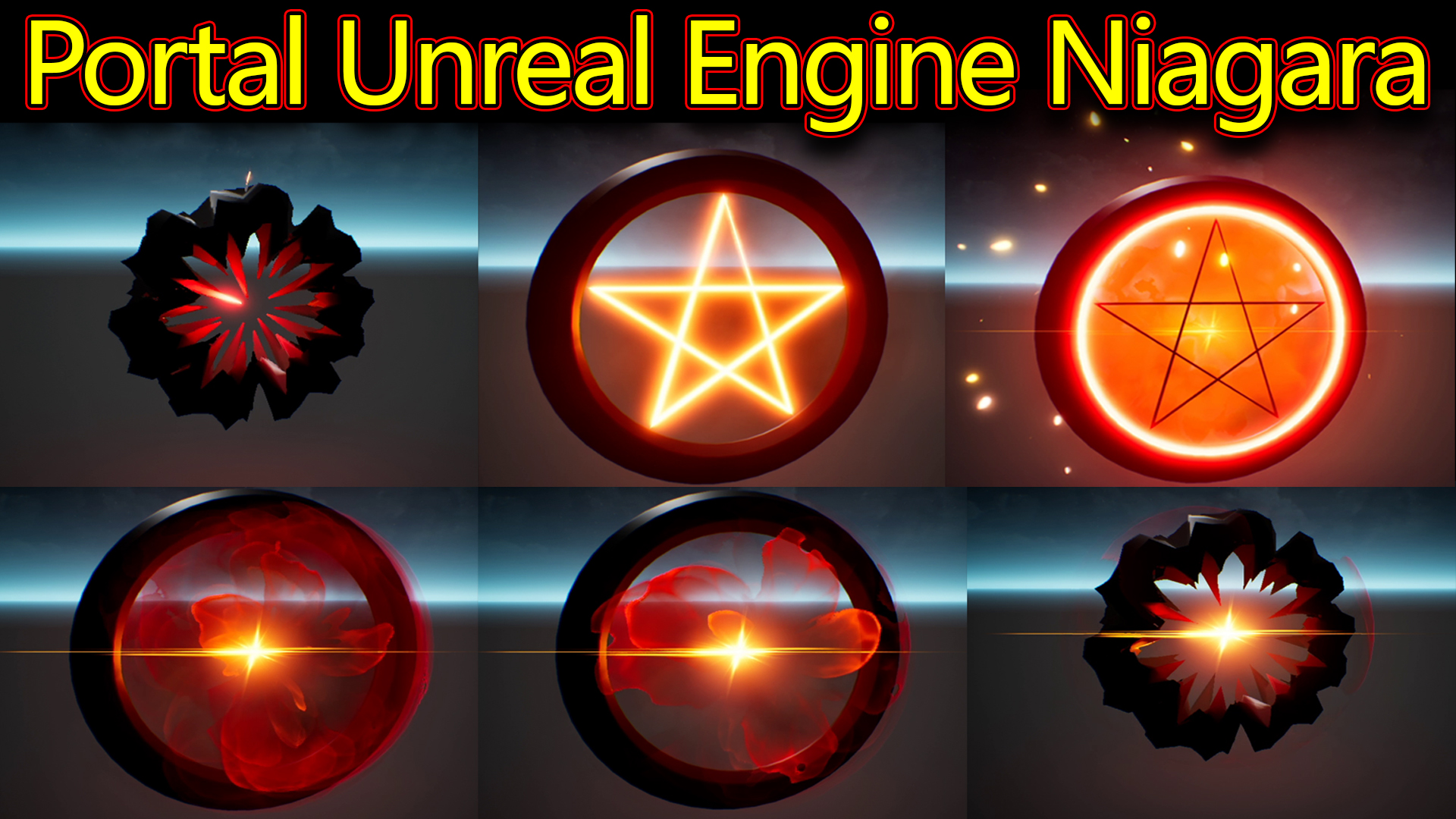
Hi guys today I have created this portal effect in unreal engine Niagara.
#cghow #RealtimeVFX #UE4Niagara #gamefx #ue4vfx #ue4fx #niagara #unrealengineniagara #unrealenginevfxtutorials
●Upload Your Tutorials/Work – https://cghow.com/
Purchase Effect Package From Unreal engine Marketplace –
Unreal Engine Niagara Effects in Marketplace – https://youtu.be/DF4Lb_btEus
Niagara Effects Pack in Marketplace – https://youtu.be/g6_k8T7FqHA
Unreal Engine Advanced Magical Effects in Marketplace – https://youtu.be/0Dn3GLIzhMo
Smoke in UE4 Niagara Pack01 in Unreal Engine Marketplace – https://youtu.be/38BPA_9yqJ8
UE4 Niagara Fire Pack 01 in Marketplace – https://youtu.be/PW5FL-zZoP4
UE4 Niagara Fire Pack 02 in Marketplace – https://youtu.be/fdLXPlUEzxM
UE4 Niagara Explosions Pack 02 in Marketplace – https://youtu.be/dj-XX9he4aE
Unreal Engine Niagara Effects Pack 03 in Marketplace – https://youtu.be/0kKon43I-Og
Slow Motion Explosion in UE4 Niagara Pack 04 in Marketplace – https://youtu.be/lUK1eW5zRP0
Unreal Engine Niagara Effects pack 04 in Marketplace – https://youtu.be/MihWYB31Gi4
Slow Motion Explosion in UE4 Niagara Pack 04 in Marketplace – https://youtu.be/lUK1eW5zRP0
UE4.25 Niagara Effects Pack 05 in Marketplace – https://youtu.be/sn1HIENVTDI
UE4.25 Niagara Effects Pack 06 in Marketplace – https://youtu.be/pvH_xGQ5jvs
Explosions Package in Unreal Engine Niagara Particle System – https://youtu.be/1mbqWscjUJ4
●Follow FB Page – https://www.facebook.com/cghow0/
●Join FB Group – https://www.facebook.com/groups/cghow/
●Android App – http://bit.ly/2XUnhoR
Playlists-
●Unreal Engine Niagara Tutorials – http://bit.ly/2SmPEuT
●Unreal engine VFX Tutorials -http://bit.ly/2JNXyJZ
●Unity VFX Tutorials – http://bit.ly/2XNGlKz


Title: Creating a Dynamic Portal Effect in Unreal Engine with Niagara
Introduction: Hello everyone, I’m Asif Ali, and you’re watching a CGHOW tutorial. Today, I’ll show you how I created this dynamic portal effect using Unreal Engine Niagara. Let’s dive into how it was made!
Video Walkthrough:
- Effect Overview:
- The effect features a portal with a color-changing capability controlled by a widget with a slider. The slider adjusts the hue parameter, connected via a material parameter collection that influences the color of all materials used in the particle systems.
- The widget is linked to a blueprint for easy real-time color changes.
- Material Setup:
- The portal effect uses a mesh with a distorted material, which is influenced by noise textures and world position offsets. The distortion effect at the start and end of the animation is achieved by manipulating vertex positions with noise.
- By connecting this noise to dynamic parameters, I animate the distortions.
- Particle System Setup:
- Portal Frame: The first particle system controls the portal’s frame, which distorts and then recovers its shape. This is achieved through material manipulation and vertex displacement using noise textures.
- Star Mesh: The second particle system creates a star that expands, turns black, and dissolves. I used a gradient along the mesh’s UVs, animated with sine waves.
- Flower Effect: This emitter creates a blooming flower shape, with particles following a torus shape and animated using dynamic parameters to pan textures and add distortion effects.
- Additional Particle Effects:
- Smoke: Smoke particles are generated in a radial pattern with randomized tiling and erosion effects, using noise textures to control opacity and motion.
- Flare: A simple flare effect is generated by emitting two particles that scale up, stay, and then scale down.
- Glow: The glow effect is created using the same smoke material and dynamic parameters to randomize tiling and erosion. This layer is duplicated with variations in opacity and color.
- Light: A point light is added to the scene, providing illumination with red coloring to match the portal’s visual tone.
- Sparks: Sparks are emitted in random directions with a radial velocity, using randomized size, color, and life.
- Ring: A simple ring particle is emitted with custom alignment, gradually fading from yellow to red.
- Final Result:
- After combining all the emitters, you get the final look of a dynamic portal with realistic color changes, distortion, glowing effects, and sparks, all reacting to the widget controls.
Conclusion: And that’s how I created the portal effect in Unreal Engine using Niagara! You can create similar effects by manipulating materials, dynamic parameters, and particle emitters in Unreal. Don’t forget to like the video, subscribe to CGHOW, and hit the bell icon to stay updated with new tutorials.
If you have any questions, feel free to comment below, and I’ll be happy to assist. Thanks for watching and keep learning!
Additional Notes for the Post:
- Key Points (in bold):
- Material setup for portal distortion using noise textures.
- Dynamic parameter connections for controlling color changes.
- Particle system organization with multiple layers for realism.
- Texture manipulation for bloom, glow, and spark effects.
- Customization via a user-friendly widget for real-time effect color changes.
- Trending Tags: #UnrealEngine #NiagaraVFX #PortalEffect #VFX #UE4 #GameDevelopment #CGHOW
Leave a Reply