

Download – https://www.patreon.com/posts/62540565
Ref – https://bit.ly/3HQTchR
NFT – https://opensea.io/CGHOW
👉👉 If you Liked it – http://bit.ly/2UZmiZ4
Channel Ashif – http://bit.ly/3aYaniw
Support me on – https://www.patreon.com/Ashif
Support me on – paypal.me/9953280644
Procedural FX in UE4 Niagara Tutorial | Download Files
#cghow #UE5 #UE4Niagara #gamefx #ue5niagara #ue4vfx #niagara #unrealengineniagara #realtimevfx
●Upload Your Tutorials/Work – https://cghow.com/
Purchase Effect Package From Unreal engine Marketplace –
Unreal Engine Niagara Effects in Marketplace – https://youtu.be/DF4Lb_btEus
Niagara Effects Pack in Marketplace – https://youtu.be/g6_k8T7FqHA
Unreal Engine Advanced Magical Effects in Marketplace – https://youtu.be/0Dn3GLIzhMo
Smoke in UE4 Niagara Pack01 in Unreal Engine Marketplace – https://youtu.be/38BPA_9yqJ8
UE4 Niagara Fire Pack 01 in Marketplace – https://youtu.be/PW5FL-zZoP4
UE4 Niagara Fire Pack 02 in Marketplace – https://youtu.be/fdLXPlUEzxM
UE4 Niagara Explosions Pack 02 in Marketplace – https://youtu.be/dj-XX9he4aE
Unreal Engine Niagara Effects Pack 03 in Marketplace – https://youtu.be/0kKon43I-Og
Slow Motion Explosion in UE4 Niagara Pack 04 in Marketplace – https://youtu.be/lUK1eW5zRP0
Unreal Engine Niagara Effects pack 04 in Marketplace – https://youtu.be/MihWYB31Gi4
Slow Motion Explosion in UE4 Niagara Pack 04 in Marketplace – https://youtu.be/lUK1eW5zRP0
UE4.25 Niagara Effects Pack 05 in Marketplace – https://youtu.be/sn1HIENVTDI
UE4.25 Niagara Effects Pack 06 in Marketplace – https://youtu.be/pvH_xGQ5jvs
Explosions Package in Unreal Engine Niagara Particle System – https://youtu.be/1mbqWscjUJ4
●Follow FB Page – https://www.facebook.com/cghow0/
●Join FB Group – https://www.facebook.com/groups/cghow/
●Android App – http://bit.ly/2XUnhoR
Playlists-
●Unreal Engine Niagara Tutorials – http://bit.ly/2SmPEuT
●Unreal engine VFX Tutorials -http://bit.ly/2JNXyJZ
●Unity VFX Tutorials – http://bit.ly/2XNGlKz
Procedural Shine Effect in Unreal Engine Niagara VFX
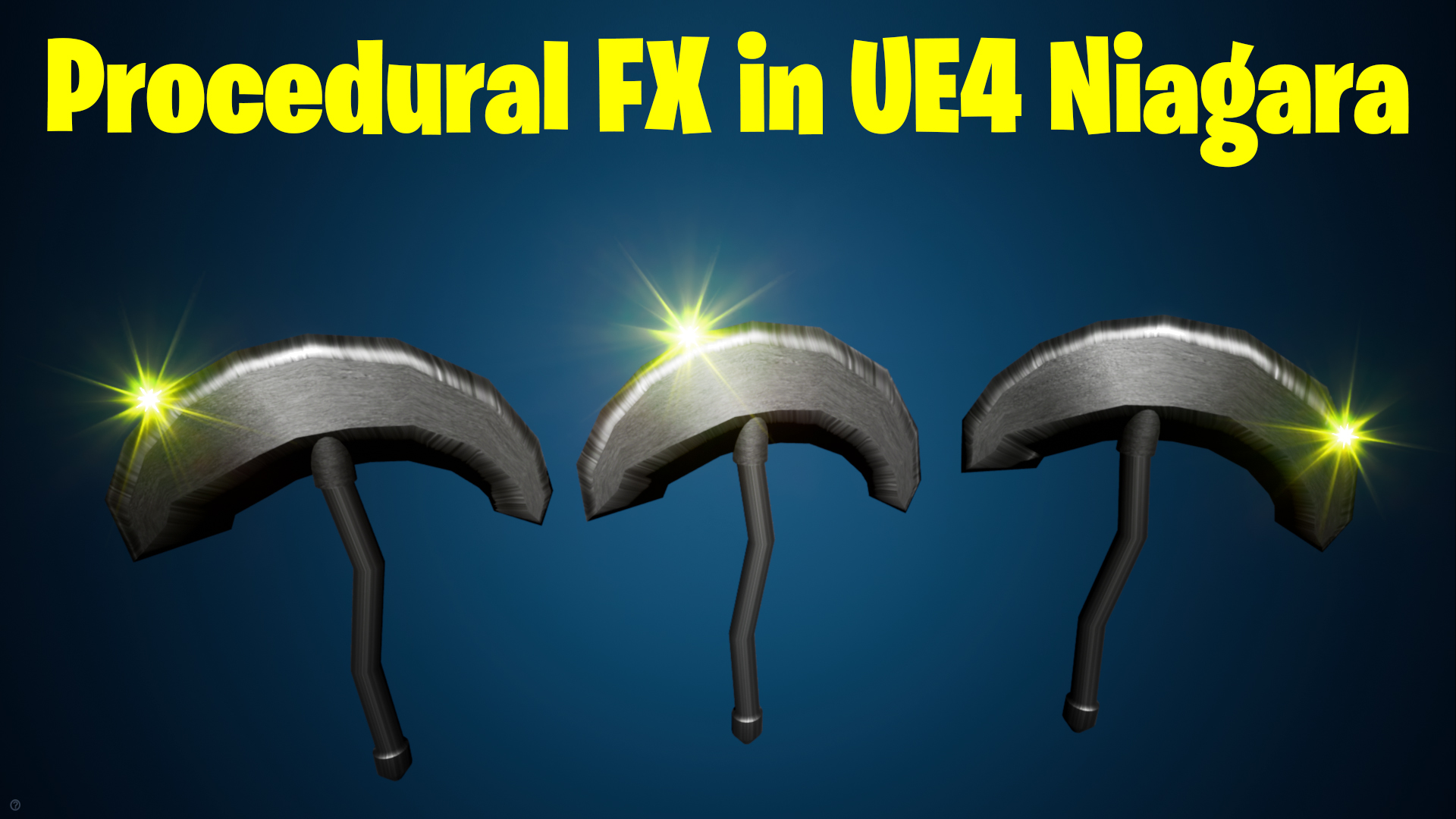
Hi guys! I’m Asif Ali, and you’re watching CGHOW. In this tutorial, I demonstrate how to create a procedural shine effect for an armor. The shine dynamically animates across the surface when the armor rotates, adding an eye-catching visual feature. This is a unique and challenging technique that I explored for the first time in this video.
Tutorial Overview:
- Introduction and Inspiration:
- The effect is inspired by a Blender render, and we aim to replicate the shine animation on armor rotation, not camera movement.
- Modeling the Armor:
- Created a simple armor mesh in Maya (you can use any 3D modeling software).
- Exported and imported the model into Unreal Engine.
- Material Setup:
- Created a material for the shine effect using texture maps.
- Adjusted properties like depth to ensure proper visibility.
- Niagara Effect Setup:
- Added a Niagara particle system with two emitters: one for the armor and another for the shine effect.
- Configured particle sizes, materials, and rotations to match the desired outcome.
- Shine Animation Logic:
- Used scratchpad inputs to link the armor’s rotation with the shine animation.
- Implemented logic to animate the shine based on position and rotation along the Z-axis.
- Finalizing the Effect:
- Added post-process elements like fog, directional light, and a metallic material to enhance the visual quality.
- Introduced dynamic sprite rotation for an additional layer of motion.
Key Points:
- Procedural Logic: Scratchpad inputs were used to create the shine effect dynamically.
- Material Adjustments: Ensured depth settings were tweaked to keep the shine visible regardless of mesh position.
- Customization: Values like size, brightness, and curves were fine-tuned for the desired output.
- Challenges Overcome: Debugging rotation logic and clamping values for consistent animation.
Tags:
#NiagaraVFX #UnrealEngine #ProceduralEffect #ShineEffect #ArmorAnimation
Notes:
This effect is versatile and can be applied to other assets like weapons, vehicles, or even environment elements. If you have any questions or want to share your results, feel free to leave a comment!
Leave a Reply