

Support me on – https://www.patreon.com/Ashif
Support me on – paypal.me/9953280644
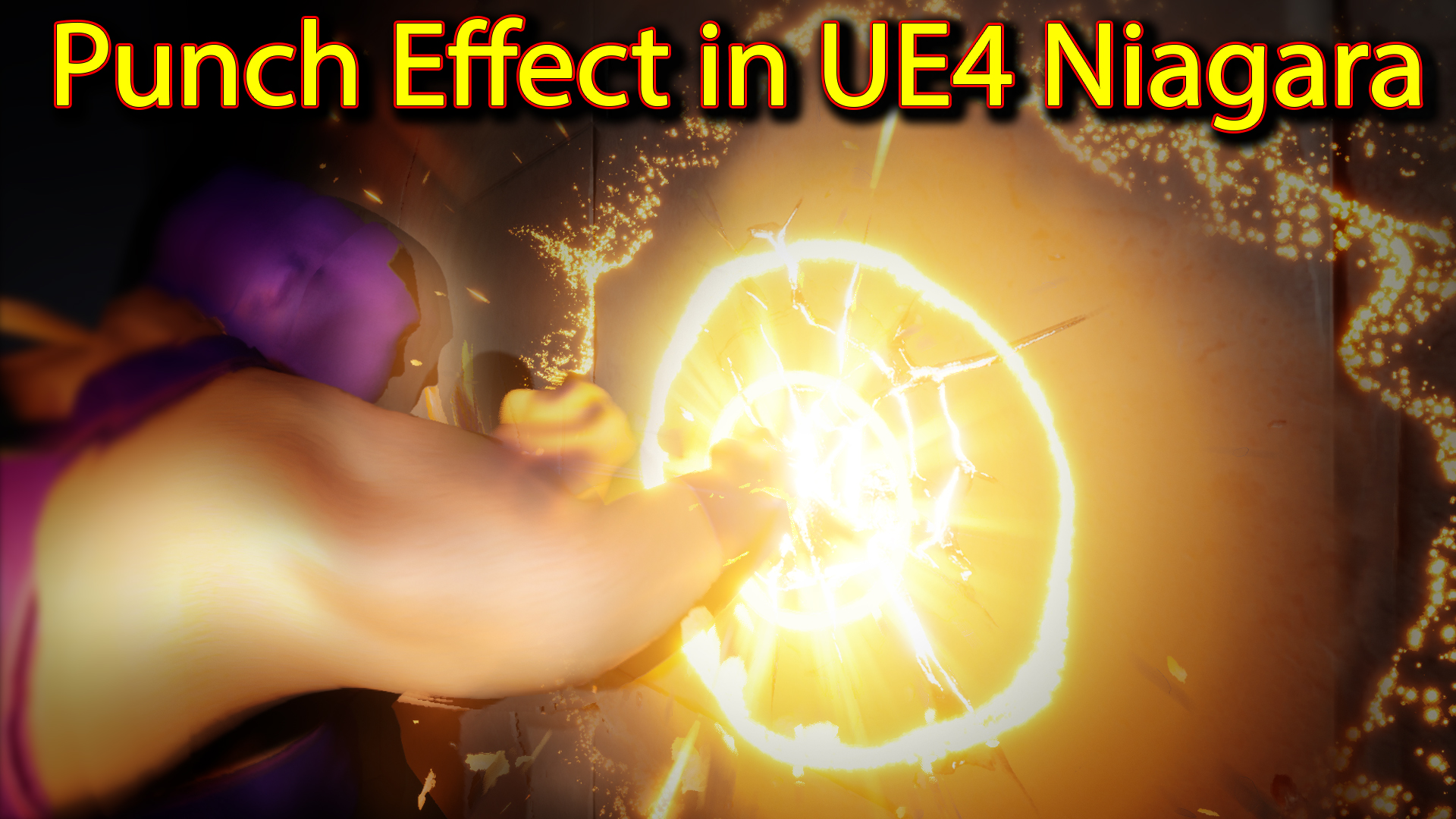
Hi guys today i have created this punch effect in unreal engine Niagara. for this effect i downloaded this animated character from mixamo.com and i am using sequencer to activate Niagara effect and material on character hand.
#cghow #RealtimeVFX #UE4Niagara #gamefx #ue4vfx #ue4fx #niagara #unrealengineniagara #unrealenginevfxtutorials
●Upload Your Tutorials/Work – https://cghow.com/
…………………………………………………………………………………………………………
Purchase Effect Package From Unreal engine Marketplace –
●Niagara Effects Pack – http://bit.ly/2LWgZTx
●Advanced Magical FX – http://bit.ly/2XQYyXL
……………………………………………………………………………………………………………………………………
●Patreon – https://www.patreon.com/Ashif
……………………………………………………………………………………………………………………………………
●Follow FB Page – https://www.facebook.com/cghow0/
●Join FB Group – https://www.facebook.com/groups/cghow/
……………………………………………………………………………………………………………………………………
●Android App – http://bit.ly/2XUnhoR
……………………………………………………………………………………………………………………………………
Playlists-
●Unreal Engine Niagara Tutorials – http://bit.ly/2SmPEuT
●Unreal engine VFX Tutorials -http://bit.ly/2JNXyJZ
●Unity VFX Tutorials – http://bit.ly/2XNGlKz
……………………………………………………………………………………………………………………………………
●Discussion & Help Forum – http://bit.ly/2Lo0Er7
……………………………………………………………………………………………………………………………………


Title: How to Create a Punch Effect in Unreal Engine Niagara
Description: In today’s video, I’m going to show you how I created a punch effect in Unreal Engine using Niagara. I’ll walk you through the process, from animating the glowing hand material to activating Niagara in Sequencer for a smooth punch effect. Make sure to follow along as I explain the key techniques and elements used in the effect creation!
Key Points:
- Intro to the Punch Effect:
- Demonstrating a character performing a punch with a glowing hand effect triggered by the impact.
- Using Sequencer to activate and deactivate Niagara effects.
- Character Setup:
- Animated character downloaded from example.com.
- Glow effect on the hand material created in Unreal Engine using a mask and a Photoshop gradient.
- Material Creation for the Glowing Hand:
- A custom mask and noise texture control the glowing hand effect.
- Animating the glow parameter using a material parameter collection in Sequencer.
- Sequencer and Niagara Integration:
- Using Sequencer to control both the animation and Niagara component.
- Spawning Niagara effects at the correct time using system cycles in Sequencer.
- Particle System Setup:
- Creating various particle effects like a flash on the wall, glow rings, and sparks.
- Using different materials for each particle, such as a flash material and glow material.
- Adding noise and randomization for life, size, and rotation of particles.
- Creating 3D Flash and Distortion Effects:
- 3D flash penetrating the hand and coming out of the wall using a rotating mesh and random parameters.
- Adding distortion with mesh spheres and noise for added realism.
- Hit Mark on the Wall:
- Creating a crack texture with a glowing center to simulate the impact.
- Using blackbody animation to control the color change from hot to cool.
- Debris and Shockwave Effects:
- Using meshes for debris and applying blackbody emission for cooling down the particles.
- Adding a shockwave effect by duplicating the flash emitter and adjusting the size and color.
- Streaks Effect:
- Creating streaks that stretch and shrink, adding a more dynamic look to the punch impact.
- Using radial ramp material and velocity controls for this effect.
- Final Touches and Review:
- Showcasing how the punch effect looks in action.
- Review of the sequence, material, and Niagara system used.
Additional Notes:
- Key to success in this effect is utilizing Sequencer for controlling both animation and Niagara system.
- Make sure to adjust the parameters for each particle system to achieve the desired randomness and behavior.
- For added realism, using noise and random life for particles can significantly improve the visual fidelity of your effects.
Tags:
Unreal Engine, Niagara, VFX, Punch Effect, Sequencer, Particle System, Material Animation, Glowing Hand, Gaming VFX, Unreal Engine Tutorial
Leave a Reply