

Download – https://www.patreon.com/posts/56264466
Ref – Twitter – @balaganvfx – https://bit.ly/2Xllr62
👉👉 If you Liked it – http://bit.ly/2UZmiZ4
Channel Ashif – http://bit.ly/3aYaniw
Support me on – https://www.patreon.com/Ashif
Support me on – paypal.me/9953280644
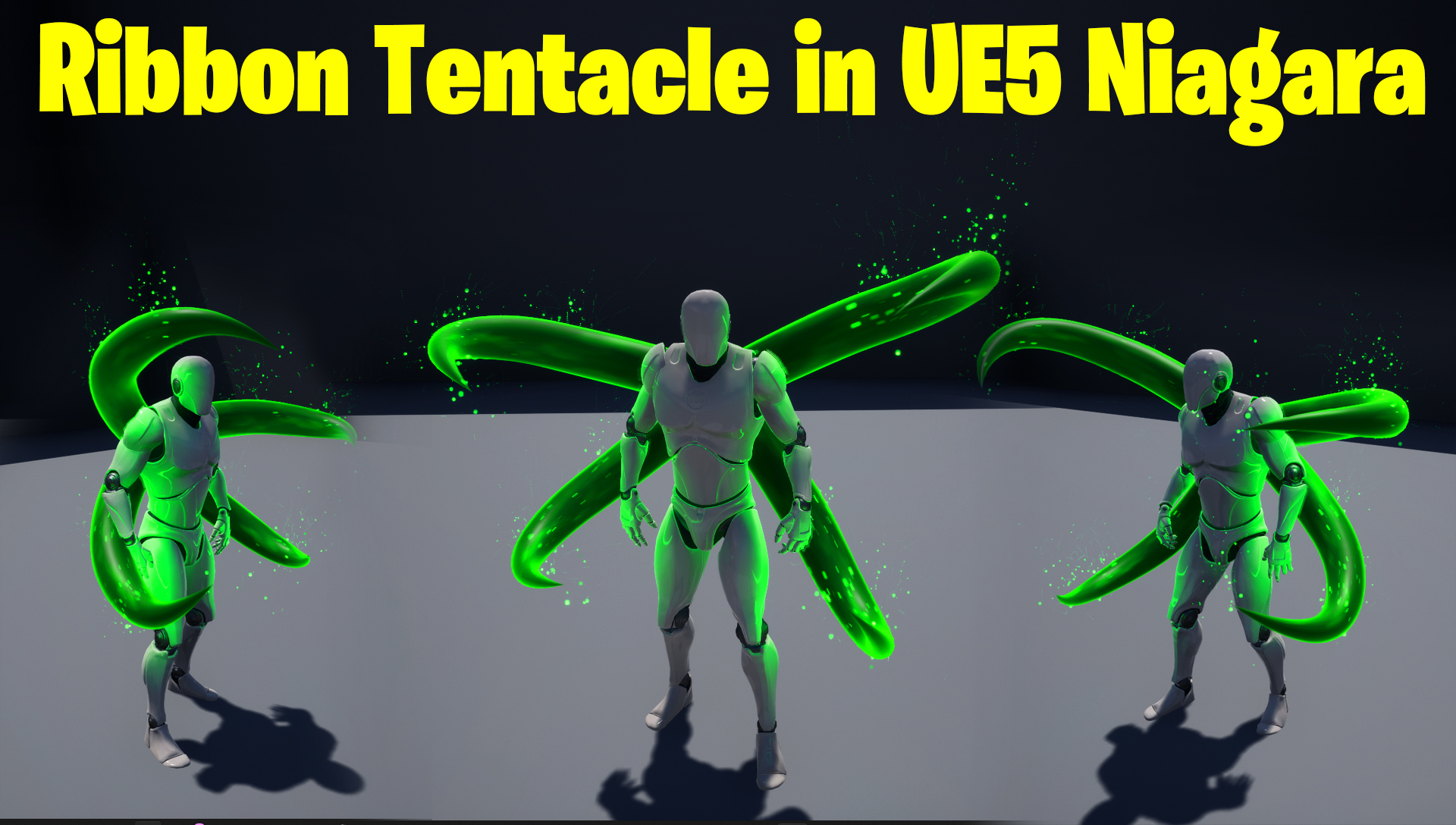
Ribbon Tentacle in UE5 Niagara Tutorial | Download Files
hi guys today I have created a tentacle in ue5 Niagara using ribbons. this effect is already created by @balaganvfx on twitter. i just used it as a reference and created a tutorial for you guys.
#cghow #UE5 #UE4Niagara #gamefx #ue5niagara #ue4vfx #niagara #unrealengineniagara #realtimevfx
●Upload Your Tutorials/Work – https://cghow.com/
Purchase Effect Package From Unreal engine Marketplace –
Unreal Engine Niagara Effects in Marketplace – https://youtu.be/DF4Lb_btEus
Niagara Effects Pack in Marketplace – https://youtu.be/g6_k8T7FqHA
Unreal Engine Advanced Magical Effects in Marketplace – https://youtu.be/0Dn3GLIzhMo
Smoke in UE4 Niagara Pack01 in Unreal Engine Marketplace – https://youtu.be/38BPA_9yqJ8
UE4 Niagara Fire Pack 01 in Marketplace – https://youtu.be/PW5FL-zZoP4
UE4 Niagara Fire Pack 02 in Marketplace – https://youtu.be/fdLXPlUEzxM
UE4 Niagara Explosions Pack 02 in Marketplace – https://youtu.be/dj-XX9he4aE
Unreal Engine Niagara Effects Pack 03 in Marketplace – https://youtu.be/0kKon43I-Og
Slow Motion Explosion in UE4 Niagara Pack 04 in Marketplace – https://youtu.be/lUK1eW5zRP0
Unreal Engine Niagara Effects pack 04 in Marketplace – https://youtu.be/MihWYB31Gi4
Slow Motion Explosion in UE4 Niagara Pack 04 in Marketplace – https://youtu.be/lUK1eW5zRP0
UE4.25 Niagara Effects Pack 05 in Marketplace – https://youtu.be/sn1HIENVTDI
UE4.25 Niagara Effects Pack 06 in Marketplace – https://youtu.be/pvH_xGQ5jvs
Explosions Package in Unreal Engine Niagara Particle System – https://youtu.be/1mbqWscjUJ4
●Follow FB Page – https://www.facebook.com/cghow0/
●Join FB Group – https://www.facebook.com/groups/cghow/
●Android App – http://bit.ly/2XUnhoR
Playlists-
●Unreal Engine Niagara Tutorials – http://bit.ly/2SmPEuT
●Unreal engine VFX Tutorials -http://bit.ly/2JNXyJZ
●Unity VFX Tutorials – http://bit.ly/2XNGl
Title: Creating Ribbon VFX Similar to UE4.27 Battle Effect in UE5 | Unreal Engine Tutorial
Description:
Hi guys, I’m Asif Ali, and you’re watching CGHOW! In today’s tutorial, I’ll be recreating a stunning battle VFX effect from Unreal Engine 4.27 using Niagara ribbons in UE5. Inspired by an effect I found on Twitter, we’ll be using the ribbon renderer to create a dynamic, flowing effect similar to the original, but with some tweaks for UE5’s improved capabilities. Let’s dive in and try to replicate it!
Key Points in the Tutorial:
- Using Niagara Ribbons in UE5: How to set up a ribbon emitter for dynamic effects.
- Creating a Tube-like Ribbon: Learn to use a tube shape for the ribbon and animate it using velocity and acceleration.
- Character Integration: Attaching the ribbon effect to a third-person character to make it move along with the character.
- Material Setup: Creating a simple material for the ribbon and using noise to add variation to the movement.
- Emitter and Particle Tweaks: How to adjust emitter behavior and spawn rate to achieve a similar effect to the reference.
- Attractor for Bending Effects: Adding attractor forces to make the ribbon bend in specific directions.
Trendy Tags:
#UnrealEngine5 #NiagaraVFX #RibbonEffects #VFX #UnrealEngineTutorial #BattleVFX #CGHOW #GameDesign #CharacterVFX
Additional Notes:
- Be sure to subscribe to the channel and hit the bell icon for more Unreal Engine tutorials!
- The inspiration for this effect comes from a great artist on Twitter, and you can find the link to their work in the video description. This is a great example of how creativity can inspire new techniques!
- Download the project files to follow along with the tutorial and customize the effect to your liking.
Outro:
Thanks for watching! I hope you enjoyed this breakdown and learned something new. Keep experimenting with VFX, and I’ll see you in the next tutorial!
Leave a Reply