

Download – https://bit.ly/4cA2xcH
Whatsapp – https://bit.ly/3LYvxjK
Patreon- https://www.patreon.com/Ashif
NFT – https://opensea.io/CGHOW
Twitter – https://twitter.com/cghow_
👉👉 If you Liked it – http://bit.ly/2UZmiZ4
Channel Ashif – http://bit.ly/3aYaniw
Support me on – paypal.me/9953280644
Rotate Decal in Unreal Engine 5.4 Niagara Tutorial | Download Files Free
#cghow #UE5 #UE4Niagara #gamefx #ue5niagara #ue4vfx #niagara #unrealengineniagara #realtimevfx
●Visit – https://cghow.com/
Unreal Engine Marketplace – https://bit.ly/3aojvAa
Artstation Store – https://www.artstation.com/ashif/store
Gumroad – https://cghow.gumroad.com/
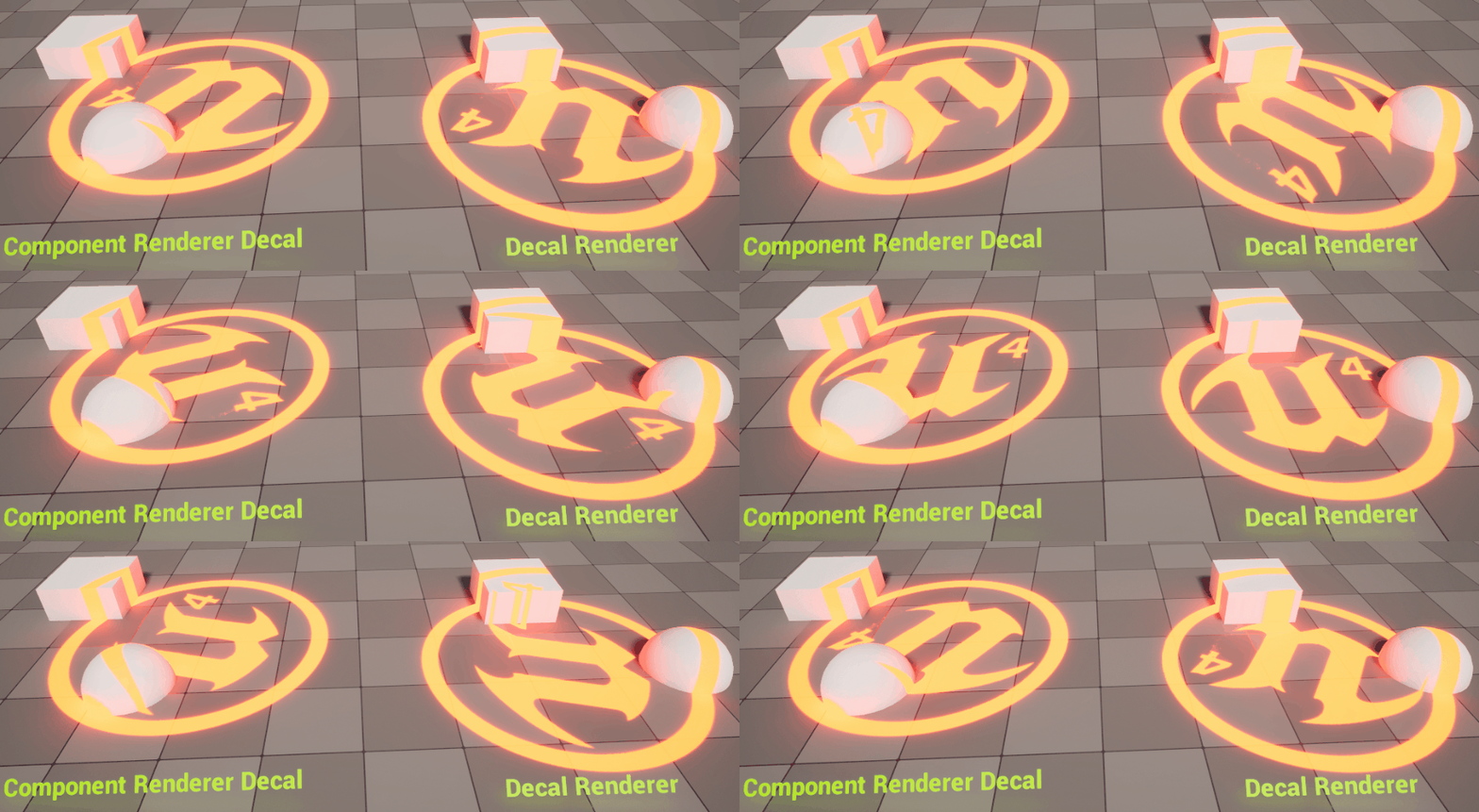
Video Title: Decal Rotation in Unreal Engine Niagara: Component Render vs Decal Renderer
Description:
In this video, I cover how to rotate decals in Unreal Engine Niagara using both the Component Render and the Decal Renderer. I’ll explain how to set up both methods for rotating decals and show how to apply initial and update rotations to make the decal move properly. You’ll learn how to use the Niagara parameters to control decal behavior and rotation, and I’ll demonstrate both methods with examples.
Key Points:
- Component Render for Decals: Setting up the rotation for decals using Component Render.
- Initial Rotation and Update Rotation: How to set initial rotation and continuously update it for decals.
- Decal Renderer Setup: Using the Decal Renderer to rotate decals in Niagara.
- Fixing Small Size Issues: Adjusting size and scale of decals using the Decal Renderer.
- Using Parameters for Rotation: Demonstrating the use of Decal Orientation and Material Orientation to control decal rotation.
- How to Use Update Orientation: Applying update orientations to achieve continuous rotation.
Trendy Tags:
#UnrealEngine #NiagaraVFX #DecalRotation #ComponentRender #DecalRenderer #GameDev #UE5 #VFX #UnrealEngineTutorial #GameDevelopment #VFXTutorial
Leave a Reply