Starting RPG Game Project in Unreal Engine 4 and Using Niagara for all effects
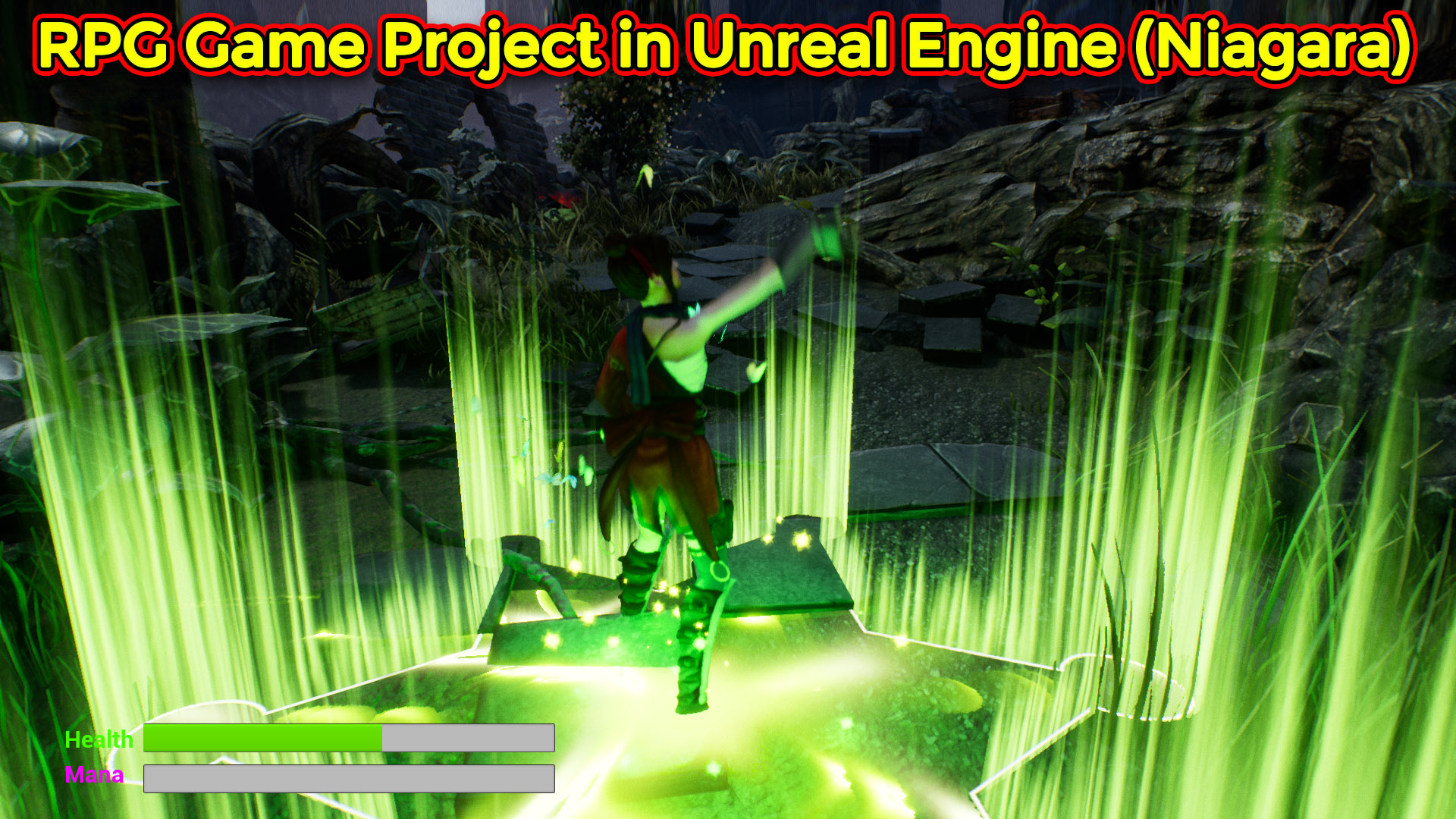
Hi guys i am really excited to start this RPG game project so there will more awesome effects in coming videos that i will use in this game project. so it will be fun to make and use same effects in game.
Starting RPG Game Project in Unreal Engine 4 and Using Niagara for all effects
Starting RPG Game Project in Unreal Engine 4 and Using Niagara for all effects
Starting RPG Game Project in Unreal Engine 4 and Using Niagara for all effects
Starting RPG Game Project in Unreal Engine 4 and Using Niagara for all effects
Starting RPG Game Project in Unreal Engine 4 and Using Niagara for all effects
Starting RPG Game Project in Unreal Engine 4 and Using Niagara for all effects
Starting RPG Game Project in Unreal Engine 4 and Using Niagara for all effects
Starting RPG Game Project in Unreal Engine 4 and Using Niagara for all effects
Starting RPG Game Project in Unreal Engine 4 and Using Niagara for all effects
Starting RPG Game Project in Unreal Engine 4 and Using Niagara for all effects
Starting RPG Game Project in Unreal Engine 4 and Using Niagara for all effects
Starting RPG Game Project in Unreal Engine 4 and Using Niagara for all effects
Starting RPG Game Project in Unreal Engine 4 and Using Niagara for all effects
Starting RPG Game Project in Unreal Engine 4 and Using Niagara for all effects
Starting RPG Game Project in Unreal Engine 4 and Using Niagara for all effects
Starting RPG Game Project in Unreal Engine 4 and Using Niagara for all effects
Starting RPG Game Project in Unreal Engine 4 and Using Niagara for all effects
Starting RPG Game Project in Unreal Engine 4 and Using Niagara for all effects
Starting RPG Game Project in Unreal Engine 4 and Using Niagara for all effects
Starting RPG Game Project in Unreal Engine 4 and Using Niagara for all effects
Starting RPG Game Project in Unreal Engine 4 and Using Niagara for all effects
Starting RPG Game Project in Unreal Engine 4 and Using Niagara for all effects
Starting RPG Game Project in Unreal Engine 4 and Using Niagara for all effects
Starting RPG Game Project in Unreal Engine 4 and Using Niagara for all effects
Starting RPG Game Project in Unreal Engine 4 and Using Niagara for all effects
Starting RPG Game Project in Unreal Engine 4 and Using Niagara for all effects
Starting RPG Game Project in Unreal Engine 4 and Using Niagara for all effects
Starting RPG Game Project in Unreal Engine 4 and Using Niagara for all effects
Starting RPG Game Project in Unreal Engine 4 and Using Niagara for all effects
Starting RPG Game Project in Unreal Engine 4 and Using Niagara for all effects
Starting RPG Game Project in Unreal Engine 4 and Using Niagara for all effects
Starting RPG Game Project in Unreal Engine 4 and Using Niagara for all effects
Starting RPG Game Project in Unreal Engine 4 and Using Niagara for all effects
Starting RPG Game Project in Unreal Engine 4 and Using Niagara for all effects
Starting RPG Game Project in Unreal Engine 4 and Using Niagara for all effects
Starting RPG Game Project in Unreal Engine 4 and Using Niagara for all effects
Starting RPG Game Project in Unreal Engine 4 and Using Niagara for all effects
Starting RPG Game Project in Unreal Engine 4 and Using Niagara for all effects
Starting RPG Game Project in Unreal Engine 4 and Using Niagara for all effects
Starting RPG Game Project in Unreal Engine 4 and Using Niagara for all effects
Starting RPG Game Project in Unreal Engine 4 and Using Niagara for all effects
Starting RPG Game Project in Unreal Engine 4 and Using Niagara for all effects
Starting RPG Game Project in Unreal Engine 4 and Using Niagara for all effects
Starting RPG Game Project in Unreal Engine 4 and Using Niagara for all effects
Starting RPG Game Project in Unreal Engine 4 and Using Niagara for all effects
Starting RPG Game Project in Unreal Engine 4 and Using Niagara for all effects
Starting RPG Game Project in Unreal Engine 4 and Using Niagara for all effects
Starting RPG Game Project in Unreal Engine 4 and Using Niagara for all effects
Starting RPG Game Project in Unreal Engine 4 and Using Niagara for all effects
Starting RPG Game Project in Unreal Engine 4 and Using Niagara for all effects
Video Title: RPG Game Effects with Niagara in Unreal Engine
Description: In this tutorial, Asif Ali demonstrates how to create several RPG game effects in Unreal Engine, using Niagara for particle effects. The tutorial covers butterfly effects, health pickups, and a magic spell, with the goal of creating immersive game mechanics. The effects include butterflies following the character, health pickups that increase health, and a dynamic heart shape that pumps and explodes on interaction.
Key Points:
Butterfly Effect:
The butterflies are created using a planar mesh and a custom material.
The butterflies follow the player character using a point attractor, with random movement and velocities applied for variation.
The butterflies are colored dynamically using parameters to create variation in color.
Health Pickup (Heart Shape):
A heart mesh is animated to pulse like a real heart using a sine wave and vertex normals for realistic pumping.
Health pickups spawn when the character overlaps a trigger volume, with particles emitted on collection to enhance the effect.
The heart shape is destroyed and replaced with a burst effect that scales and changes color dynamically.
Magic Spell:
The magic spell is a simple emitter effect that is triggered in the game using the character’s actions. It uses pre-made effects and simple particle setups for magical explosions or impacts.
Tutorial References:
Butterfly Effect: A previous tutorial on creating butterfly effects in Cascade, now adapted to Niagara. You can follow the same mesh and techniques for similar results.
Heart Pickup: This effect uses a heart-shaped mesh and random particle effects to simulate heart bursts and health pickups.
Magic Spell: This effect is taken from a past tutorial, showcasing the basics of creating spell effects from scratch.
Blueprint Integration:
The butterflies and heart effects are attached to the player character using blueprint scripting. The position of the attractor is updated to always follow the character as they move through the game.
Key Bindings: Effects are activated by pressing specific keys (e.g., ability key “1” for the heart burst effect). The effects are attached to specific parts of the character (e.g., the foot for certain particle systems).
Additional Tips:
Users can experiment with particle systems like mesh-based effects (e.g., heart mesh) and particle bursts to enhance gameplay visuals.
The tutorial also explains how to adjust particle velocity, size, and rotation for variation and realism.



Leave a Reply