

Support me on – https://www.patreon.com/Ashif
Support me on – paypal.me/9953280644
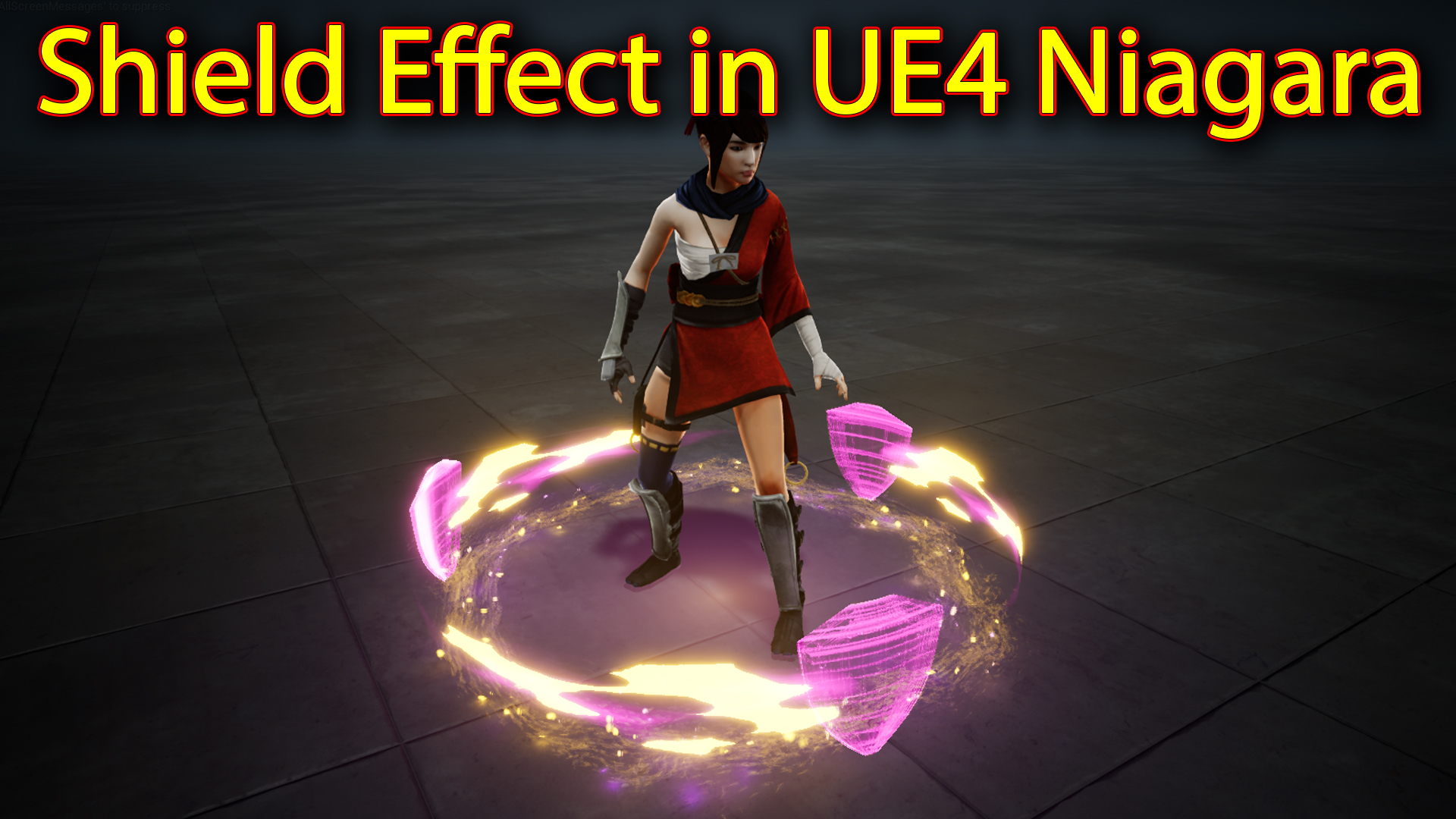
Hi guys today i have created this shield fx from scratch in unreal engine Niagara.
#cghow #RealtimeVFX #UE4Niagara #gamefx #ue4vfx #ue4fx #niagara #unrealengineniagara #unrealenginevfxtutorials
●Upload Your Tutorials/Work – https://cghow.com/
…………………………………………………………………………………………………………
Purchase Effect Package From Unreal engine Marketplace –
●Niagara Effects Pack – http://bit.ly/2LWgZTx
●Advanced Magical FX – http://bit.ly/2XQYyXL
……………………………………………………………………………………………………………………………………
●Patreon – https://www.patreon.com/Ashif
……………………………………………………………………………………………………………………………………
●Follow FB Page – https://www.facebook.com/cghow0/
●Join FB Group – https://www.facebook.com/groups/cghow/
……………………………………………………………………………………………………………………………………
●Android App – http://bit.ly/2XUnhoR
……………………………………………………………………………………………………………………………………
Playlists-
●Unreal Engine Niagara Tutorials – http://bit.ly/2SmPEuT
●Unreal engine VFX Tutorials -http://bit.ly/2JNXyJZ
●Unity VFX Tutorials – http://bit.ly/2XNGlKz
……………………………………………………………………………………………………………………………………
●Discussion & Help Forum – http://bit.ly/2Lo0Er7
……………………………………………………………………………………………………………………………………


Title: Unreal Engine Tutorial: Magical Rotating Shield Effect Creation
Description:
Hello everyone! I’m Asif Ali, and in today’s CGHOW tutorial, I’ll guide you through the steps to create a stunning magical rotating shield effect in Unreal Engine using Niagara. This effect combines intricate mesh design, dynamic rotations, and layered materials to deliver an immersive result.
Tutorial Highlights
- Scene Setup: Starting from an empty scene setup in Maya, we model a simple shield by adjusting a plane, adding edge loops, and creating a smooth base for the effect.
- Mesh & Material Creation: Exporting the shield mesh to Unreal Engine, we add a particle color with a wireframe overlay for dynamic visual effects. We apply a Fresnel effect to give the shield a magical glow.
- Rotation and Position Adjustments: Utilizing Niagara’s particle system to rotate multiple shields at fixed intervals, ensuring symmetrical spacing by referencing particle ID values.
- Trail Effects: Modeling and applying a custom trail mesh around the shield to add motion and depth. We use two noise textures to create a fading, fiery trail effect.
- Additional Particles and Glow: Enhancing the effect by adding ground glow, vortex velocity, and particle rings around the shield, which gives a mystical energy aura to the entire setup.
- Character Integration: Integrating a character within the shield for added immersion, and tweaking light settings for a more dramatic finish.
Key Steps for Creating the Shield Effect:
- Mesh Creation: Basic shield design in Maya, exported as an FBX for use in Unreal.
- Material Setup: Using Particle Color, Power, and Fresnel nodes to achieve a glowing magical effect.
- Trail Effects: Adding trails that rotate in sync with the shield, providing a sense of motion.
- Particle Effects: Applying varied particle sizes and colors for glow, trails, and aura around the shield.
Tags: #UnrealEngine #NiagaraEffects #ShieldEffect #VFX #CGHOW #GameVFX #3DModeling #MayaToUnreal #VisualEffects #MagicalShield
Additional Tips:
- Experiment with Colors: Adjust the color nodes for personalized effect styles.
- Fine-Tune Lighting: Lights added to particles can enhance the shield’s magical appearance.
- Add Sound Effects: To amplify the magical vibe, consider syncing some sound effects with the shield’s rotation or glow transitions.
Leave a Reply