

Download – https://artstn.co/m/qDmdP
Download – https://cghow.gumroad.com/l/xcogg
NFT – https://opensea.io/CGHOW
Twitter – https://twitter.com/cghow_
👉👉 If you Liked it – http://bit.ly/2UZmiZ4
Channel Ashif – http://bit.ly/3aYaniw
Support me on – https://www.patreon.com/Ashif
Support me on – paypal.me/9953280644
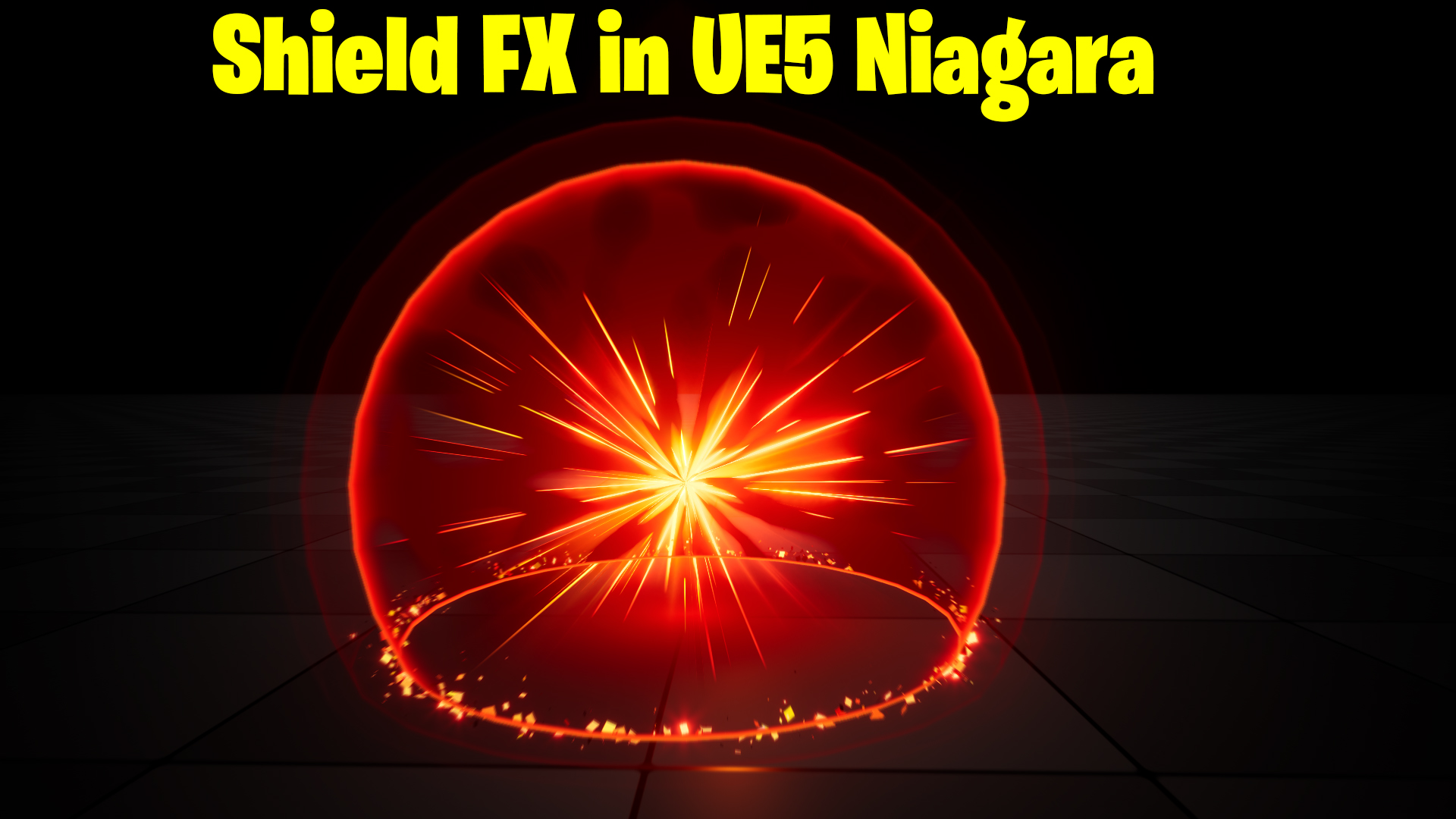
Shield FX in UE5 Niagara Tutorial | Download Files
#cghow #UE5 #UE4Niagara #gamefx #ue5niagara #ue4vfx #niagara #unrealengineniagara #realtimevfx
●Upload Your Tutorials/Work – https://cghow.com/
Purchase Effect Package From Unreal engine Marketplace –
Unreal Engine Niagara Effects in Marketplace – https://youtu.be/DF4Lb_btEus
Niagara Effects Pack in Marketplace – https://youtu.be/g6_k8T7FqHA
Unreal Engine Advanced Magical Effects in Marketplace – https://youtu.be/0Dn3GLIzhMo
Smoke in UE4 Niagara Pack01 in Unreal Engine Marketplace – https://youtu.be/38BPA_9yqJ8
UE4 Niagara Fire Pack 01 in Marketplace – https://youtu.be/PW5FL-zZoP4
UE4 Niagara Fire Pack 02 in Marketplace – https://youtu.be/fdLXPlUEzxM
UE4 Niagara Explosions Pack 02 in Marketplace – https://youtu.be/dj-XX9he4aE
Unreal Engine Niagara Effects Pack 03 in Marketplace – https://youtu.be/0kKon43I-Og
Slow Motion Explosion in UE4 Niagara Pack 04 in Marketplace – https://youtu.be/lUK1eW5zRP0
Unreal Engine Niagara Effects pack 04 in Marketplace – https://youtu.be/MihWYB31Gi4
Slow Motion Explosion in UE4 Niagara Pack 04 in Marketplace – https://youtu.be/lUK1eW5zRP0
UE4.25 Niagara Effects Pack 05 in Marketplace – https://youtu.be/sn1HIENVTDI
UE4.25 Niagara Effects Pack 06 in Marketplace – https://youtu.be/pvH_xGQ5jvs
Explosions Package in Unreal Engine Niagara Particle System – https://youtu.be/1mbqWscjUJ4
●Follow FB Page – https://www.facebook.com/cghow0/
●Join FB Group – https://www.facebook.com/groups/cghow/
●Android App – http://bit.ly/2XUnhoR
Playlists-
●Unreal Engine Niagara Tutorials – http://bit.ly/2SmPEuT
●Unreal engine VFX Tutorials -http://bit.ly/2JNXyJZ
●Unity VFX Tutorials – http://bit.ly/2XNGlKz
How to Create a Shield Effect in Unreal Engine 5 Niagara”
Description:
Learn how to create a mesmerizing shield effect in Unreal Engine 5 from scratch using Niagara. This tutorial will guide you step-by-step through the process, including material creation, sphere interaction, and particle effects, to achieve a dynamic and visually captivating shield effect. Perfect for VFX artists looking to enhance their Unreal Engine skills.
Key Points:
- Scene Setup:
- Create a level with a ground plane.
- Adjust lighting using
Ctrl + Lfor a low-light ambiance.
- Sphere Material Creation:
- Use Translucent and Unlit material settings.
- Implement depth fade for realistic edge interactions.
- Dynamic Texture:
- Use Texture Panning and screen space adjustments for a camera-facing texture.
- Adding Emissive and Edge Effects:
- Multiply dynamic parameters to boost edge brightness.
- Combine with particle color for opacity and emissive glow.
- Niagara Particle Setup:
- Spawn a mesh emitter with infinite particle life.
- Adjust size, material, and dynamic parameters for customization.
- Adding Streaks and Core Effects:
- Create triangular streaks using custom UV manipulations.
- Add layered effects for a vibrant center.
- Particle Ring and Ground Effects:
- Generate particles with velocity and curl noise for an interactive ground effect.
- Incorporate radial blur via a post-process material for a polished look.
- Facing and Rotation:
- Align mesh to camera-facing mode for consistency.
- Debugging Tips:
- Fix common issues like material node errors and rendering glitches.
Tags:
Unreal Engine 5, Niagara, Shield Effect, VFX Tutorial, Unreal Engine Materials, Game VFX, Particle Effects, Dynamic Textures, Post Process Effects
Additional Notes:
- Download the project file to access materials and settings used in this tutorial.
- Radial blur material not covered here will be shared in a separate tutorial.
Leave a Reply