

Download – Patrons – https://www.patreon.com/posts/58051431
👉👉 If you Liked it – http://bit.ly/2UZmiZ4
Channel Ashif – http://bit.ly/3aYaniw
Support me on – https://www.patreon.com/Ashif
Support me on – paypal.me/9953280644
Smoke Portal in UE4.27 Niagara | Download Patrons
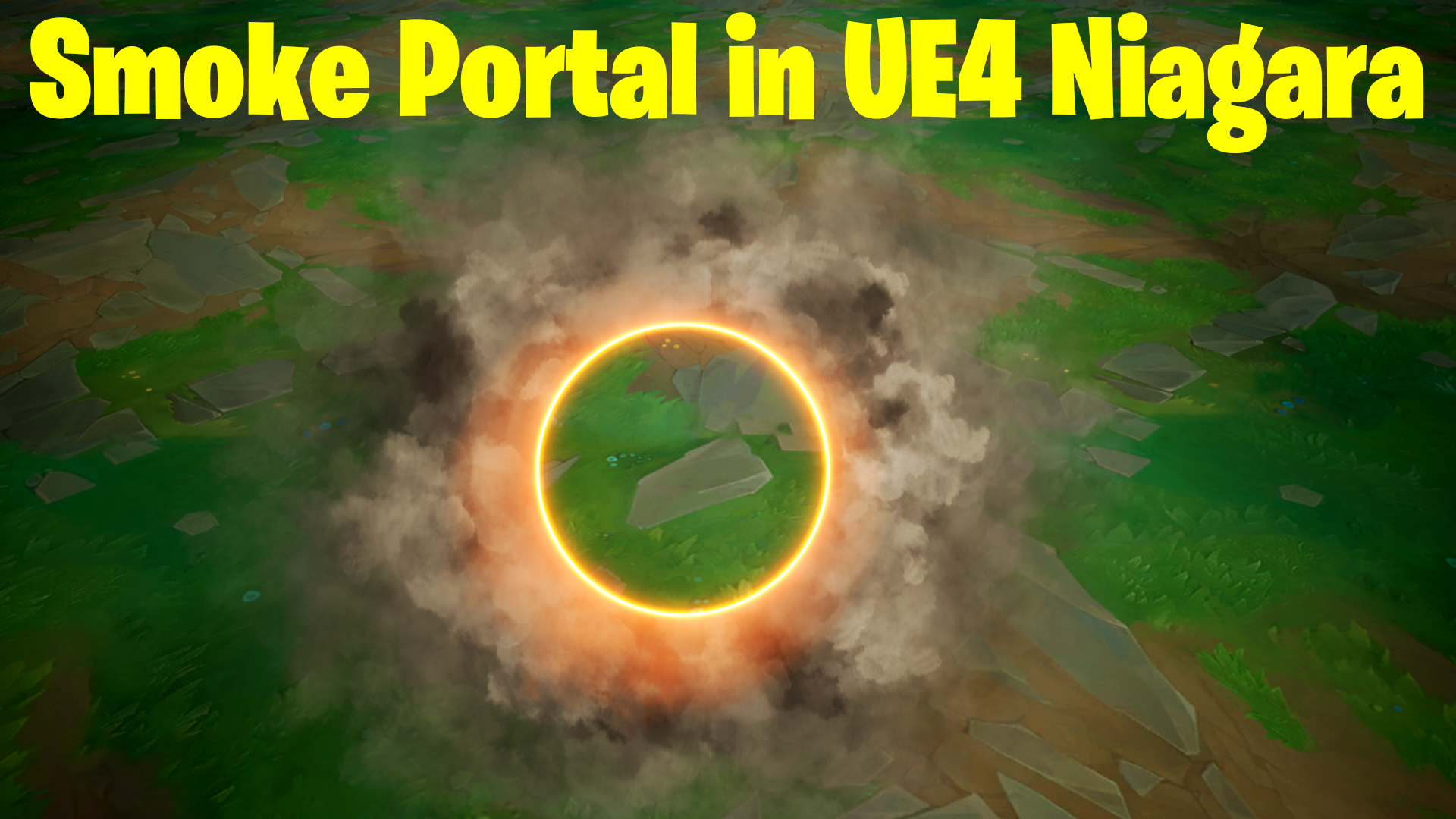
hi guys today I have created this simple smoke portal effect in ue4 Niagara using a simple trick with a sphere mask in the material.
#cghow #UE5 #UE4Niagara #gamefx #ue5niagara #ue4vfx #niagara #unrealengineniagara #realtimevfx
●Upload Your Tutorials/Work – https://cghow.com/
Purchase Effect Package From Unreal engine Marketplace –
Unreal Engine Niagara Effects in Marketplace – https://youtu.be/DF4Lb_btEus
Niagara Effects Pack in Marketplace – https://youtu.be/g6_k8T7FqHA
Unreal Engine Advanced Magical Effects in Marketplace – https://youtu.be/0Dn3GLIzhMo
Smoke in UE4 Niagara Pack01 in Unreal Engine Marketplace – https://youtu.be/38BPA_9yqJ8
UE4 Niagara Fire Pack 01 in Marketplace – https://youtu.be/PW5FL-zZoP4
UE4 Niagara Fire Pack 02 in Marketplace – https://youtu.be/fdLXPlUEzxM
UE4 Niagara Explosions Pack 02 in Marketplace – https://youtu.be/dj-XX9he4aE
Unreal Engine Niagara Effects Pack 03 in Marketplace – https://youtu.be/0kKon43I-Og
Slow Motion Explosion in UE4 Niagara Pack 04 in Marketplace – https://youtu.be/lUK1eW5zRP0
Unreal Engine Niagara Effects pack 04 in Marketplace – https://youtu.be/MihWYB31Gi4
Slow Motion Explosion in UE4 Niagara Pack 04 in Marketplace – https://youtu.be/lUK1eW5zRP0
UE4.25 Niagara Effects Pack 05 in Marketplace – https://youtu.be/sn1HIENVTDI
UE4.25 Niagara Effects Pack 06 in Marketplace – https://youtu.be/pvH_xGQ5jvs
Explosions Package in Unreal Engine Niagara Particle System – https://youtu.be/1mbqWscjUJ4
●Follow FB Page – https://www.facebook.com/cghow0/
●Join FB Group – https://www.facebook.com/groups/cghow/
●Android App – http://bit.ly/2XUnhoR
Playlists-
●Unreal Engine Niagara Tutorials – http://bit.ly/2SmPEuT
●Unreal engine VFX Tutorials -http://bit.ly/2JNXyJZ
●Unity VFX Tutorials – http://bit.ly/2XNGlKz
Hi guys, I’m Asif Ali, and you’re watching CGHOW. In today’s video, I’ve created a simple but cool rotating smoke effect with a portal-like hole inside. The smoke can move freely, and the hole remains centered when you move the smoke. It’s a straightforward effect that can be used in various situations, so let’s dive into the tutorial! [Music]
Before we start, don’t forget to subscribe to my channel and click the bell icon to receive notifications whenever I post new tutorials.
Step 1: Set up the Effect
- I’m going to create a folder called Test and begin building the effect.
- First, delete any default particles and rename the system to Test.
- Use a Sub UV from the Starter Content (specifically, a smoke texture) and duplicate it to create a new material.
Step 2: Modify the Material
- Duplicate the original Sub UV material and set it to 8×8 grid, with an animation of 63 frames.
- Remove unnecessary modules from the Niagara system and adjust particle size and sphere size to create a round shape for the particles.
- Apply a vortex velocity and rotate it along the X-axis to give the particles a rotating effect.
Step 3: Creating the Portal Hole
- To create a hole in the smoke, I use a Sphere Mask in the material.
- The mask is created using the World Position in A, and B is set to zero.
- Add a dynamic parameter to control the radius of the hole. By adjusting the radius and inverting the mask, you get a hole that’s visible inside the smoke.
Step 4: Adjusting the Edge and Glow Effect
- For the edge of the hole, duplicate the Sphere Mask and modify the radius to create a softer glow effect. Use a subtle color for the glow and connect it to the emissive channel.
- This gives the appearance of a hard edge with a glowing outer rim.
Step 5: Adjusting Particle Alignment
- To prevent the hole from looking too flat from certain angles, set the particles to align with a mesh using Custom Alignment. This will keep the particles facing the camera, ensuring the hole remains circular regardless of the angle.
- Ensure the material is set to two-sided to allow viewing from both sides.
Step 6: Moving the Smoke with the Hole
- To make the smoke and hole move together, you can link the hole’s position to the particle system’s location using a dynamic parameter for X, Y, and Z coordinates.
Conclusion: That’s it! A simple rotating smoke effect with a portal hole. This effect can be used in many different scenarios, and I hope it was helpful. I’ll upload this file to my Patreon so you can download it and modify it as needed.
Here’s the original version of the effect, which is essentially the same as what we’ve built today, but with a few tweaks for added realism.
Thanks for watching, keep learning, and I’ll see you in the next tutorial!
Leave a Reply