

Support me on – https://www.patreon.com/Ashif
Support me on – paypal.me/9953280644
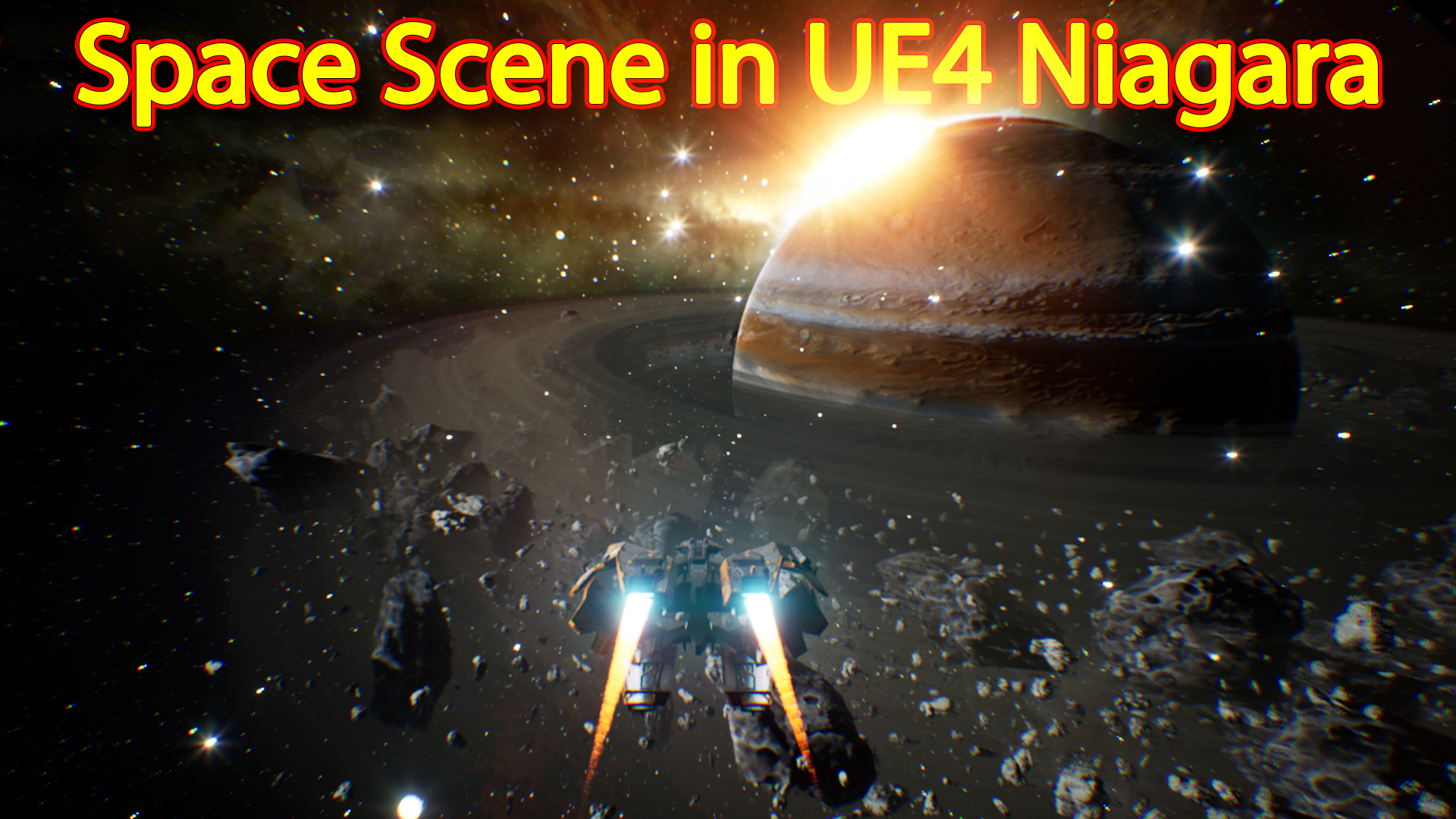
hi guys in this video you will learn how to make space scene specially Saturn planet scene in unreal engine Niagara.
#cghow #unrealengine #gamevfx #gamefx #ue4vfx #ue4fx #niagara #unrealengineniagara #unrealenginevfxtutorials
●Upload Your Tutorials/Work – https://cghow.com/
…………………………………………………………………………………………………………
Purchase Effect Package From Unreal engine Marketplace –
●Niagara Effects Pack – http://bit.ly/2LWgZTx
●Advanced Magical FX – http://bit.ly/2XQYyXL
……………………………………………………………………………………………………………………………………
●Patreon – https://www.patreon.com/Ashif
……………………………………………………………………………………………………………………………………
●Follow FB Page – https://www.facebook.com/cghow0/
●Join FB Group – https://www.facebook.com/groups/cghow/
……………………………………………………………………………………………………………………………………
●Android App – http://bit.ly/2XUnhoR
……………………………………………………………………………………………………………………………………
Playlists-
●Unreal Engine Niagara Tutorials – http://bit.ly/2SmPEuT
●Unreal engine VFX Tutorials -http://bit.ly/2JNXyJZ
●Unity VFX Tutorials – http://bit.ly/2XNGlKz
……………………………………………………………………………………………………………………………………
●Discussion & Help Forum – http://bit.ly/2Lo0Er7
……………………………………………………………………………………………………………………………………


Title: Creating a Saturn Planet with Spacecraft in Unreal Engine | VFX Tutorial
Introduction:
- Host: “Hello everyone, I’m Asif Ali, and you’re watching another video on CGHOW. Today, I’ll show you how I created this Saturn planet scene in space, complete with a spacecraft. Let’s dive into the details of how I made this effect in Unreal Engine!”
Step-by-Step Tutorial:
- Scene Setup:
- The first element in the scene is a Skybox, which creates the backdrop for the space environment. It uses reflection vectors connected to the material to achieve realistic space visuals.
- The Saturn planet is made using a sphere mesh with a custom texture material. Textures for the planet were sourced online, not created by me. It includes normal maps and shaders to create the planet’s surface detail.
- Particle system: A rotating particle emitter is used for the ring around Saturn, with a burst spawn effect and a lifetime of 20 seconds. The particles loop to create a continuous effect.
- Saturn’s Rings:
- For the Saturn ring effect, I used a large ring mesh that interacts with the camera’s distance via a Pixel Depth Fade material. The ring gradually fades when the camera gets closer to simulate atmospheric effects.
- Emitter settings: Two particles spawn per second, rotating in random directions around the Z-axis to give the illusion of dynamic movement.
- Rocks:
- Multiple emitters are used for the rock debris floating around Saturn. These are randomized in size and initial rotation.
- The large rocks are spawned in a cylindrical shape, with a radius of 10,000 units, rotating around the planet using a vortex velocity.
- The rocks’ scaling over life is added to simulate an organic rotation, with a slight adjustment to the life expectancy to ensure smooth transitions.
- GPU Particles:
- For the small rocks, I used GPU particles to handle the sheer number of objects. This allowed for up to 10,000 particles to fill in the space around Saturn.
- These particles are texture-based, using sub UV mapping to display rock textures across multiple frames.
- Nebula Effect:
- A nebula effect is created with randomized planes and a nebula texture sourced from the internet. The particles are spread across a vast area with an opacity control for subtle visibility.
- The nebula is set to a low opacity, so it appears as a light fog surrounding the scene, not overpowering the planet.
- Stars and Trails:
- For stars, a GPU particle system is used to spawn 20,000 particles, placed on a sphere with a 50,000-unit radius. These stars are animated to scale up and down using a sine wave to simulate the twinkling effect.
- Trail particles are used for the spacecraft to leave a trail behind. The particles are based on a rectangle-shaped texture and scale down over time, with a color change from blue to orange.
- Spaceship Movement:
- The spaceship’s movement is controlled through a blueprint where I added a time dilation effect.
- By pressing the left mouse button, the spaceship speed increases by 5000 times, and releasing it returns the speed to normal. This effect is tied to the forward speed of the spaceship and is set using a timeline function in the blueprint.
Conclusion:
- “And that’s how I created this Saturn scene with spacecraft in Unreal Engine! I hope this tutorial gave you a good understanding of how to create space environments with dynamic elements like planets, rings, and stars. If you have any questions, drop them in the comments below. Don’t forget to subscribe for more tutorials on Unreal Engine VFX. Thanks for watching, and keep learning!”
Notes:
- Tags: Unreal Engine, VFX, Saturn Planet, Spacecraft, Particle Systems, GPU Particles, Blueprint, Time Dilation, Nebula, Space FX
- Additional Tips:
- Experiment with different textures and meshes for unique visual results.
- Use GPU particles for handling large numbers of particles in a scene with minimal performance impact.
- Fine-tuning particle systems like velocity, rotation, and lifespan can add realism to the scene.
Leave a Reply