


Download – https://cghow.gumroad.com/l/WYPHM
Download – https://www.artstation.com/a/10326387
👉👉 If you Liked it – http://bit.ly/2UZmiZ4
Channel Ashif – http://bit.ly/3aYaniw
Support me on – https://www.patreon.com/Ashif
Support me on – paypal.me/9953280644
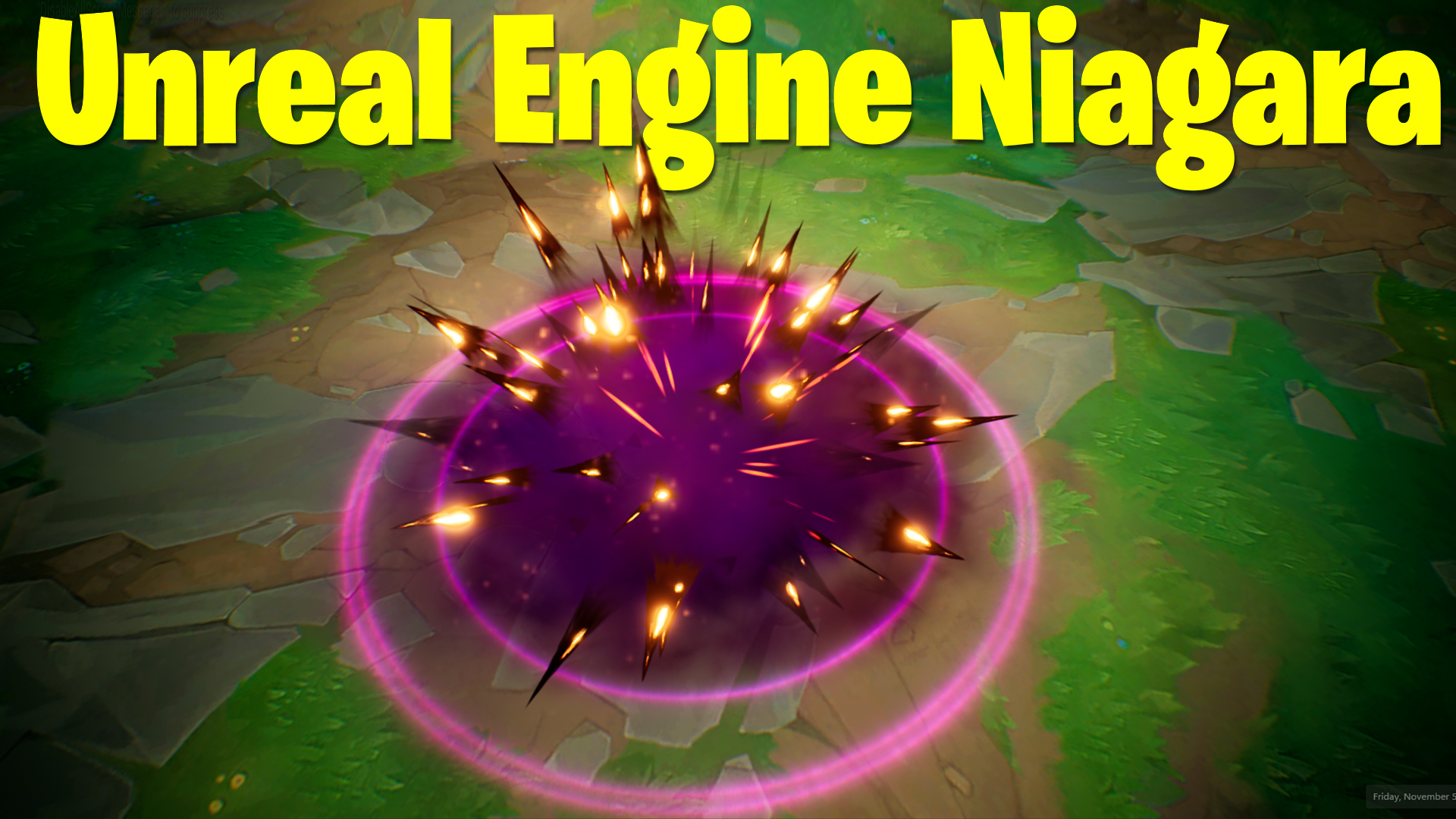
Spikes Impact FX in UE4.27 Niagara Tutorial | Download Files
hi, guys today I have created this spikes fx in ue4 Niagara. its look good effect but it is very easy to create. I will show you all my settings and values changed for this effect.
#cghow #UE5 #UE4Niagara #gamefx #ue5niagara #ue4vfx #niagara #unrealengineniagara #realtimevfx
●Upload Your Tutorials/Work – https://cghow.com/
Purchase Effect Package From Unreal engine Marketplace –
Unreal Engine Niagara Effects in Marketplace – https://youtu.be/DF4Lb_btEus
Niagara Effects Pack in Marketplace – https://youtu.be/g6_k8T7FqHA
Unreal Engine Advanced Magical Effects in Marketplace – https://youtu.be/0Dn3GLIzhMo
Smoke in UE4 Niagara Pack01 in Unreal Engine Marketplace – https://youtu.be/38BPA_9yqJ8
UE4 Niagara Fire Pack 01 in Marketplace – https://youtu.be/PW5FL-zZoP4
UE4 Niagara Fire Pack 02 in Marketplace – https://youtu.be/fdLXPlUEzxM
UE4 Niagara Explosions Pack 02 in Marketplace – https://youtu.be/dj-XX9he4aE
Unreal Engine Niagara Effects Pack 03 in Marketplace – https://youtu.be/0kKon43I-Og
Slow Motion Explosion in UE4 Niagara Pack 04 in Marketplace – https://youtu.be/lUK1eW5zRP0
Unreal Engine Niagara Effects pack 04 in Marketplace – https://youtu.be/MihWYB31Gi4
Slow Motion Explosion in UE4 Niagara Pack 04 in Marketplace – https://youtu.be/lUK1eW5zRP0
UE4.25 Niagara Effects Pack 05 in Marketplace – https://youtu.be/sn1HIENVTDI
UE4.25 Niagara Effects Pack 06 in Marketplace – https://youtu.be/pvH_xGQ5jvs
Explosions Package in Unreal Engine Niagara Particle System – https://youtu.be/1mbqWscjUJ4
●Follow FB Page – https://www.facebook.com/cghow0/
●Join FB Group – https://www.facebook.com/groups/cghow/
●Android App – http://bit.ly/2XUnhoR
Playlists-
●Unreal Engine Niagara Tutorials – http://bit.ly/2SmPEuT
●Unreal engine VFX Tutorials -http://bit.ly/2JNXyJZ
●Unity VFX Tutorials – http://bit.ly/2XNGlKz
Title: Creating a Dynamic Camera Shake and Impact Effect in Unreal Engine 4.27 Niagara – Full Breakdown
Description:
Hi guys, I’m Asif Ali, and you’re watching CGHOW. In today’s tutorial, I’ll show you how to create a dynamic impact effect with a camera shake and other effects in Unreal Engine 4.27 using Niagara. The goal is to create a ring effect that scales up, creates an impact point, and includes a camera shake with a delay. Additionally, we’ll use exposure adjustments for a dramatic effect and multiple emitters like rings, spikes, smoke, and glow for a detailed look.
Key Points:
- Camera Shake with Delay: A camera shake is triggered after a 1-second delay and loops every 3 seconds.
- Custom Alignment & Facing: The particles are aligned and faced using custom settings in Niagara to achieve the desired look.
- Material Creation: Learn how to use black and white textures to create glowing effects with a bright center and faded edges.
- Emitter Setup: Creating multiple emitters like rings, spikes, and smoke with random sizes, color transitions, and dynamic parameters.
- Using Sequencer: Learn how to use the sequencer to adjust exposure and brighten the scene during impacts.
- Boost & Dissolve: Using boost dissolve parameters to control particle opacity over time.
- Smoke & Glow Effects: Adding smoke with random colors and glow effects using custom alignment and materials.
Trendy Tags:
#UnrealEngine #NiagaraVFX #CameraShake #VFXTutorial #UE4 #Niagara #ParticleEffects #VFXArtists #GameDev
Additional Notes:
- This effect uses simple textures and advanced parameters like dynamic color boosting and opacity controls.
- The material setup includes powering channels to create the glowing core and fading edges for a more realistic impact.
- You can tweak the ring effects, smoke, and spikes to suit your game’s style.
If you want to use this effect in your project, I’ll be providing the project file for download, so stay tuned for that.
Thanks for watching, keep learning, and see you next time!
Leave a Reply