

Download – https://www.patreon.com/posts/62803082
NFT – https://opensea.io/CGHOW
👉👉 If you Liked it – http://bit.ly/2UZmiZ4
Channel Ashif – http://bit.ly/3aYaniw
Support me on – https://www.patreon.com/Ashif
Support me on – paypal.me/9953280644
Spiral FX in UE4 Niagara Tutorial | Download Files
#cghow #UE5 #UE4Niagara #gamefx #ue5niagara #ue4vfx #niagara #unrealengineniagara #realtimevfx
●Upload Your Tutorials/Work – https://cghow.com/
Purchase Effect Package From Unreal engine Marketplace –
Unreal Engine Niagara Effects in Marketplace – https://youtu.be/DF4Lb_btEus
Niagara Effects Pack in Marketplace – https://youtu.be/g6_k8T7FqHA
Unreal Engine Advanced Magical Effects in Marketplace – https://youtu.be/0Dn3GLIzhMo
Smoke in UE4 Niagara Pack01 in Unreal Engine Marketplace – https://youtu.be/38BPA_9yqJ8
UE4 Niagara Fire Pack 01 in Marketplace – https://youtu.be/PW5FL-zZoP4
UE4 Niagara Fire Pack 02 in Marketplace – https://youtu.be/fdLXPlUEzxM
UE4 Niagara Explosions Pack 02 in Marketplace – https://youtu.be/dj-XX9he4aE
Unreal Engine Niagara Effects Pack 03 in Marketplace – https://youtu.be/0kKon43I-Og
Slow Motion Explosion in UE4 Niagara Pack 04 in Marketplace – https://youtu.be/lUK1eW5zRP0
Unreal Engine Niagara Effects pack 04 in Marketplace – https://youtu.be/MihWYB31Gi4
Slow Motion Explosion in UE4 Niagara Pack 04 in Marketplace – https://youtu.be/lUK1eW5zRP0
UE4.25 Niagara Effects Pack 05 in Marketplace – https://youtu.be/sn1HIENVTDI
UE4.25 Niagara Effects Pack 06 in Marketplace – https://youtu.be/pvH_xGQ5jvs
Explosions Package in Unreal Engine Niagara Particle System – https://youtu.be/1mbqWscjUJ4
●Follow FB Page – https://www.facebook.com/cghow0/
●Join FB Group – https://www.facebook.com/groups/cghow/
●Android App – http://bit.ly/2XUnhoR
Playlists-
●Unreal Engine Niagara Tutorials – http://bit.ly/2SmPEuT
●Unreal engine VFX Tutorials -http://bit.ly/2JNXyJZ
●Unity VFX Tutorials – http://bit.ly/2XNGlKz
Creating Spiral Effects and UFO Night Vibes with Unreal Engine 5 Niagara
Description:
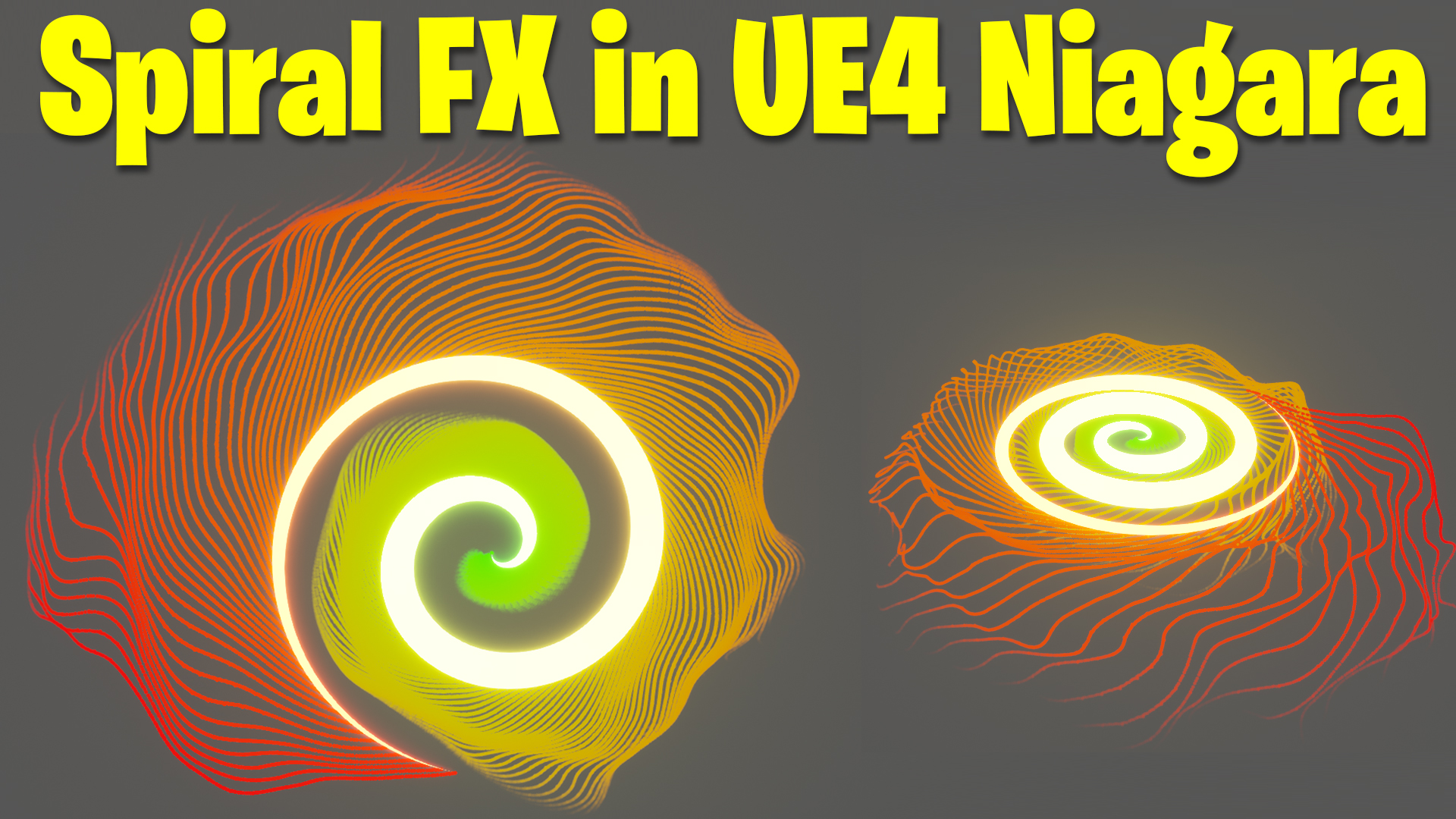
In this tutorial, Ashif Ali demonstrates how to create mesmerizing spiral effects combined with UFO night visuals using Unreal Engine’s Niagara system. By integrating ribbon emitters and spawning particles from them, you’ll explore techniques to craft dynamic and visually stunning effects while learning about scaling, curve manipulation, and advanced particle behavior adjustments.
Key Points Covered in This Tutorial:
- Spiral Ribbon Creation:
- Adding a ribbon emitter and setting a basic flat color.
- Using execution indices to manipulate ribbon shapes along the X, Y, and Z axes.
- Adjusting scale with sine and cosine functions to achieve circular and spiral effects.
- Creating Custom Curves:
- Designing a custom scale curve to control the spiral height and periodicity.
- Instancing curves for consistent adjustments across multiple parameters.
- Particle Emission from Ribbons:
- Spawning particles from the spiral ribbon emitter.
- Customizing particle size, velocity, and color attributes.
- Dynamic Effects Using Modules:
- Adding noise and vortex velocity for particle motion.
- Using linear force to achieve up-and-down motion, enhancing the visual appeal.
- Color and Life Adjustments:
- Applying gradient colors across the ribbon and particles.
- Adjusting particle life based on spiral dimensions for a synchronized look.
- Final Adjustments and Customizations:
- Fine-tuning the spiral’s scale, number of rings, and spawn rate.
- Experimenting with advanced effects like animated noise and force fields for added depth.
Tutorial Workflow:
- Starting with the Ribbon:
- Add a fountain emitter and replace its settings with a ribbon emitter.
- Use the “Initialize Ribbon” module and modify life, position, and scale to create a basic spiral.
- Building the Spiral:
- Manipulate the Z-axis using execution indices and multiply values to adjust height.
- Combine sine and cosine functions for X and Y manipulation, ensuring smooth circular patterns.
- Enhancing the Spiral with Curves:
- Create a float curve in the spawn module and link it to the spiral’s scale.
- Control periodicity using a customizable parameter, allowing for precise spiral ring adjustments.
- Adding Particles:
- Duplicate the ribbon emitter and replace it with a sprite-based emitter.
- Emit particles from the ribbon using the “Spawn from Other Emitter” module.
- Refining Particle Behavior:
- Add velocity and noise to simulate dynamic motion.
- Apply color gradients and fade effects using curves.
- Final Touches:
- Introduce linear forces to create oscillating particle motion.
- Experiment with vortex velocity and curl noise for advanced patterns.
Tags:
- #UnrealEngine5
- #NiagaraEffects
- #SpiralEffects
- #RibbonEmitter
- #UE5Tutorial
- #GameVFX
- #ParticleSystem
Additional Notes:
- The project file will be available on Patreon for download.
- Experiment with different materials and emitter settings to create unique variations of the spiral effect.
- Combine this technique with lighting and environment settings to achieve a UFO-inspired night look.
Leave a Reply