


Download – https://www.patreon.com/posts/58527914
👉👉 If you Liked it – http://bit.ly/2UZmiZ4
Channel Ashif – http://bit.ly/3aYaniw
Support me on – https://www.patreon.com/Ashif
Support me on – paypal.me/9953280644
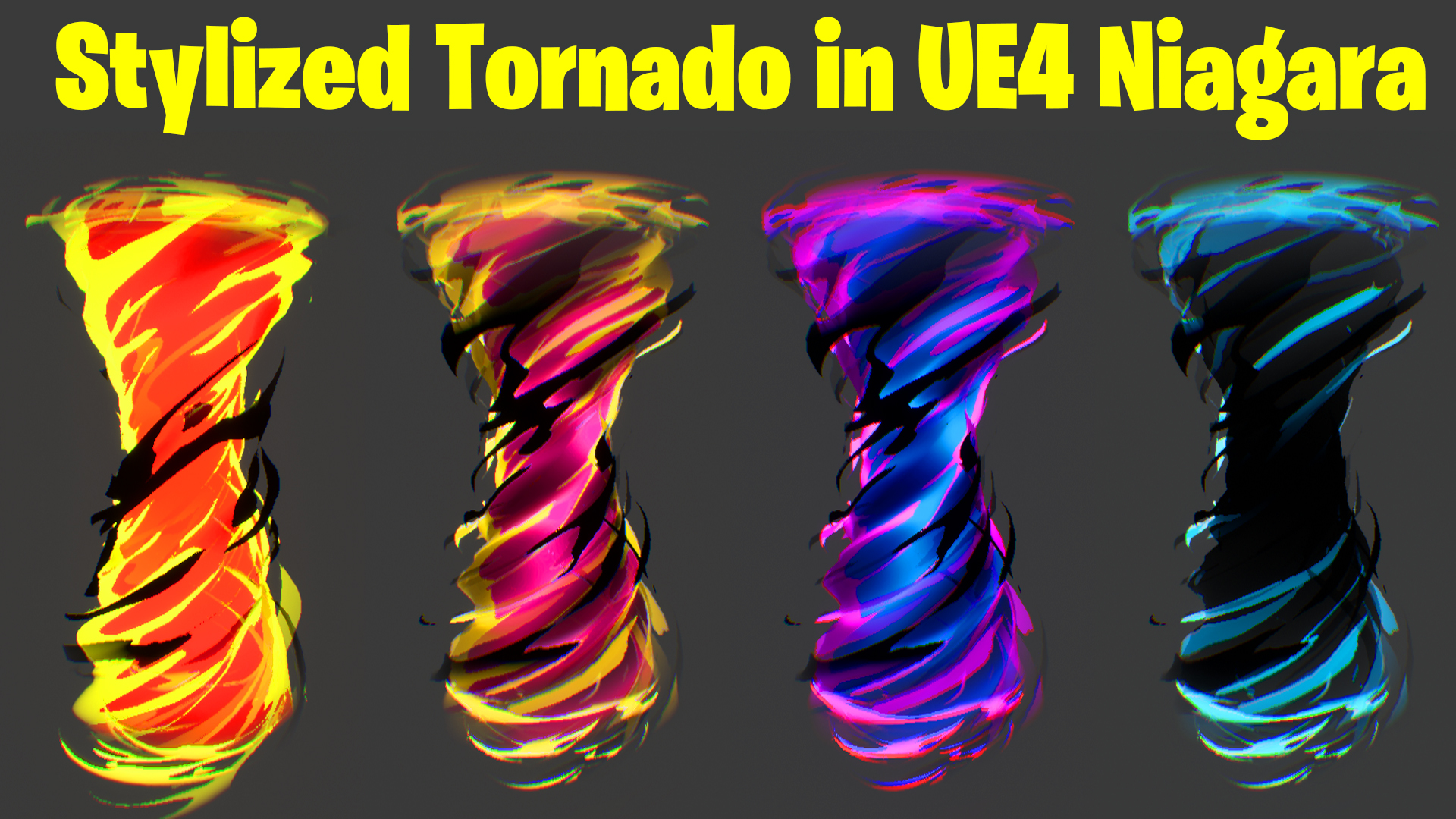
Stylized Tornado in UE4 Niagara Tutorial | Download Files
hi guys today I have created a simple stylized tornado effect in ue4 Niagara. this tutorial is from scratch so you will learn everything about how to create a mesh in Maya or texture material in u4 then Niagara setup.
#cghow #UE5 #UE4Niagara #gamefx #ue5niagara #ue4vfx #niagara #unrealengineniagara #realtimevfx
●Upload Your Tutorials/Work – https://cghow.com/
Purchase Effect Package From Unreal engine Marketplace –
Unreal Engine Niagara Effects in Marketplace – https://youtu.be/DF4Lb_btEus
Niagara Effects Pack in Marketplace – https://youtu.be/g6_k8T7FqHA
Unreal Engine Advanced Magical Effects in Marketplace – https://youtu.be/0Dn3GLIzhMo
Smoke in UE4 Niagara Pack01 in Unreal Engine Marketplace – https://youtu.be/38BPA_9yqJ8
UE4 Niagara Fire Pack 01 in Marketplace – https://youtu.be/PW5FL-zZoP4
UE4 Niagara Fire Pack 02 in Marketplace – https://youtu.be/fdLXPlUEzxM
UE4 Niagara Explosions Pack 02 in Marketplace – https://youtu.be/dj-XX9he4aE
Unreal Engine Niagara Effects Pack 03 in Marketplace – https://youtu.be/0kKon43I-Og
Slow Motion Explosion in UE4 Niagara Pack 04 in Marketplace – https://youtu.be/lUK1eW5zRP0
Unreal Engine Niagara Effects pack 04 in Marketplace – https://youtu.be/MihWYB31Gi4
Slow Motion Explosion in UE4 Niagara Pack 04 in Marketplace – https://youtu.be/lUK1eW5zRP0
UE4.25 Niagara Effects Pack 05 in Marketplace – https://youtu.be/sn1HIENVTDI
UE4.25 Niagara Effects Pack 06 in Marketplace – https://youtu.be/pvH_xGQ5jvs
Explosions Package in Unreal Engine Niagara Particle System – https://youtu.be/1mbqWscjUJ4
●Follow FB Page – https://www.facebook.com/cghow0/
●Join FB Group – https://www.facebook.com/groups/cghow/
●Android App – http://bit.ly/2XUnhoR
Playlists-
●Unreal Engine Niagara Tutorials – http://bit.ly/2SmPEuT
●Unreal engine VFX Tutorials -http://bit.ly/2JNXyJZ
●Unity VFX Tutorials – http://bit.ly/2XNGlKz
How to Create a Stylized Tornado Effect in Unreal Engine 4.27 Using Niagara | Tutorial
Hi guys, I’m Asif Ali, and you’re watching CGHOW! In this video, I show you how to create a stylized tornado effect in Unreal Engine 4.27 using Niagara. This effect is simple to create, and I’ll walk you through each step to create the tornado mesh, apply materials, and use Niagara to achieve the swirling effect. Let’s get started!
[Music Playing]
Don’t forget to subscribe to my YouTube channel and hit the bell icon to get notified whenever I release new tutorials!
What You’ll Learn in This Tutorial:
- Creating the Tornado Mesh in Maya:
- Start by creating a low-poly tornado mesh in Maya.
- Use basic modeling techniques like deleting the caps, adjusting the shape, and using noise and twist deformers.
- Apply smooth selection to refine the mesh for better results.
- Material Creation for the Tornado:
- How to use the
Aura Blurtexture and create a material with a noise texture to generate swirling effects. - Using
MultiplyandFloorfunctions to enhance contrast in the material. - Applying a yellow and orange color gradient to match the tornado’s look.
- How to use the
- Building the Tornado Effect in Niagara:
- Creating multiple particle layers with different sizes, colors, and behaviors to achieve the swirling tornado look.
- Applying opacity controls to fade particles in and out.
- Using a
Mesh Rendererand tweaking parameters like spawn rate, size, and life duration to get the tornado effect to appear dynamic and realistic.
- Advanced Techniques in the Material:
- Adjusting the noise overlap to control the visual depth and detail of the tornado.
- Implementing parameters for controlling hue, saturation, and opacity for flexibility in material adjustments.
Key Steps to Follow:
- Tornado Mesh Creation in Maya: Create a basic low-poly mesh and apply smooth selection techniques for refinement.
- Material Setup: Use
Aura Blurtexture, adjust power and color settings to achieve the stylized effect. - Niagara Setup: Use multiple particle layers with adjusted size, opacity, and velocity to create the tornado effect’s motion.
Trendy Tags:
#UnrealEngine #NiagaraVFX #TornadoEffect #CGHOW #UE4Tutorial #VFX #GameDev #CGI #Maya #ParticleSystems #VisualEffects #NiagaraTutorial #VFXArt
Thanks for watching! Keep learning and stay tuned for more tutorials. Bye-bye, and take care!
Leave a Reply