

Download – https://www.patreon.com/posts/61448725
Ref – https://bit.ly/32iMLEO
👉👉 If you Liked it – http://bit.ly/2UZmiZ4
Channel Ashif – http://bit.ly/3aYaniw
Support me on – https://www.patreon.com/Ashif
Support me on – paypal.me/9953280644
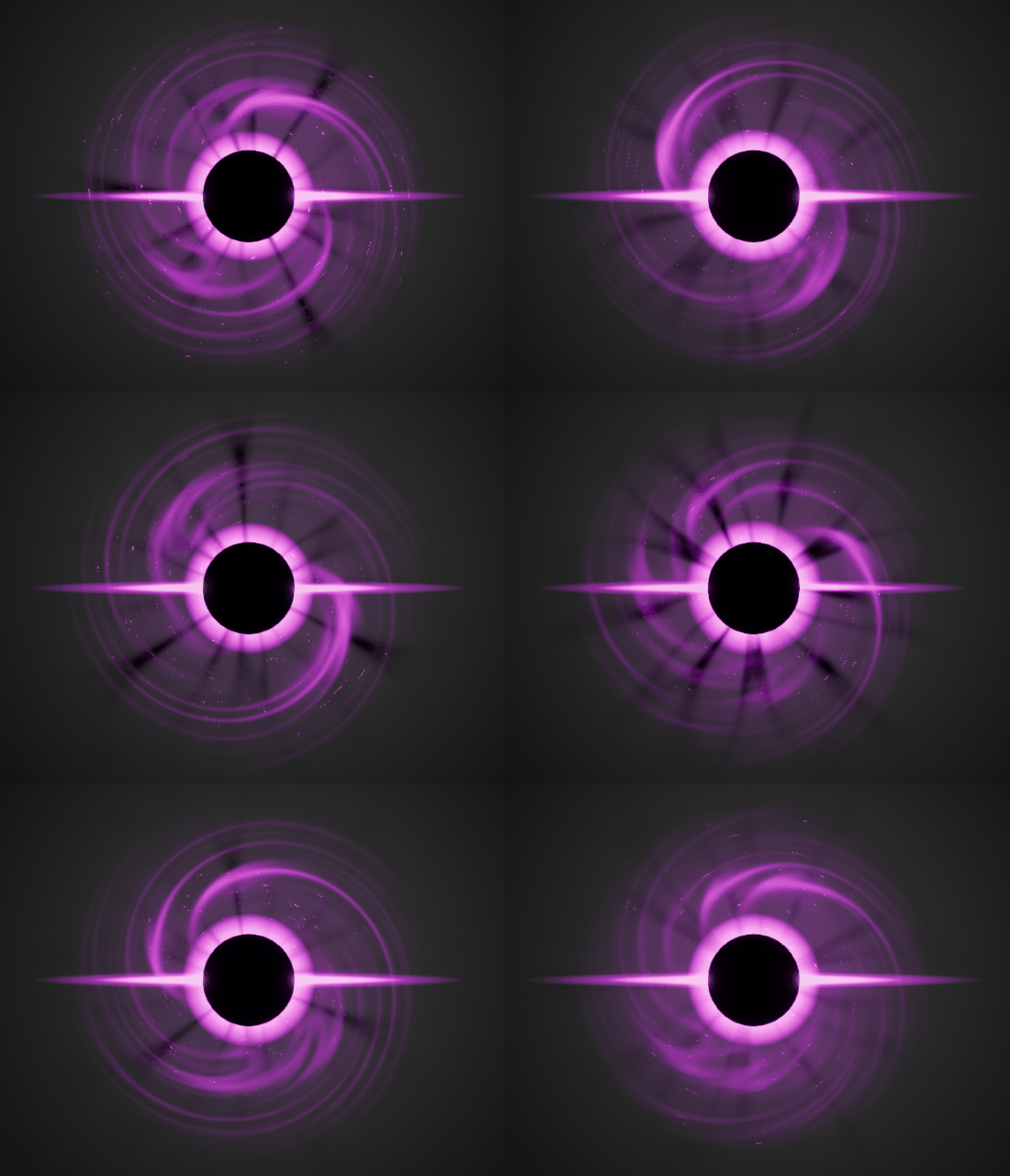
Swirl FX in UE4 Niagara Tutorial | Download Files
#cghow #UE5 #UE4Niagara #gamefx #ue5niagara #ue4vfx #niagara #unrealengineniagara #realtimevfx
●Upload Your Tutorials/Work – https://cghow.com/
Purchase Effect Package From Unreal engine Marketplace –
Unreal Engine Niagara Effects in Marketplace – https://youtu.be/DF4Lb_btEus
Niagara Effects Pack in Marketplace – https://youtu.be/g6_k8T7FqHA
Unreal Engine Advanced Magical Effects in Marketplace – https://youtu.be/0Dn3GLIzhMo
Smoke in UE4 Niagara Pack01 in Unreal Engine Marketplace – https://youtu.be/38BPA_9yqJ8
UE4 Niagara Fire Pack 01 in Marketplace – https://youtu.be/PW5FL-zZoP4
UE4 Niagara Fire Pack 02 in Marketplace – https://youtu.be/fdLXPlUEzxM
UE4 Niagara Explosions Pack 02 in Marketplace – https://youtu.be/dj-XX9he4aE
Unreal Engine Niagara Effects Pack 03 in Marketplace – https://youtu.be/0kKon43I-Og
Slow Motion Explosion in UE4 Niagara Pack 04 in Marketplace – https://youtu.be/lUK1eW5zRP0
Unreal Engine Niagara Effects pack 04 in Marketplace – https://youtu.be/MihWYB31Gi4
Slow Motion Explosion in UE4 Niagara Pack 04 in Marketplace – https://youtu.be/lUK1eW5zRP0
UE4.25 Niagara Effects Pack 05 in Marketplace – https://youtu.be/sn1HIENVTDI
UE4.25 Niagara Effects Pack 06 in Marketplace – https://youtu.be/pvH_xGQ5jvs
Explosions Package in Unreal Engine Niagara Particle System – https://youtu.be/1mbqWscjUJ4
●Follow FB Page – https://www.facebook.com/cghow0/
●Join FB Group – https://www.facebook.com/groups/cghow/
●Android App – http://bit.ly/2XUnhoR
Playlists-
●Unreal Engine Niagara Tutorials – http://bit.ly/2SmPEuT
●Unreal engine VFX Tutorials -http://bit.ly/2JNXyJZ
●Unity VFX Tutorials – http://bit.ly/2XNGlKz
Video Introduction:
“Hi guys, I’m Asif Ali and you’re watching CGHOW. In today’s tutorial, I’m going to create this swirling effect from scratch. If you haven’t subscribed to my channel yet, please do so, and don’t forget to like, share, and comment if you enjoy this video. Thanks for watching, let’s get started!”
Tutorial Breakdown:
- Setting Up the Folder & Reference:
- You start by showing the reference image and mentioning CGHOW’s website for more effects and references.
- You use a Chrome add-on (GIF Scrubber) to check the GIF frame by frame for better reference.
- Main Effect Creation:
- You explain how to start with a black core and create the glow around it.
- You discuss how to use radial exponent and opacity to achieve the black center and outer glow effect.
- Creating the Flare Effect:
- You duplicate the glow effect to create the flare and adjust size and randomization to get the right visual.
- Glow & Distortion:
- You refine the glow by adjusting the opacity and size.
- You use materials and dynamic parameters to control the flow of the swirl, ensuring it animates properly.
- Swirl Effect with Texture & Rotation:
- The tutorial explains how to use textures like the “Aura Blur” for the swirling effect.
- You utilize custom rotators and dynamic parameters to control the distortion and rotation speed.
- Adjusting Materials for Final Look:
- You apply changes to the textures and adjust power values for a more intense swirl.
- Tiling and pan values are fine-tuned to get the desired effect.
- Final Adjustments:
- Additional tweaks like increasing the size, adjusting the alpha, and randomizing the speed and direction to give the effect a more dynamic feel.
- Conclusion:
- You wrap up by mentioning the final effect and providing a download link for the project on your Patreon, thanking your supporters.
Leave a Reply