

Download – https://www.patreon.com/posts/60174381
👉👉 If you Liked it – http://bit.ly/2UZmiZ4
Channel Ashif – http://bit.ly/3aYaniw
Support me on – https://www.patreon.com/Ashif
Support me on – paypal.me/9953280644
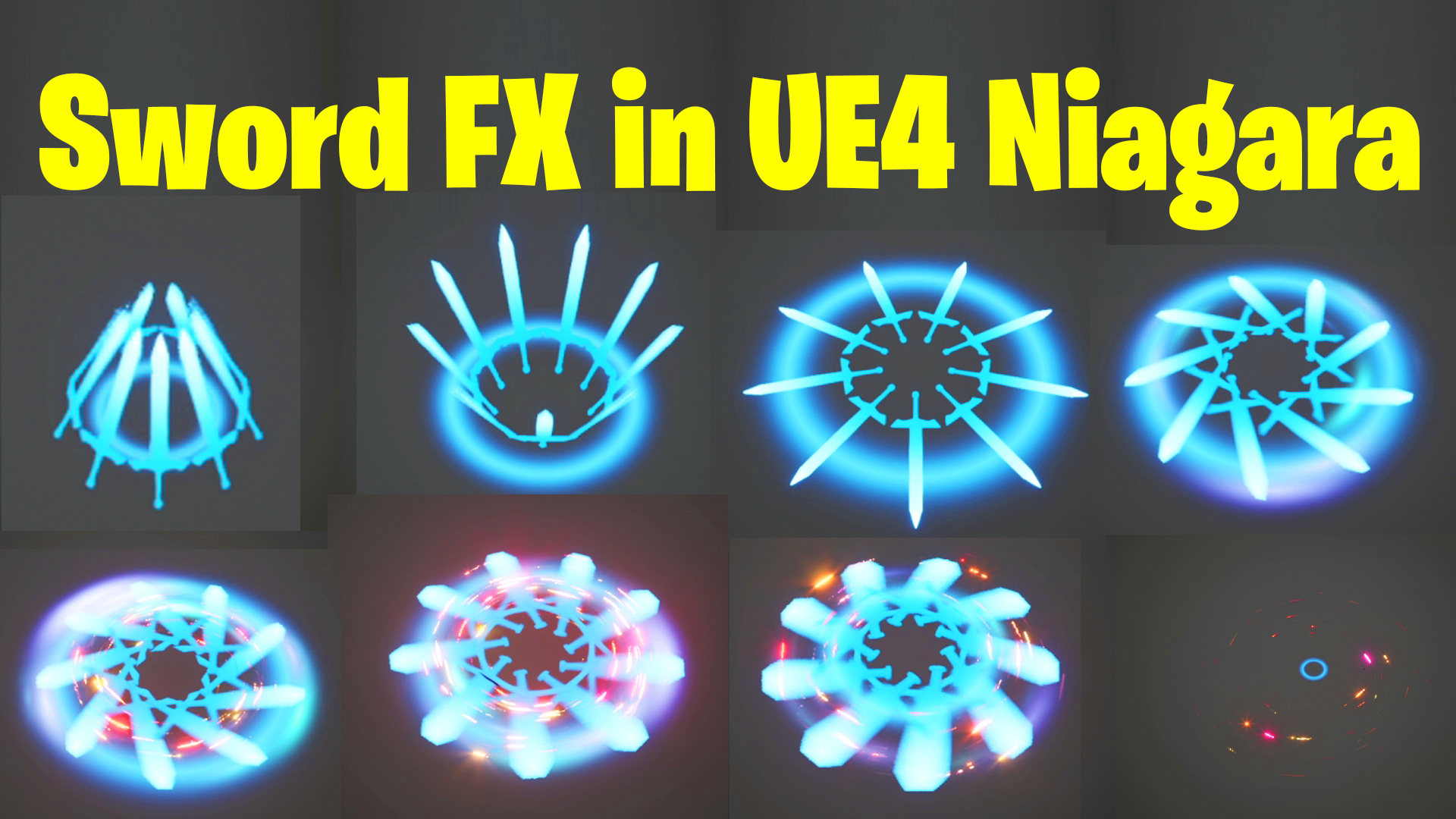
Swords FX in UE4 Niagara Tutorial | Download Project Files
#cghow #UE5 #UE4Niagara #gamefx #ue5niagara #ue4vfx #niagara #unrealengineniagara #realtimevfx
●Upload Your Tutorials/Work – https://cghow.com/
Purchase Effect Package From Unreal engine Marketplace –
Unreal Engine Niagara Effects in Marketplace – https://youtu.be/DF4Lb_btEus
Niagara Effects Pack in Marketplace – https://youtu.be/g6_k8T7FqHA
Unreal Engine Advanced Magical Effects in Marketplace – https://youtu.be/0Dn3GLIzhMo
Smoke in UE4 Niagara Pack01 in Unreal Engine Marketplace – https://youtu.be/38BPA_9yqJ8
UE4 Niagara Fire Pack 01 in Marketplace – https://youtu.be/PW5FL-zZoP4
UE4 Niagara Fire Pack 02 in Marketplace – https://youtu.be/fdLXPlUEzxM
UE4 Niagara Explosions Pack 02 in Marketplace – https://youtu.be/dj-XX9he4aE
Unreal Engine Niagara Effects Pack 03 in Marketplace – https://youtu.be/0kKon43I-Og
Slow Motion Explosion in UE4 Niagara Pack 04 in Marketplace – https://youtu.be/lUK1eW5zRP0
Unreal Engine Niagara Effects pack 04 in Marketplace – https://youtu.be/MihWYB31Gi4
Slow Motion Explosion in UE4 Niagara Pack 04 in Marketplace – https://youtu.be/lUK1eW5zRP0
UE4.25 Niagara Effects Pack 05 in Marketplace – https://youtu.be/sn1HIENVTDI
UE4.25 Niagara Effects Pack 06 in Marketplace – https://youtu.be/pvH_xGQ5jvs
Explosions Package in Unreal Engine Niagara Particle System – https://youtu.be/1mbqWscjUJ4
●Follow FB Page – https://www.facebook.com/cghow0/
●Join FB Group – https://www.facebook.com/groups/cghow/
●Android App – http://bit.ly/2XUnhoR
Playlists-
●Unreal Engine Niagara Tutorials – http://bit.ly/2SmPEuT
●Unreal engine VFX Tutorials -http://bit.ly/2JNXyJZ
●Unity VFX Tutorials – http://bit.ly/2XNGlKz
How to Create a Simple Sword Effect in Unreal Engine Niagara
In this tutorial, I’ll show you how to create a basic sword effect using Unreal Engine Niagara.
Let’s dive right in!
Key Points:
- Setting up the project: We start with an empty Unreal Engine 4.27 project and a basic low-poly sword mesh created in Maya.
- Creating the sword model: Learn how to quickly model a sword by scaling cubes, extruding, and adjusting vertices for a low-poly sword.
- Importing into Unreal Engine: The sword is imported into Unreal, and we apply basic particle effects and mesh renderers to make it come alive.
- Animating the sword: Using Niagara, we animate the sword’s rotation and position with curves and simulation settings.
- Adding the glow effect: We work on materials and particle systems to add dynamic brightness and gradient effects to the sword.
- Creating the ring effect: Add an animated ring that interacts with the sword’s motion, scaling, and fading over time.
- Fine-tuning: Adjust particle properties like density, power, and size to make the effect more dynamic and visually appealing.
Trending Tags:
#UnrealEngine #NiagaraVFX #SwordEffect #VFXTutorial #GameEffects #UnrealEngineVFX #ParticleEffects #UE4
Additional Notes:
- You can download the sword model from the link provided in the video description.
- For optimal visual effects, experiment with material settings, particle size, and colors.
- Don’t forget to tweak curves for smoother animations!
Leave a Reply