
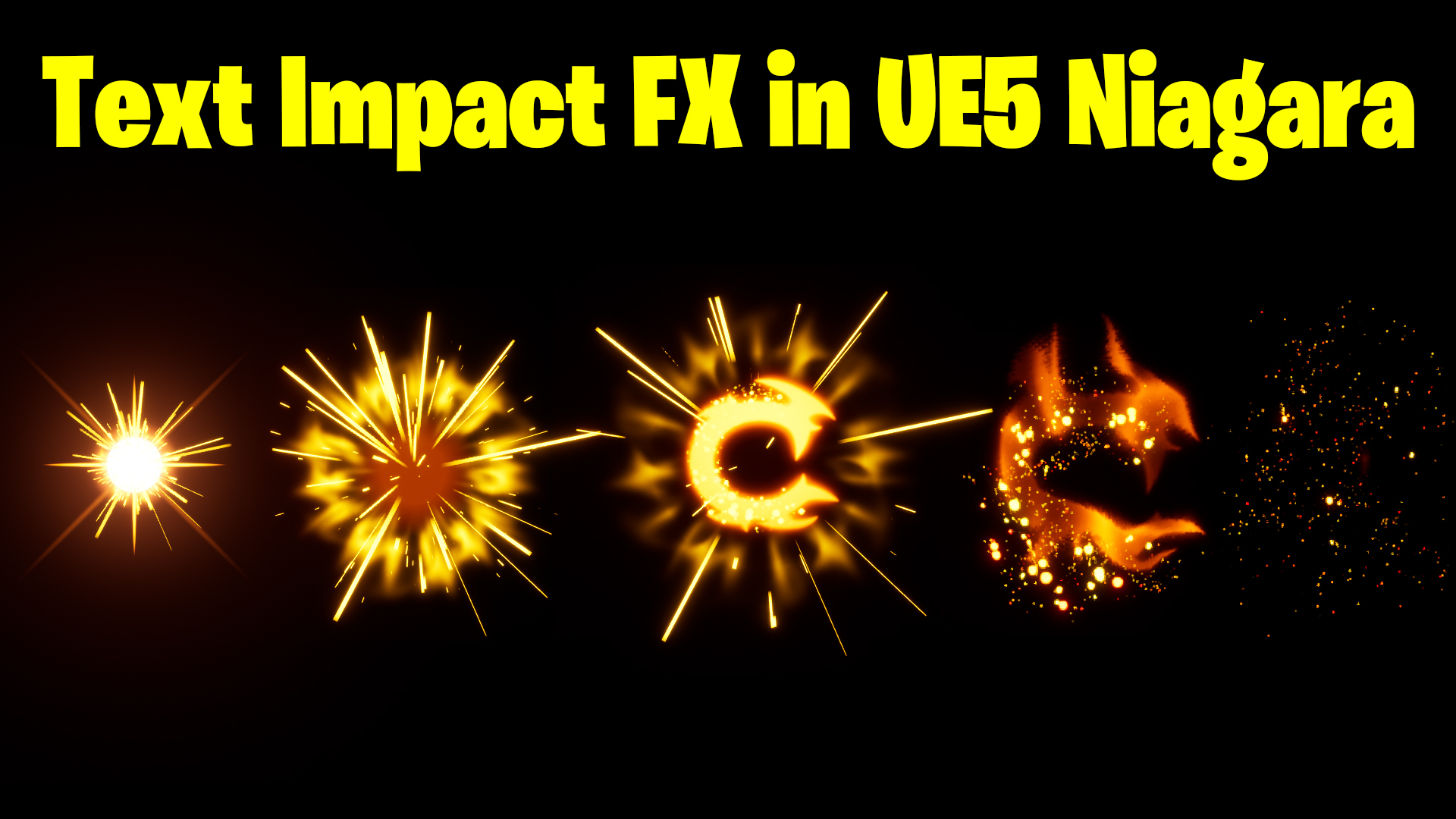

Download – https://www.patreon.com/posts/65416685
Ref – https://bit.ly/38UVXCb
NFT – https://opensea.io/CGHOW
Twitter – https://twitter.com/cghow_
👉👉 If you Liked it – http://bit.ly/2UZmiZ4
Channel Ashif – http://bit.ly/3aYaniw
Support me on – https://www.patreon.com/Ashif
Support me on – paypal.me/9953280644
Text Impact FX in UE5 Niagara Tutorial | Download Files
#cghow #UE5 #UE4Niagara #gamefx #ue5niagara #ue4vfx #niagara #unrealengineniagara #realtimevfx
●Upload Your Tutorials/Work – https://cghow.com/
Purchase Effect Package From Unreal engine Marketplace –
Unreal Engine Niagara Effects in Marketplace – https://youtu.be/DF4Lb_btEus
Niagara Effects Pack in Marketplace – https://youtu.be/g6_k8T7FqHA
Unreal Engine Advanced Magical Effects in Marketplace – https://youtu.be/0Dn3GLIzhMo
Smoke in UE4 Niagara Pack01 in Unreal Engine Marketplace – https://youtu.be/38BPA_9yqJ8
UE4 Niagara Fire Pack 01 in Marketplace – https://youtu.be/PW5FL-zZoP4
UE4 Niagara Fire Pack 02 in Marketplace – https://youtu.be/fdLXPlUEzxM
UE4 Niagara Explosions Pack 02 in Marketplace – https://youtu.be/dj-XX9he4aE
Unreal Engine Niagara Effects Pack 03 in Marketplace – https://youtu.be/0kKon43I-Og
Slow Motion Explosion in UE4 Niagara Pack 04 in Marketplace – https://youtu.be/lUK1eW5zRP0
Unreal Engine Niagara Effects pack 04 in Marketplace – https://youtu.be/MihWYB31Gi4
Slow Motion Explosion in UE4 Niagara Pack 04 in Marketplace – https://youtu.be/lUK1eW5zRP0
UE4.25 Niagara Effects Pack 05 in Marketplace – https://youtu.be/sn1HIENVTDI
UE4.25 Niagara Effects Pack 06 in Marketplace – https://youtu.be/pvH_xGQ5jvs
Explosions Package in Unreal Engine Niagara Particle System – https://youtu.be/1mbqWscjUJ4
●Follow FB Page – https://www.facebook.com/cghow0/
●Join FB Group – https://www.facebook.com/groups/cghow/
●Android App – http://bit.ly/2XUnhoR
Playlists-
●Unreal Engine Niagara Tutorials – http://bit.ly/2SmPEuT
●Unreal engine VFX Tutorials -http://bit.ly/2JNXyJZ
●Unity VFX Tutorials – http://bit.ly/2XNGlKz
Video Title: Creating a Text Impact Effect in UE5 Niagara
Key Points:
- Introduction to the Effect:
- You create a text impact effect where the logo dissolves like smoke and particles are added.
- The tutorial uses Niagara in Unreal Engine 5 (UE5) to achieve this.
- Preparing the Text:
- You begin by editing your logo in Photoshop, isolating the text, and creating a Targa image for use in UE5.
- Creating the Material for Dissolving Text:
- The material uses a combination of noise textures to distort the logo, simulating a dissolve effect.
- You make adjustments in the material to fine-tune the distortion and dissolve parameters, controlling the fade-out and how the text dissolves.
- Texture Adjustments:
- You use Photoshop to enhance the textures by blurring and adding glow effects, saving the texture and reimporting it into UE5.
- Particle Effects:
- You create various particle effects like streaks, shockwaves, and sparks, adjusting their opacity and size.
- You utilize materials like ‘Streaks’ and ‘Shockwave’ to give a more dynamic and impactful look.
- Building the Niagara System:
- Using a Niagara emitter, you assemble the components like the core shockwave, streaks, and star elements into a cohesive system that triggers during the dissolve.
- You fine-tune the timing and dissolve parameters to make the text appear to dissolve in a natural and impactful way.
- Adjusting Particle Movement and Final Tweaks:
- You make adjustments to the particle systems for the glow, impact, and scaling of particles, ensuring they behave realistically when interacting with the text.
- Final Touches:
- You adjust the camera offset for dynamic effects and fine-tune the overall look for a smooth dissolve transition, ensuring the text dissolves in sync with the shockwave and particles.
Key Terms:
- Niagara: The particle system used in Unreal Engine 5 to create VFX.
- Shockwave: The radial expansion effect that gives the impact its energy.
- Dissolve Effect: A visual effect where the text slowly disappears, often resembling smoke or fluid.
- Texture Coordinates: Used to manipulate the UV map of a texture for applying it correctly onto the object.
- Particle Color & Size: Attributes in Niagara for controlling the look and behavior of particles.
Additional Notes:
- Make sure to adjust parameters for better performance, such as decreasing the life of shockwaves or adjusting particle densities.
- The use of glow effects and soft particles makes the impact more dramatic and realistic.
- Fine-tuning particle life and randomness is key to making the impact feel more organic.
Trendy Tags:
- #NiagaraVFX, #UnrealEngine5, #VFXtutorial, #ParticleSystems, #DissolvingText, #ShockwaveEffect, #GameFX
Leave a Reply